

What is SIP and how to disable it?
What is SIP and how to disable it?

In 2015, Apple introduced a new mechanism to protect user data from malware in OS X El Capitan (10.11), called System Integrity Protection (also known as SIP or rootless).
Why disable SIP?
For example, you might want to downgrade iTunes after a recent update or simply uninstall an Apple app like Safari, iTunes, or Photo. These are all pre-installed apps, so you can’t uninstall them. However, if you disable SIP, you’ll have this option.
Also, some “treated” applications require disabling SIP for full functionality due to the specifics of the activation implementation.
Instructions (SIP Disabling)
Disabling SIP from within macOS itself is impossible, as otherwise the entire purpose of protection is lost. Therefore, you’ll need to boot into Recovery mode and run certain commands in Terminal.
1. Start your Mac in macOS Recovery mode.
Intel: Restart the computer. As soon as the screen goes black, press and hold Cmd + R until the Apple logo appears. Once the boot process is complete, you will enter Recovery mode.
Apple Silicon: Hold the power button on a powered-off Mac for about 10 seconds. Then, go to “Options.” You may need an administrator password.

 If macOS is simply loaded, you likely pressed the key combination too late or released it too soon. Restart the computer and try again.
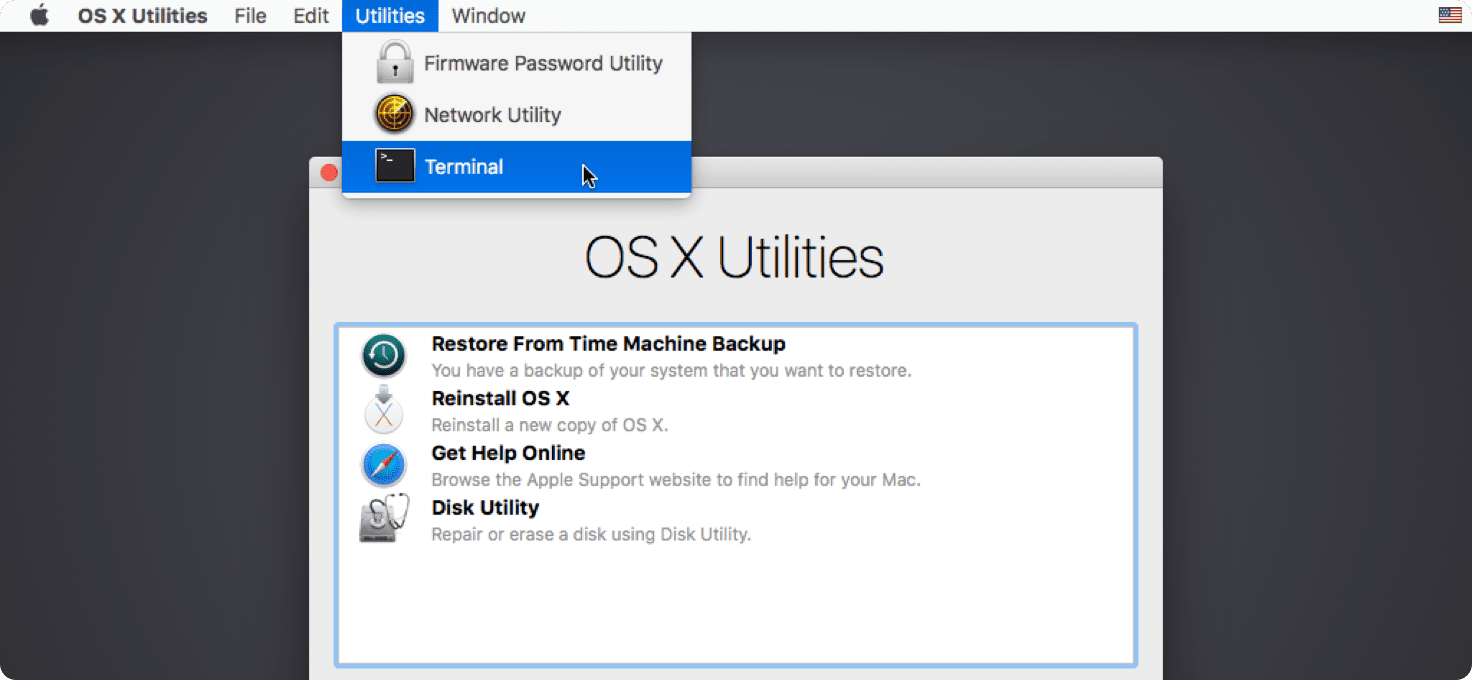
2. Launch Terminal from the Utilities menu:

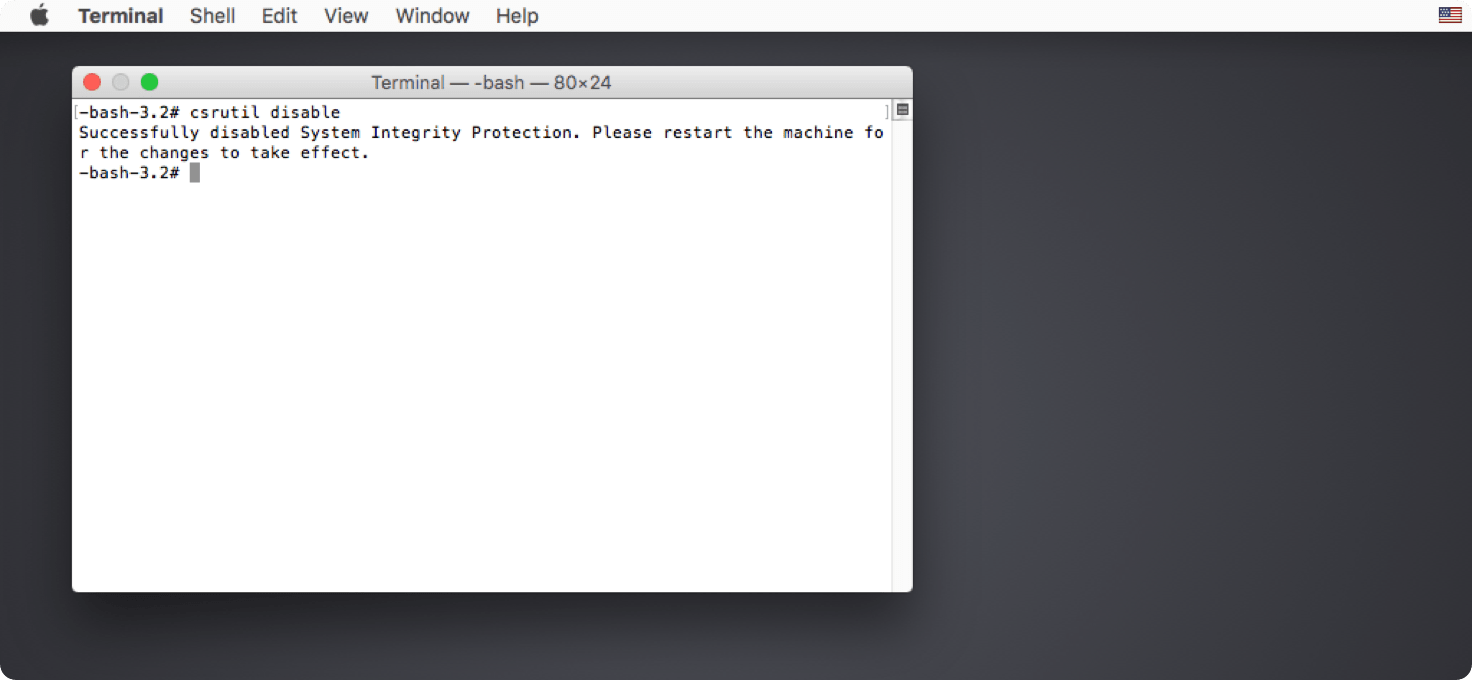
3. Run the command csrutil disable and press Enter.

Note that not every patched application requires completely disabling SIP.
The command csrutil enable –without fs will disable it only for the file system, without affecting Kernel Extensions or interfering with NVRAM.
4. Restart your Mac.

 Sometimes disabling SIP can cause your Mac to boot into Recovery mode instead of normal boot mode. To fix this, hold down the Option (Alt) key on your keyboard the next time you restart to boot into disk selection mode. Then, select the system drive and click it or press Enter.
Additionally
You don’t have to disable SIP permanently. After performing the necessary manipulations (running the required application), you can enter Recovery Mode (again) and enable Mac protection using the csrutil enable command.
To check the SIP status, use the csrutil status command.
The terminal will display whether it’s enabled or disabled.
Available in both normal mode and recovery mode.