 New
New
👁 0🕒 Nov 1, 2026
Darkroom
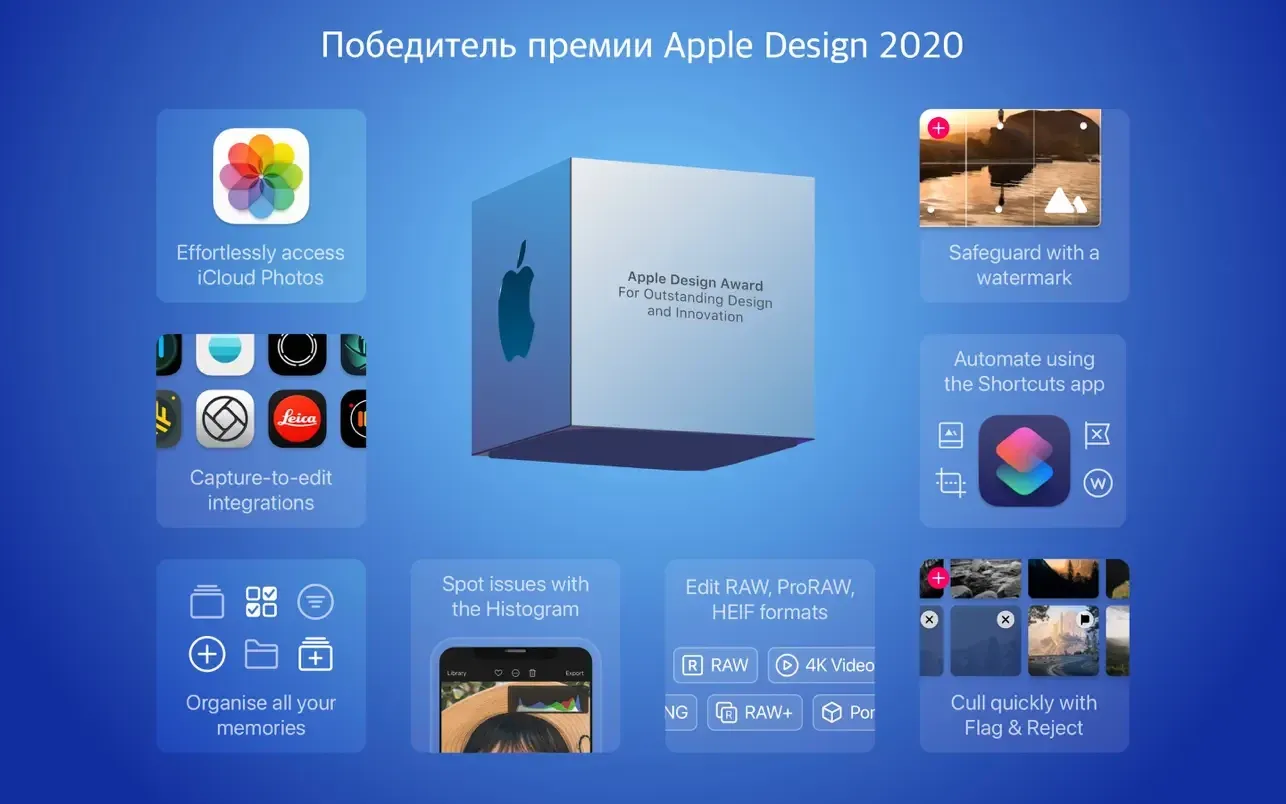
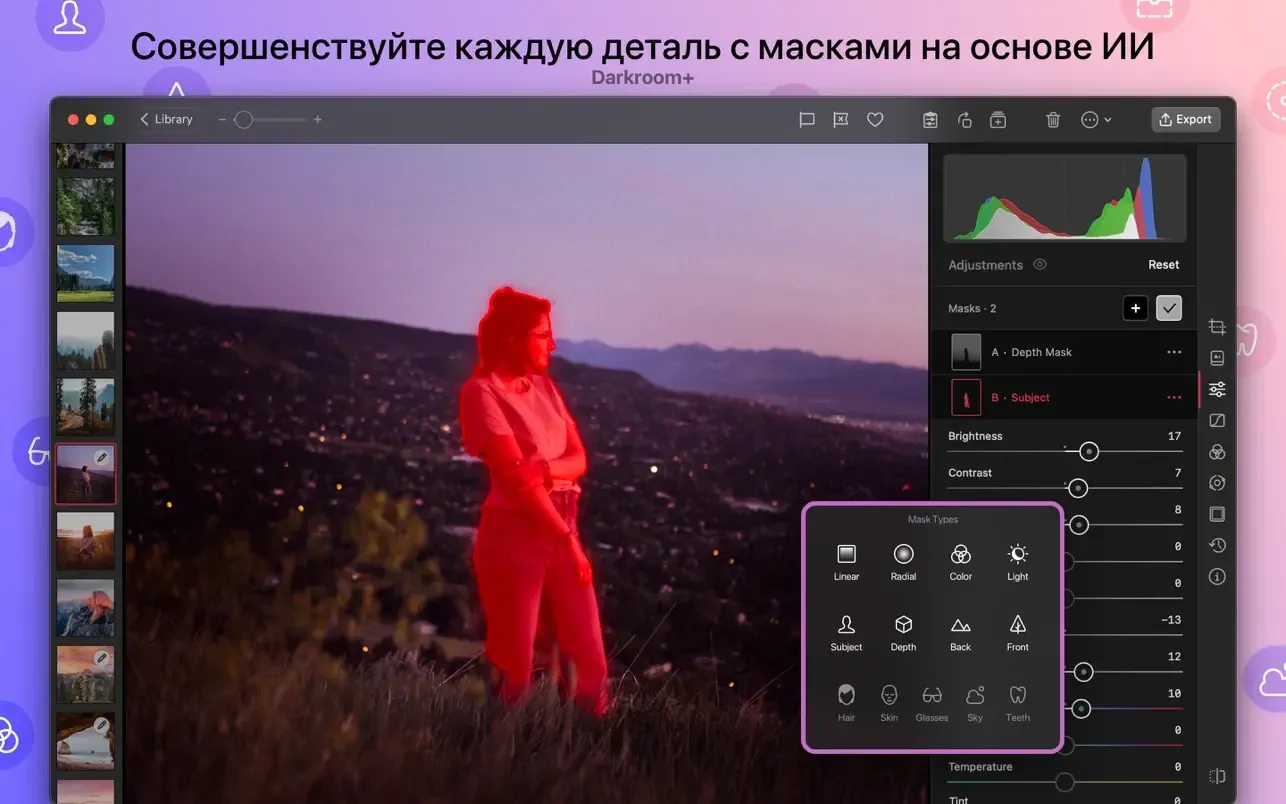
Darkroom (by Bergen Co.) is a powerful, native photo and video editor engineered specifically for macOS and the Apple ecosystem. Built directly on top of the native System Photo Library with zero mandatory file importing, it pairs a non-destructive editing pipeline with raw 16-bit color processing, hardware-accelerated curves, LUT presets, and AI-driven smart masking. It offers creative professionals an efficient alternative to heavy desktop suites without sacrificing granular image controls.
Screenshots
What's new
- Magic Select & On-Device AI Object Masking: Introduces AI-driven Magic Select masks running locally via Apple's core segmentation models, enabling instant object selection, region-based drawing, box selections, and dedicated edge-refinement tools (Edge Fit, Shift Edge, Feather).
- Rebuilt Tiled RAW Engine & 120fps ProMotion: Re-engineers the post-decode RAW pipeline with dynamic tiling to process multi-shot 100MP files effortlessly while driving canvas sliders, masks, and crop controls at 120fps on ProMotion Mac displays.
- Liquid Glass UI & Toolbar Refresh: Refreshes the macOS desktop interface with updated toolbar controls, custom aspect ratio keyboard step increments, customizable crop grid options (including 4x4 and clean preview modes), and enhanced mask preview overlays.
- Expanded HSL Curves & Auto White Balance: Upgrades color tools with unconstrained curves adjustments, standalone HSL curves, and an Auto White Balance engine for neutral color correction across RAW and SDR images.
- Cross-Device iCloud Flag Sync & Extended Metadata: Unifies album management with iCloud synchronization for Flagged/Rejected assets alongside a rewritten, high-speed EXIF/IPTC Extended Metadata inspector featuring full native print layout support.
Question and Answer
Run the downloaded image and drag the application to the Applications folder shortcut. Once copying is complete, the application can be launched via Launchpad.
There are so many errors, we can't list them all here. Therefore, we've described all the solutions (with pictures) in the article: Errors when installing applications on a Mac
Official updates may result in loss of activation unless otherwise stated in the installation instructions.To update the software from this website, you must download the new version of the software from here (if available) and install it over the version currently installed on your computer. This will preserve your activation and settings for the software. Read more in the article: Updating pirated apps
To download large files, it is recommended to use any download manager, for example, FDM (Free Download Manager) For downloading from a file sharing service like Filen.io, it's not recommended to use Safari. Use Google Chrome or the aforementioned FDM browser, for example. To download files via torrent (.torrent file), you need a torrent client, such as Transmission or the aforementioned FDM. Please remember that providers may block access to some websites (1fichier.com, etc.). To bypass these blocks, it is recommended to use a VPN.
The site administration doesn't hack anything. That's the job of release teams and some enthusiasts. They're the ones responsible for ensuring updates are available. But you can hack software yourself by learning reverse engineering.
Definitely not in the comments. The site administration doesn't hack anything, and there's no order desk. However, you can order the software you need (not for free) in a special thread on forum.ru-board.com.
Open System Preferences -> General > Language & Region -> Applications - “+”. Select an app and language. This method works for most apps. The language in Adobe products is usually selected during the installation of the product itself. The language in games is usually changed in the game settings itself. There are exceptions. Don't hesitate to search for information online.
There are many options. The easiest is to use specialized app removal tools, such as App Cleaner & Uninstaller. To remove Adobe products, use the Creative Cloud Cleaner Tool.
The site offers a paid service: remote assistance (via AnyDesk, Zoom, Skype) with the installation of any applications (not just those from this site) on any Mac or PC. Learn more...
Version
7.6
Developer
Bergen Co.
Languages
Russian , English , German , Danish , Spanish , Italian , Traditional Chinese , Simplified Chinese , Korean , Dutch , Norwegian , Polish , Portuguese , Thai , Finnish , French , Swedish , Japanese
Activation
Included
Compatibility
macOS 15.4 and later
Architecture
ARM , x86 (64-bit)
License Type
Full Access
Categories

Download Darkroom
Run the downloaded image and drag the application to the Applications folder shortcut. Once copying is complete, the application can be launched via Launchpad.
Won't download? Broken file? Not working? We have collected the answers on this page.
Old versions
Direct linkDownload from Mail.ruDownload from MediaFireWon't download? Broken file? Not working? We have collected the answers on this page.