 New
👁 0🕒 Nov 3, 2026
Expenses: Spending Tracker
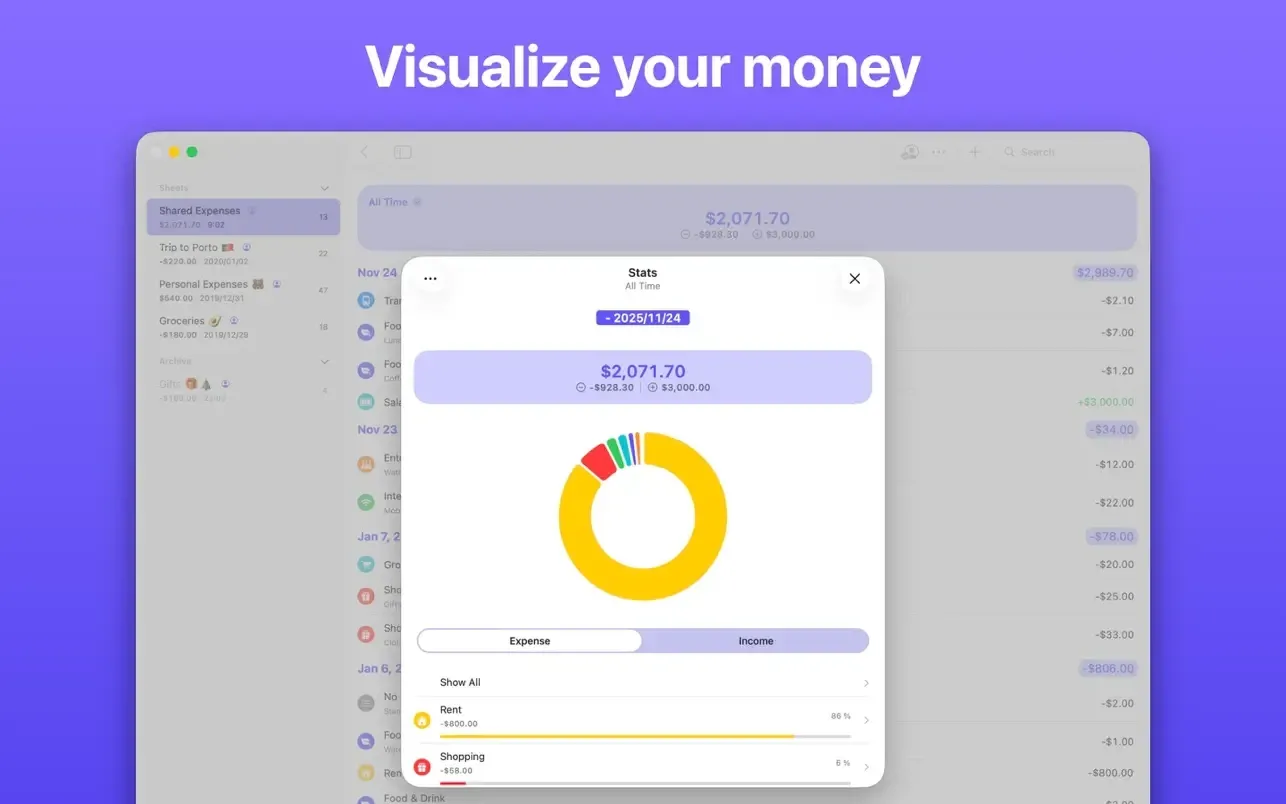
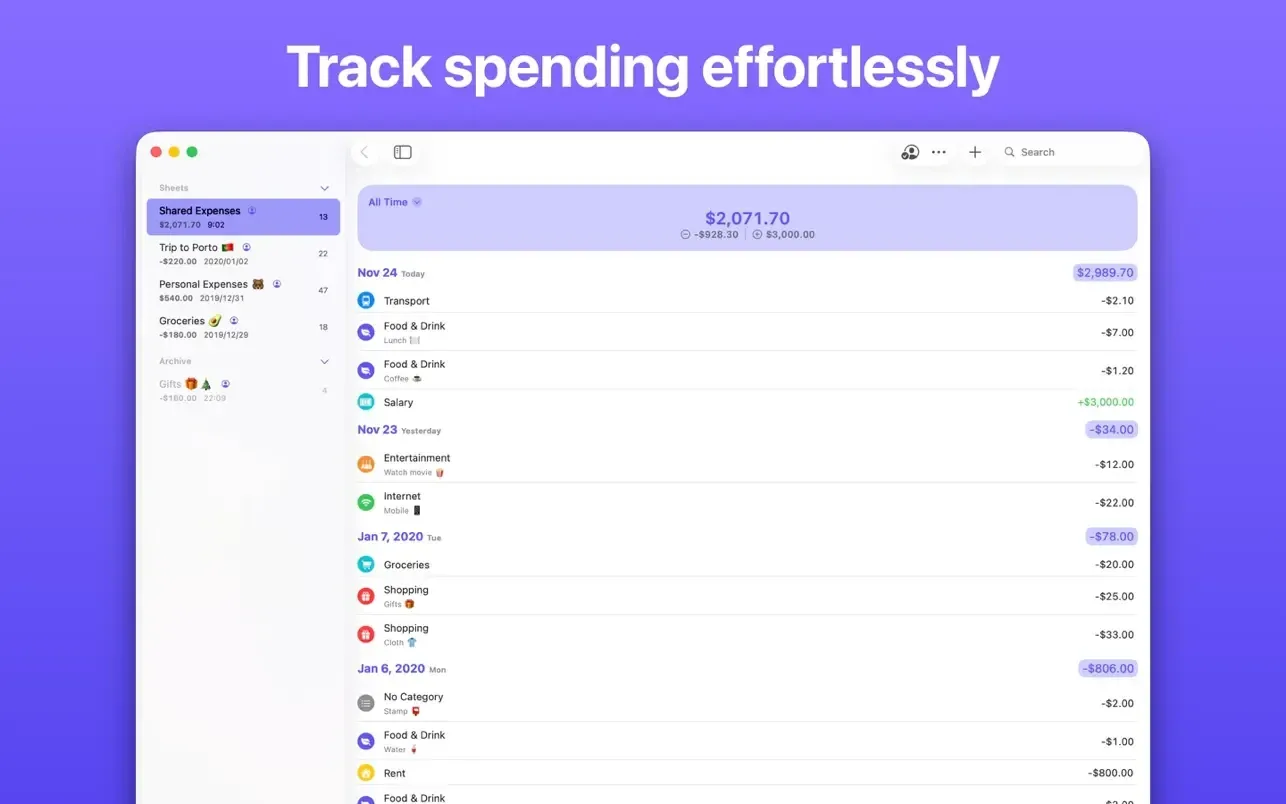
Expenses: Spending Tracker (by Blue Comet Labs) is a privacy-first, native financial tracking utility engineered specifically for macOS, iOS, iPadOS, and Apple Vision Pro. Built for users who prefer manual expense control over automated third-party bank scraping, it pairs a sheet-based organization architecture with on-device intelligence, multi-currency support, receipt scanning, and end-to-end encrypted iCloud collaboration.
Screenshots
What's new
- On-Device Vision Receipt Processing: Utilizes VisionKit to scan paper receipts, auto-extracting merchant metadata, totals, and transaction dates directly into expense entries without remote server processing.
- Enhanced CSV Import & Column Category Matching: Redesigns CSV data onboarding with an interactive column mapping interface, pre-import category preview matching, and updated file validation routines.
- Cross-Sheet Multi-Transaction Editing & Batch Operations: Introduces broad category management across individual financial sheets, enabling multi-selection transaction updates, global tag reassignment, and aggregated transaction count displays.
- Manual Drag-and-Drop Sheet Layouts & Pinning: Adds customizable sheet reordering via native trackpad drag-and-drop actions alongside pin-to-top layout behavior for primary budgets.
- Accented Search & Advanced Comparison Filters: Expands historical search accuracy with support for diacritics/accented text matching, word highlighting, custom quick-filter sorting, and range-based amount comparison filters.
Question and Answer
Run the downloaded image and drag the application to the Applications folder shortcut. Once copying is complete, the application can be launched via Launchpad.
There are so many errors, we can't list them all here. Therefore, we've described all the solutions (with pictures) in the article: Errors when installing applications on a Mac
Official updates may result in loss of activation unless otherwise stated in the installation instructions.To update the software from this website, you must download the new version of the software from here (if available) and install it over the version currently installed on your computer. This will preserve your activation and settings for the software. Read more in the article: Updating pirated apps
To download large files, it is recommended to use any download manager, for example, FDM (Free Download Manager) For downloading from a file sharing service like Filen.io, it's not recommended to use Safari. Use Google Chrome or the aforementioned FDM browser, for example. To download files via torrent (.torrent file), you need a torrent client, such as Transmission or the aforementioned FDM. Please remember that providers may block access to some websites (1fichier.com, etc.). To bypass these blocks, it is recommended to use a VPN.
The site administration doesn't hack anything. That's the job of release teams and some enthusiasts. They're the ones responsible for ensuring updates are available. But you can hack software yourself by learning reverse engineering.
Definitely not in the comments. The site administration doesn't hack anything, and there's no order desk. However, you can order the software you need (not for free) in a special thread on forum.ru-board.com.
Open System Preferences -> General > Language & Region -> Applications - “+”. Select an app and language. This method works for most apps. The language in Adobe products is usually selected during the installation of the product itself. The language in games is usually changed in the game settings itself. There are exceptions. Don't hesitate to search for information online.
There are many options. The easiest is to use specialized app removal tools, such as App Cleaner & Uninstaller. To remove Adobe products, use the Creative Cloud Cleaner Tool.
The site offers a paid service: remote assistance (via AnyDesk, Zoom, Skype) with the installation of any applications (not just those from this site) on any Mac or PC. Learn more...
Version
4.1.9
Developer
Blue Comet Labs LLC
Languages
Russian , English , German , Danish , Spanish , Italian , Traditional Chinese , Simplified Chinese , Korean , Dutch , Norwegian , Polish , Portuguese , Thai , Finnish , French , Swedish , Japanese
Activation
Not required
Compatibility
macOS 13 and later
Architecture
ARM , x86 (64-bit)
License Type
Full Access
Categories


Download Expenses: Spending Tracker
Run the downloaded image and drag the application to the Applications folder shortcut. Once copying is complete, the application can be launched via Launchpad.
Won't download? Broken file? Not working? We have collected the answers on this page.