 New

👁 0🕒 Nov 4, 2026
iRingg
iRingg (by Softorino) is a native, intelligent iPhone ringtone generation and direct device deployment utility for macOS. Designed to eliminate traditional iTunes/Finder synchronization routines, AAC file conversion steps, and .m4r extension renaming workarounds, it combines built-in web and local media search capabilities with a automated direct-to-iOS payload push engine operating over USB or local Wi-Fi.
Screenshots
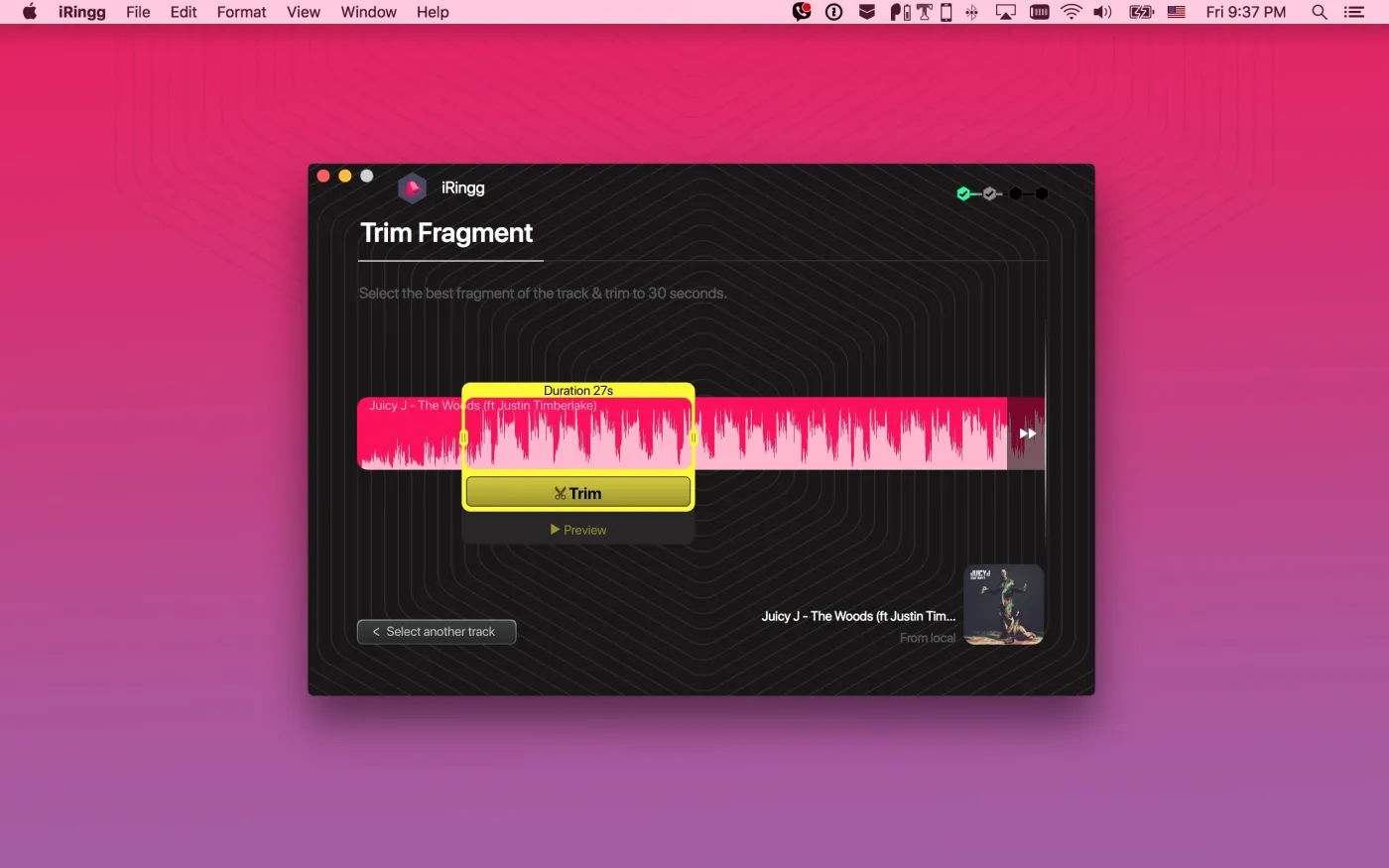
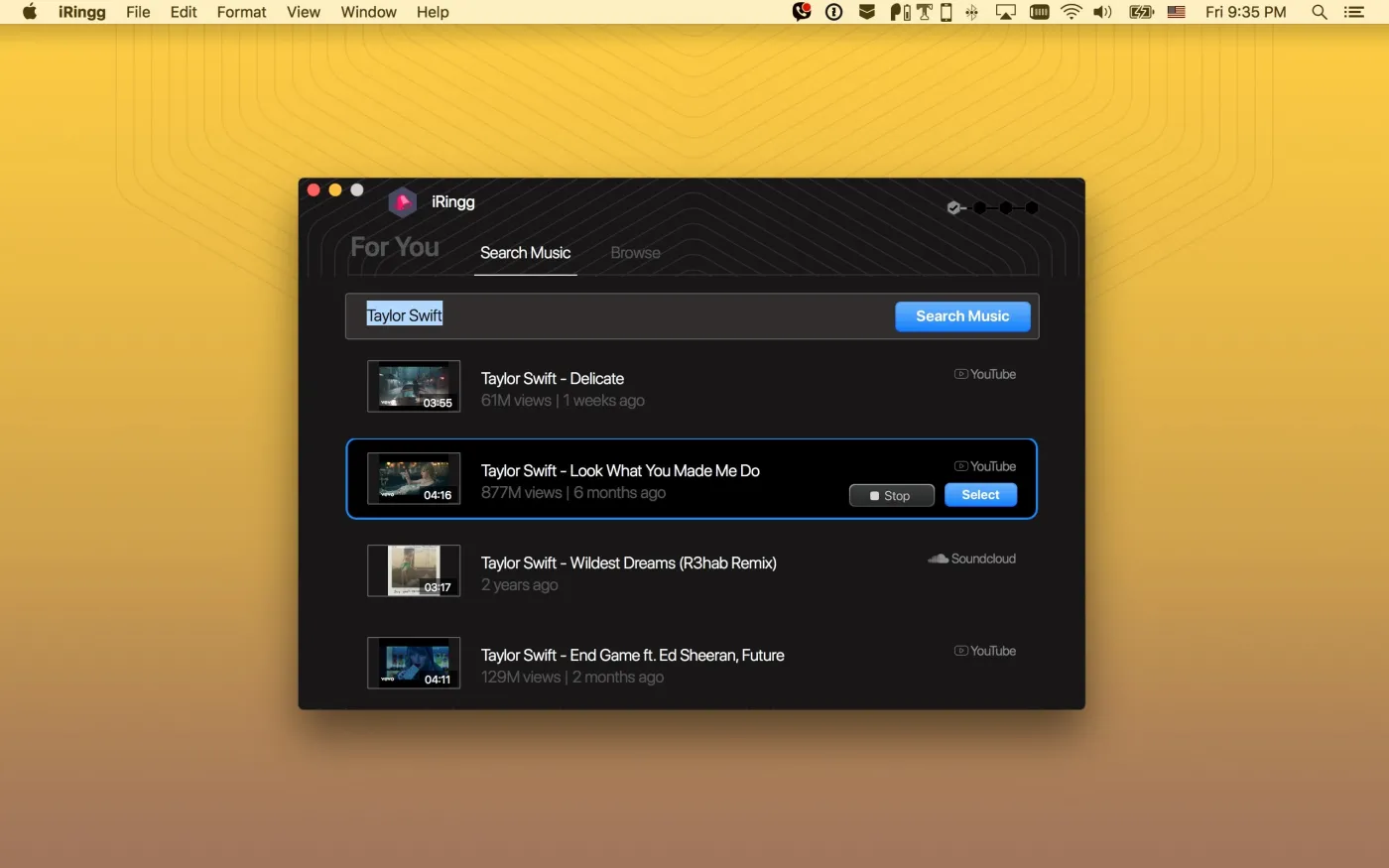
What's new
- 6-Sense Predictive Music Intelligence Engine: Utilizes an on-device contextual learning engine to analyze your local iTunes/Music library listening habits and automatically surface high-probability audio tracks for personalized ringtone creation.
- Integrated Online Media & SoundCloud/YouTube Sourcing: Incorporates an in-app search engine to query, pull, and trim audio directly from online streaming sources without requiring separate media downloader steps.
- Direct Wi-Fi & USB Push-to-iOS Transfer: Bypasses manual iOS file imports by using Softorino’s proprietary UCB (Universal Connection Bridge) protocol to push compiled audio payloads directly into the native iOS Settings > Sounds & Haptics menu.
- SndMoji™ Sound Effects & Voice Intro Studio: Features an integrated multi-track audio editor allowing users to layer sound effects (SndMojis), record voice tracks with real-time audio filters, and configure dynamic fade-in/fade-out envelopes.
- Native Apple Silicon Architecture & Low Latency Trimmer: Re-engineered as a high-performance native macOS binary, optimizing real-time waveform rendering, hardware-accelerated audio encoding, and instant device discovery with minimal CPU footprint.
Question and Answer
Run the downloaded image and drag the application to the Applications folder shortcut. Once copying is complete, the application can be launched via Launchpad.
There are so many errors, we can't list them all here. Therefore, we've described all the solutions (with pictures) in the article: Errors when installing applications on a Mac
Official updates may result in loss of activation unless otherwise stated in the installation instructions.To update the software from this website, you must download the new version of the software from here (if available) and install it over the version currently installed on your computer. This will preserve your activation and settings for the software. Read more in the article: Updating pirated apps
To download large files, it is recommended to use any download manager, for example, FDM (Free Download Manager) For downloading from a file sharing service like Filen.io, it's not recommended to use Safari. Use Google Chrome or the aforementioned FDM browser, for example. To download files via torrent (.torrent file), you need a torrent client, such as Transmission or the aforementioned FDM. Please remember that providers may block access to some websites (1fichier.com, etc.). To bypass these blocks, it is recommended to use a VPN.
The site administration doesn't hack anything. That's the job of release teams and some enthusiasts. They're the ones responsible for ensuring updates are available. But you can hack software yourself by learning reverse engineering.
Definitely not in the comments. The site administration doesn't hack anything, and there's no order desk. However, you can order the software you need (not for free) in a special thread on forum.ru-board.com.
Open System Preferences -> General > Language & Region -> Applications - “+”. Select an app and language. This method works for most apps. The language in Adobe products is usually selected during the installation of the product itself. The language in games is usually changed in the game settings itself. There are exceptions. Don't hesitate to search for information online.
There are many options. The easiest is to use specialized app removal tools, such as App Cleaner & Uninstaller. To remove Adobe products, use the Creative Cloud Cleaner Tool.
The site offers a paid service: remote assistance (via AnyDesk, Zoom, Skype) with the installation of any applications (not just those from this site) on any Mac or PC. Learn more...
Version
4.0.16
Developer
Softorino
Languages
English
Activation
K'ed by TEAM HCiSO
Compatibility
macOS 10.13 and later
Architecture
x86 (64-bit)
License Type
Full Access
Categories


Download iRingg
Run the downloaded image and drag the application to the Applications folder shortcut. Once copying is complete, the application can be launched via Launchpad.
Won't download? Broken file? Not working? We have collected the answers on this page.
Old versions
iRingg 1.0.48 [TNT] for OS X 10.11 and laterWon't download? Broken file? Not working? We have collected the answers on this page.