
New
Navicat Premium
👁 0🕒 Nov 1, 2026

Navicat Premium

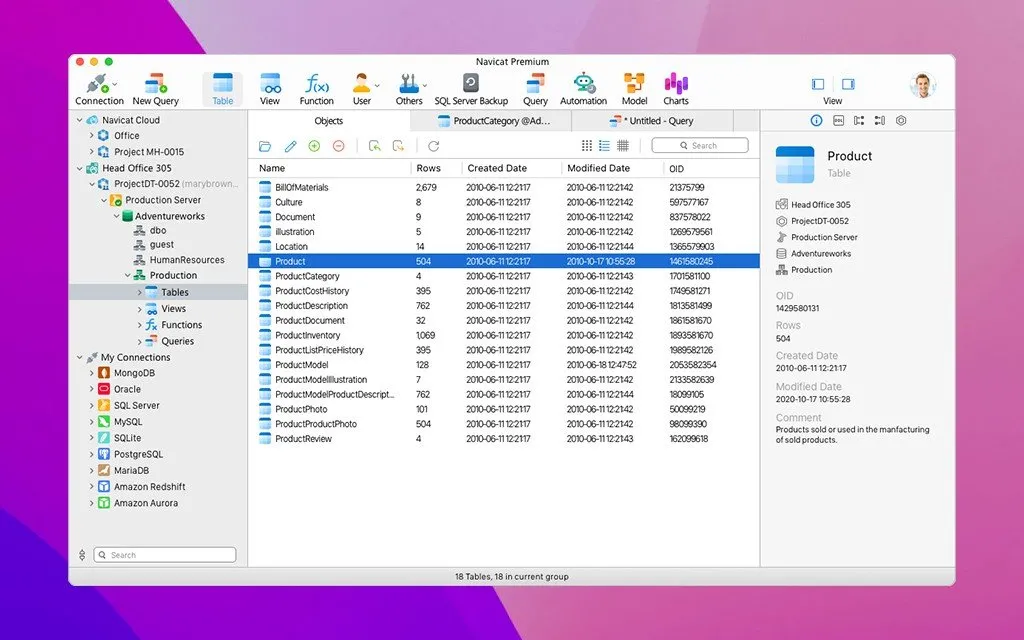
Navicat Premium is a multi-database administration and development application built for macOS. Designed for database administrators, software engineers, and data analysts, it allows simultaneous connections to a wide range of database engines—including MySQL, Redis, PostgreSQL, SQL Server, Oracle, SQLite, MongoDB, and Snowflake—from a unified graphical interface. It streamlines complex workflows by combining visual data modeling, automated data transfer and synchronization, interactive business intelligence (BI) dashboards, and visual query building without forcing users to rely entirely on command-line tools.


Screenshots
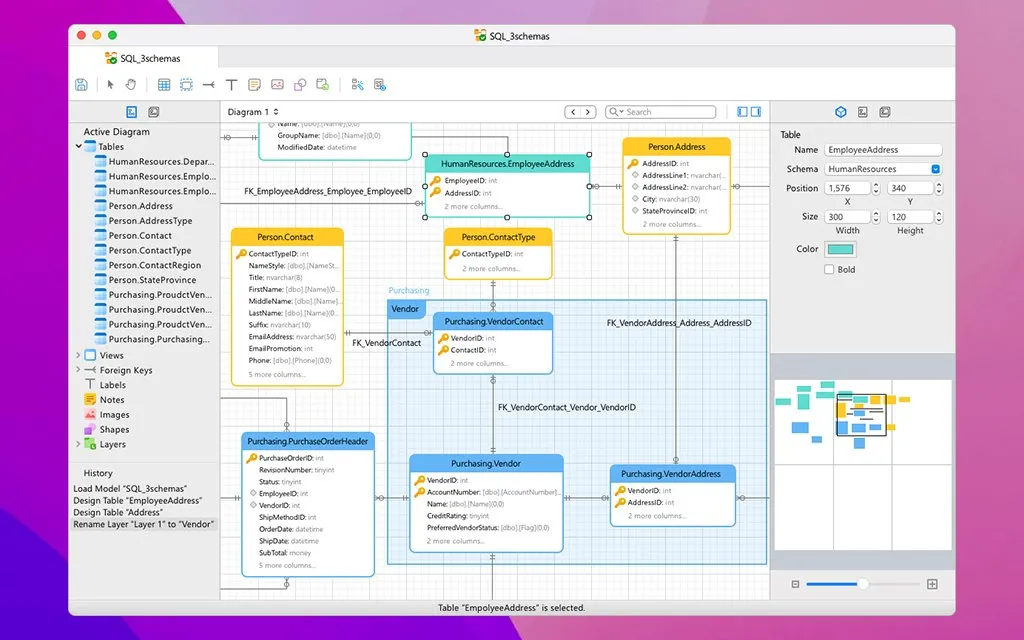
Navicat Premium screenshot

What's new

  • AI-Powered Table Design & Data Generation: Integrates native "Fill with AI" and "Ask AI" capabilities directly into the Table Designer and Data Editor to generate dummy records, summarize columns, and construct complete schema structures using natural language.
  • Code Refactoring & Real-Time IDE Insights: Introduces automated SQL symbol and alias refactoring across scripts, hover metadata previews, Go-to-Declaration shortcuts, and real-time syntax flaw detection.
  • Comprehensive Data Masking Tools: Adds built-in data masking workflows supporting substitution, variance, shuffling, hashing, and nulling techniques to scrub sensitive production data before generating test environments.
  • Single-Step Import Wizard & Apache Parquet Support: Features a redesigned, streamlined Import Wizard with live file previews, alongside native support for importing Apache Parquet datasets.
  • Advanced Hybrid Data Modeling & Glossary Standards: Unifies logical entities and physical database structures within a single hybrid model canvas while introducing centralized naming rules and enterprise data glossaries.

Question and Answer
Run the downloaded image and drag the application to the Applications folder shortcut. Once copying is complete, the application can be launched via Launchpad.
There are so many errors, we can't list them all here. Therefore, we've described all the solutions (with pictures) in the article: Errors when installing applications on a Mac
Official updates may result in loss of activation unless otherwise stated in the installation instructions.To update the software from this website, you must download the new version of the software from here (if available) and install it over the version currently installed on your computer. This will preserve your activation and settings for the software. Read more in the article: Updating pirated apps
To download large files, it is recommended to use any download manager, for example, FDM (Free Download Manager) For downloading from a file sharing service like Filen.io, it's not recommended to use Safari. Use Google Chrome or the aforementioned FDM browser, for example. To download files via torrent (.torrent file), you need a torrent client, such as Transmission or the aforementioned FDM. Please remember that providers may block access to some websites (1fichier.com, etc.). To bypass these blocks, it is recommended to use a VPN.
The site administration doesn't hack anything. That's the job of release teams and some enthusiasts. They're the ones responsible for ensuring updates are available. But you can hack software yourself by learning reverse engineering.
Definitely not in the comments. The site administration doesn't hack anything, and there's no order desk. However, you can order the software you need (not for free) in a special thread on forum.ru-board.com.
Open System Preferences -> General > Language & Region -> Applications - “+”. Select an app and language. This method works for most apps. The language in Adobe products is usually selected during the installation of the product itself. The language in games is usually changed in the game settings itself. There are exceptions. Don't hesitate to search for information online.
There are many options. The easiest is to use specialized app removal tools, such as App Cleaner & Uninstaller. To remove Adobe products, use the Creative Cloud Cleaner Tool.
The site offers a paid service: remote assistance (via AnyDesk, Zoom, Skype) with the installation of any applications (not just those from this site) on any Mac or PC. Learn more...
Version
18.0.5
Developer
PremiumSoft
Languages
Russian , English , German , Danish , Spanish , Italian , Traditional Chinese , Simplified Chinese , Korean , Dutch , Norwegian , Polish , Portuguese , Thai , Finnish , French , Swedish , Japanese
Activation
Not required
Compatibility
macOS 14.6 and later
Architecture
ARM , x86 (64-bit)
License Type
Full Access
Categories