 New
New
👁 0🕒 Nov 1, 2026
PeakHour 6
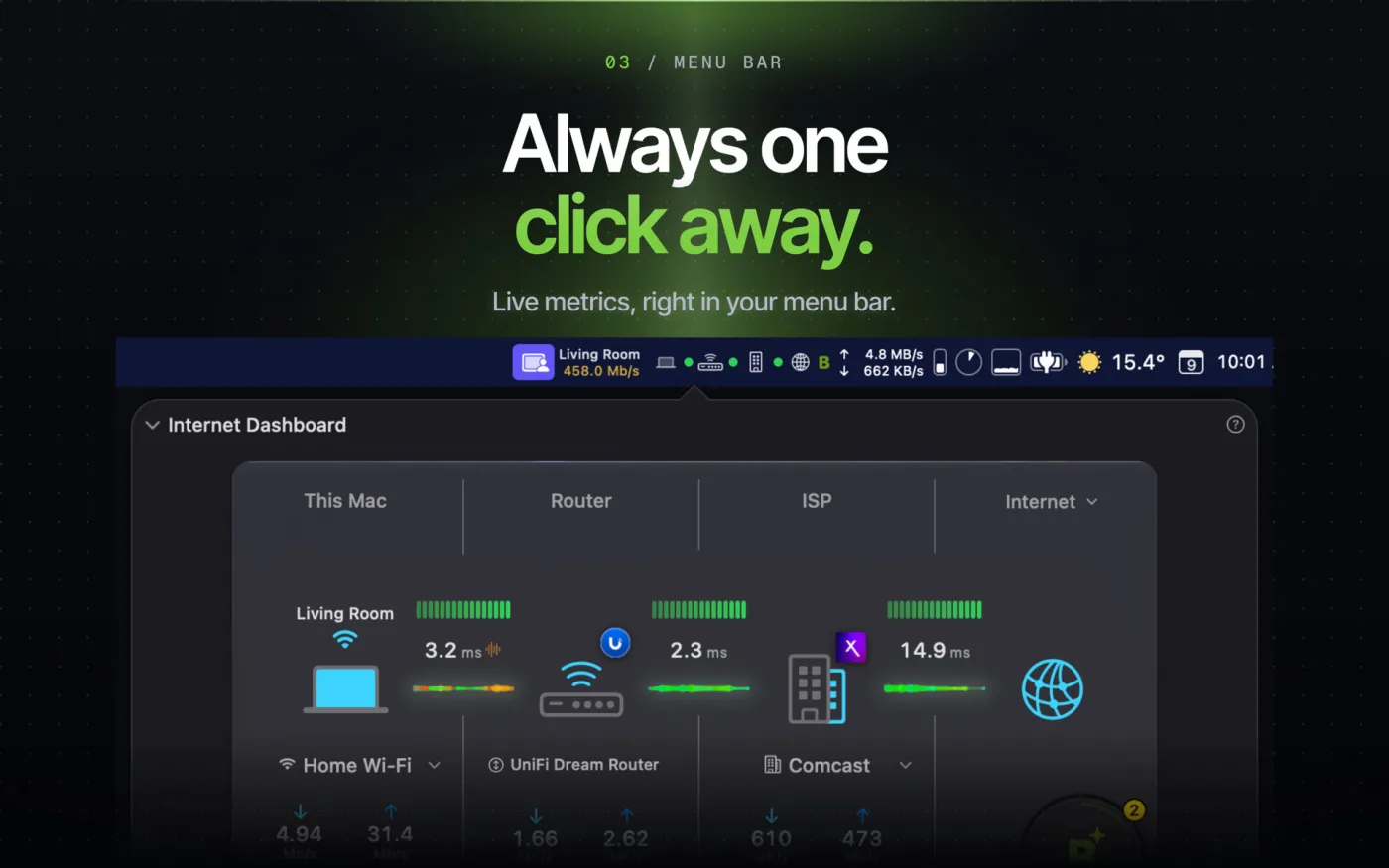
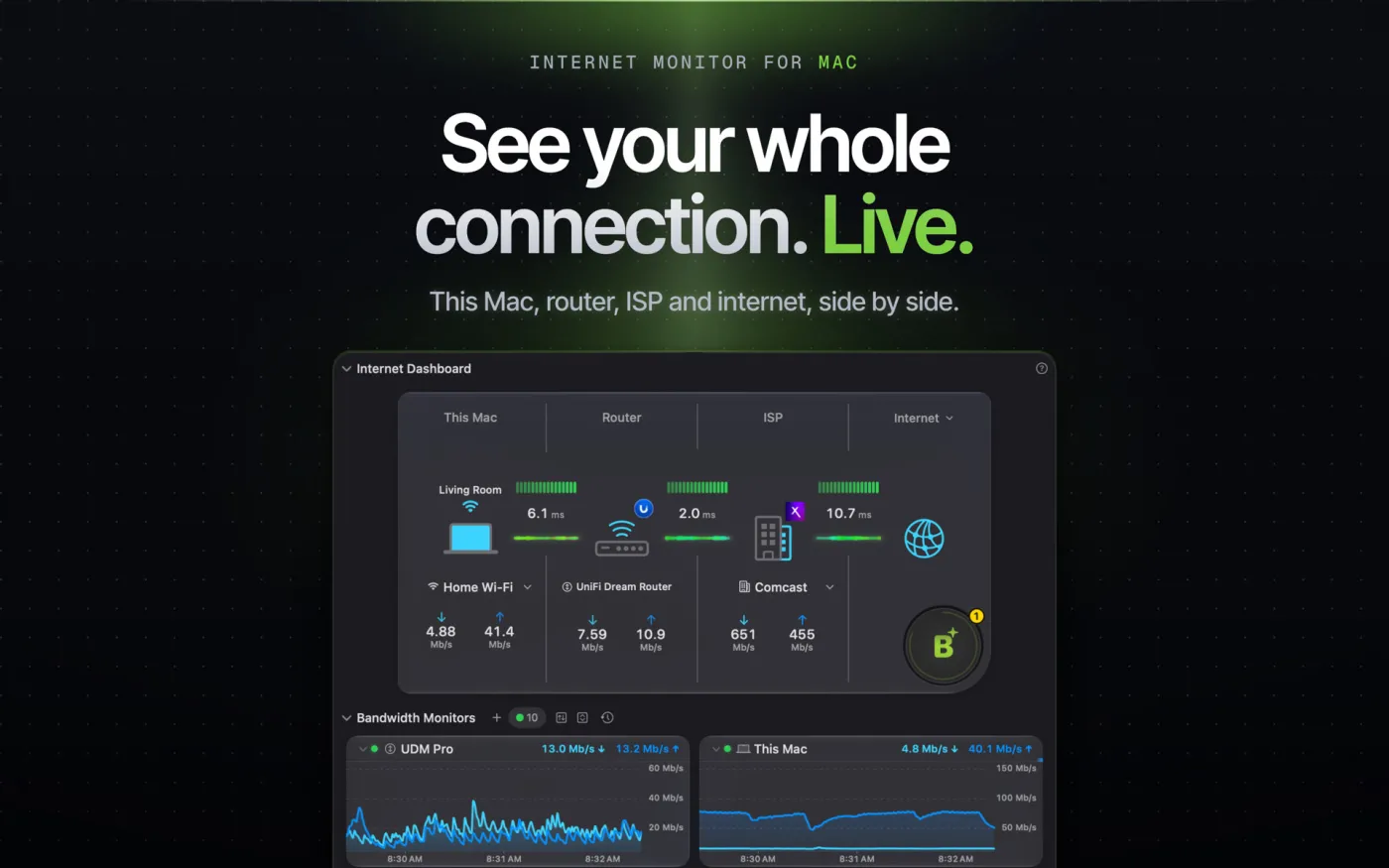
PeakHour 6 is a dedicated, real-time network and internet quality monitoring utility engineered for macOS. Designed to run quietly from the menu bar or a main window, it monitors bandwidth, router activity, local network interfaces, and internet connectivity—translating raw throughput and hop-by-hop telemetry into visual graphs and plain-English diagnostics.
Screenshots
What's new
- On-Device AI Network Advisor: Evaluates total connection health in real time, assigning a letter score (A+ to F) alongside human-readable diagnostic explanations for speed drops or packet loss.
- Modular Multi-Section Dashboard Layout: Features a reorderable, unified scrolling window where users can drag, expand, or collapse the Usage Monitor, Internet Dashboard, Advisor, and Monitors sections.
- Multi-Target Internet Status Engine: Tracks up to 10 customizable targets (such as streaming services, video calling platforms, or custom IPs) to determine true internet availability based on median latency.
- Dedicated Wi-Fi Signal & Quality Monitor: Graphs real-time Tx rates, Signal-to-Noise Ratio (SNR), and signal strength for Mac Wi-Fi interfaces, retaining historical drop logs with CSV export support.
- Apple Silicon & CPU Efficiency Optimizations: Reduces background CPU consumption and overall memory footprint during continuous telemetry sampling.
Question and Answer
Run the downloaded image and drag the application to the Applications folder shortcut. Once copying is complete, the application can be launched via Launchpad.
There are so many errors, we can't list them all here. Therefore, we've described all the solutions (with pictures) in the article: Errors when installing applications on a Mac
Official updates may result in loss of activation unless otherwise stated in the installation instructions.To update the software from this website, you must download the new version of the software from here (if available) and install it over the version currently installed on your computer. This will preserve your activation and settings for the software. Read more in the article: Updating pirated apps
To download large files, it is recommended to use any download manager, for example, FDM (Free Download Manager) For downloading from a file sharing service like Filen.io, it's not recommended to use Safari. Use Google Chrome or the aforementioned FDM browser, for example. To download files via torrent (.torrent file), you need a torrent client, such as Transmission or the aforementioned FDM. Please remember that providers may block access to some websites (1fichier.com, etc.). To bypass these blocks, it is recommended to use a VPN.
The site administration doesn't hack anything. That's the job of release teams and some enthusiasts. They're the ones responsible for ensuring updates are available. But you can hack software yourself by learning reverse engineering.
Definitely not in the comments. The site administration doesn't hack anything, and there's no order desk. However, you can order the software you need (not for free) in a special thread on forum.ru-board.com.
Open System Preferences -> General > Language & Region -> Applications - “+”. Select an app and language. This method works for most apps. The language in Adobe products is usually selected during the installation of the product itself. The language in games is usually changed in the game settings itself. There are exceptions. Don't hesitate to search for information online.
There are many options. The easiest is to use specialized app removal tools, such as App Cleaner & Uninstaller. To remove Adobe products, use the Creative Cloud Cleaner Tool.
The site offers a paid service: remote assistance (via AnyDesk, Zoom, Skype) with the installation of any applications (not just those from this site) on any Mac or PC. Learn more...
Version
6.2.1
Developer
Edward Lawford
Languages
English
Activation
Not required
Compatibility
macOS 14.6 and later
Architecture
ARM , x86 (64-bit)
License Type
Full Access
Categories



Download PeakHour 6
Run the downloaded image and drag the application to the Applications folder shortcut. Once copying is complete, the application can be launched via Launchpad.
Won't download? Broken file? Not working? We have collected the answers on this page.
Old versions
Direct linkDownload from MediaFireWon't download? Broken file? Not working? We have collected the answers on this page.