


Across the Obelisk
Download Across the Obelisk
Run the downloaded image and drag the application to the Applications folder shortcut.
Once the copy is complete, you can launch the application from Launchpad.
Previous Versions
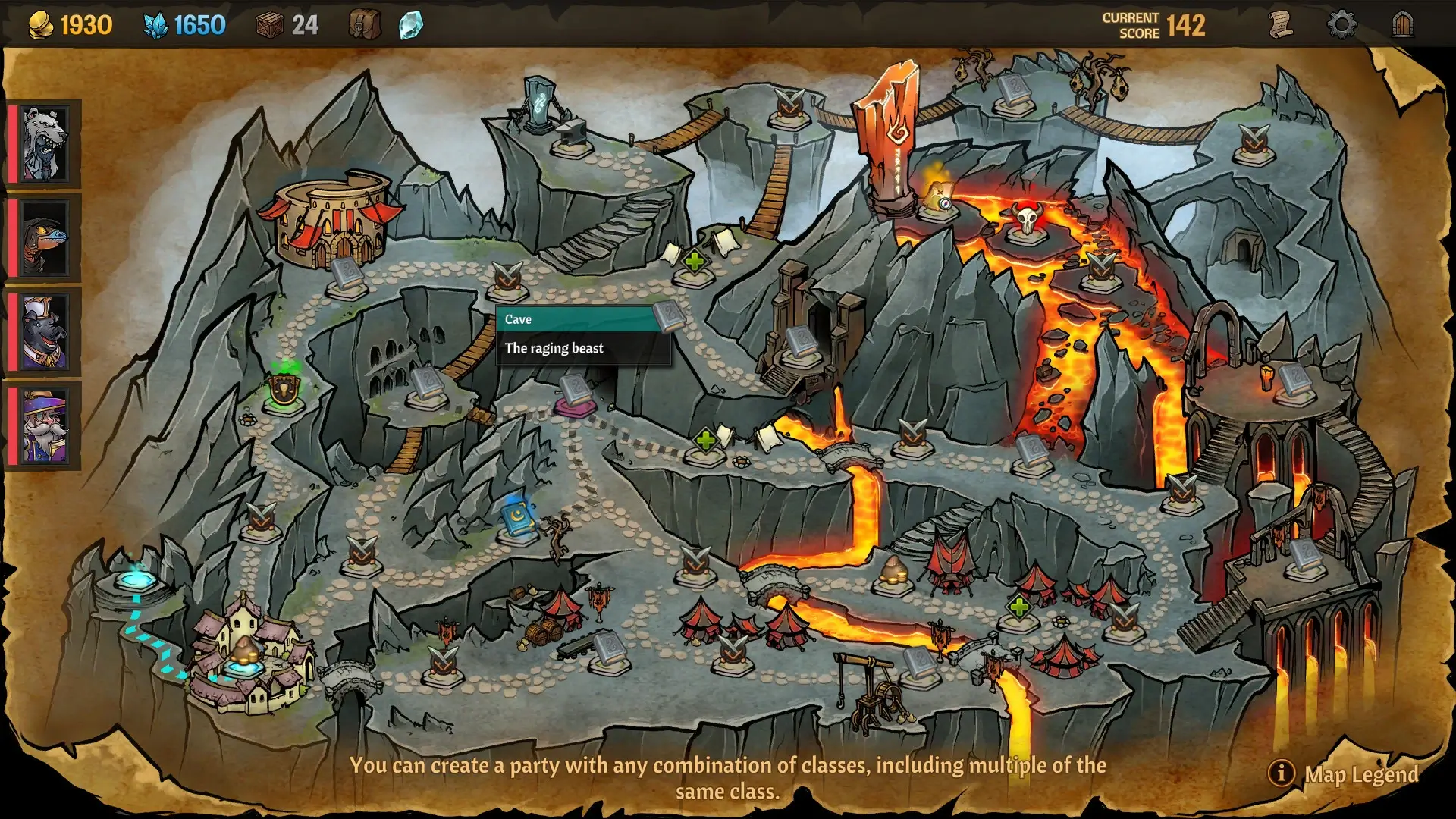
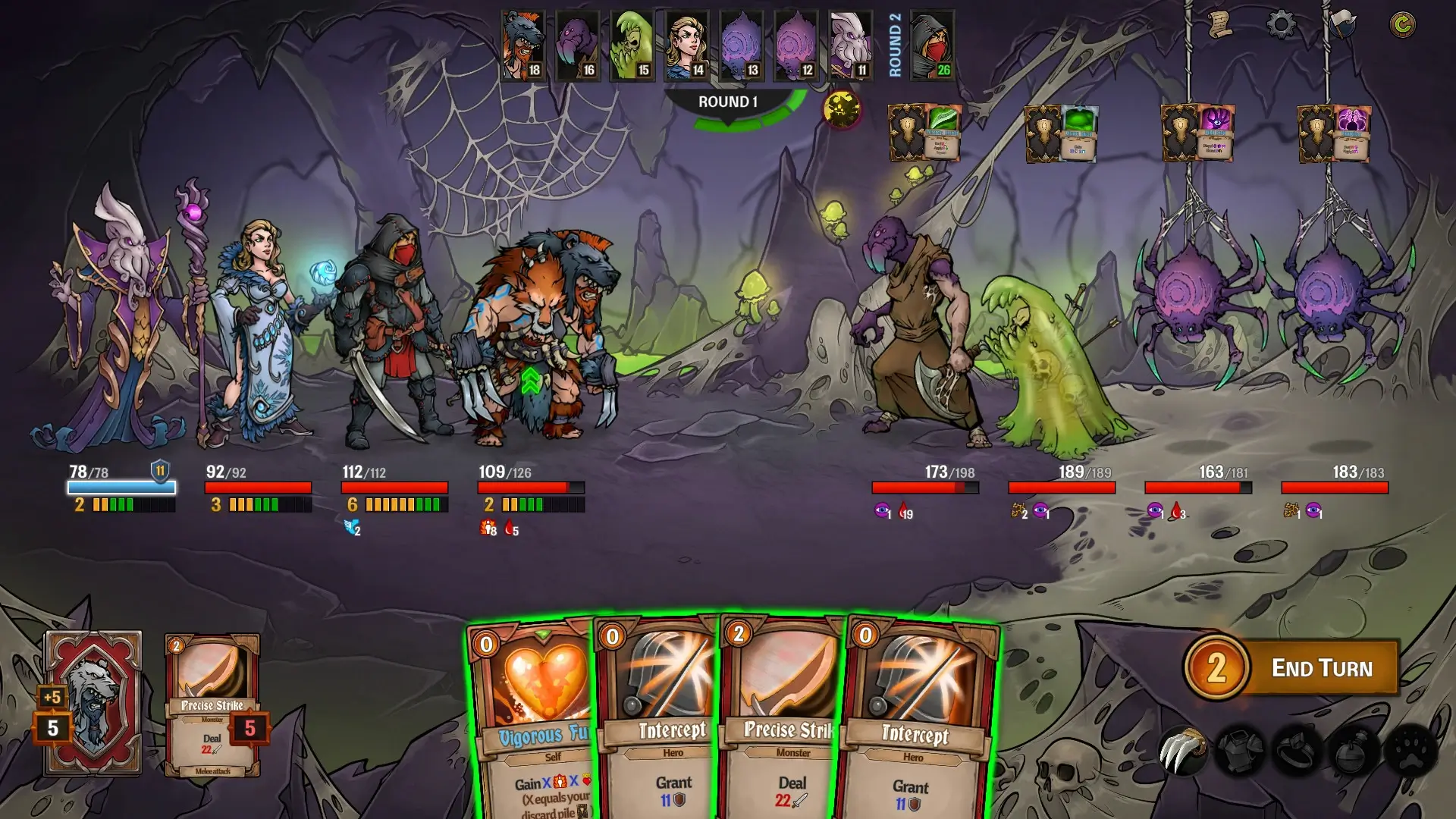
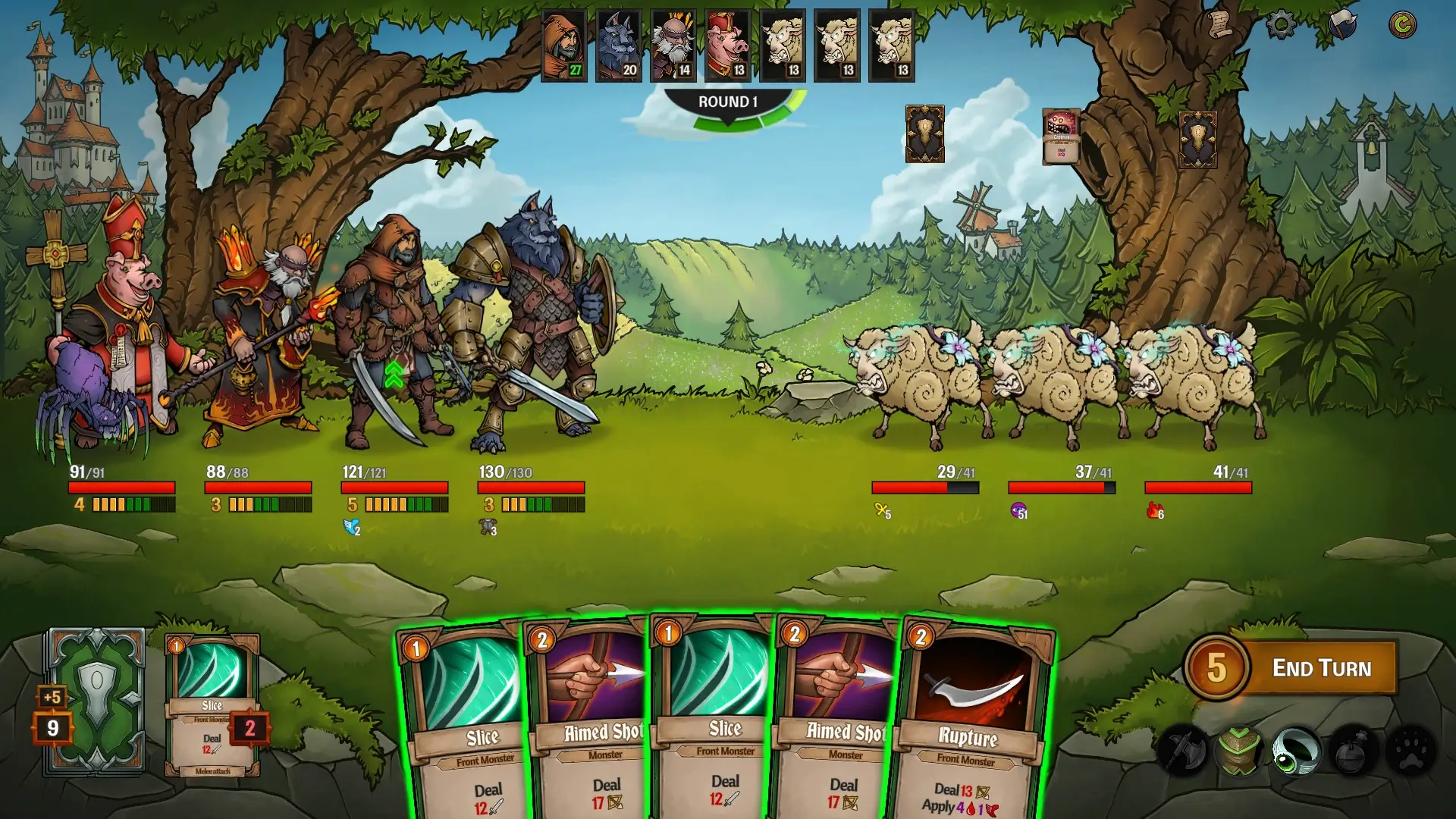
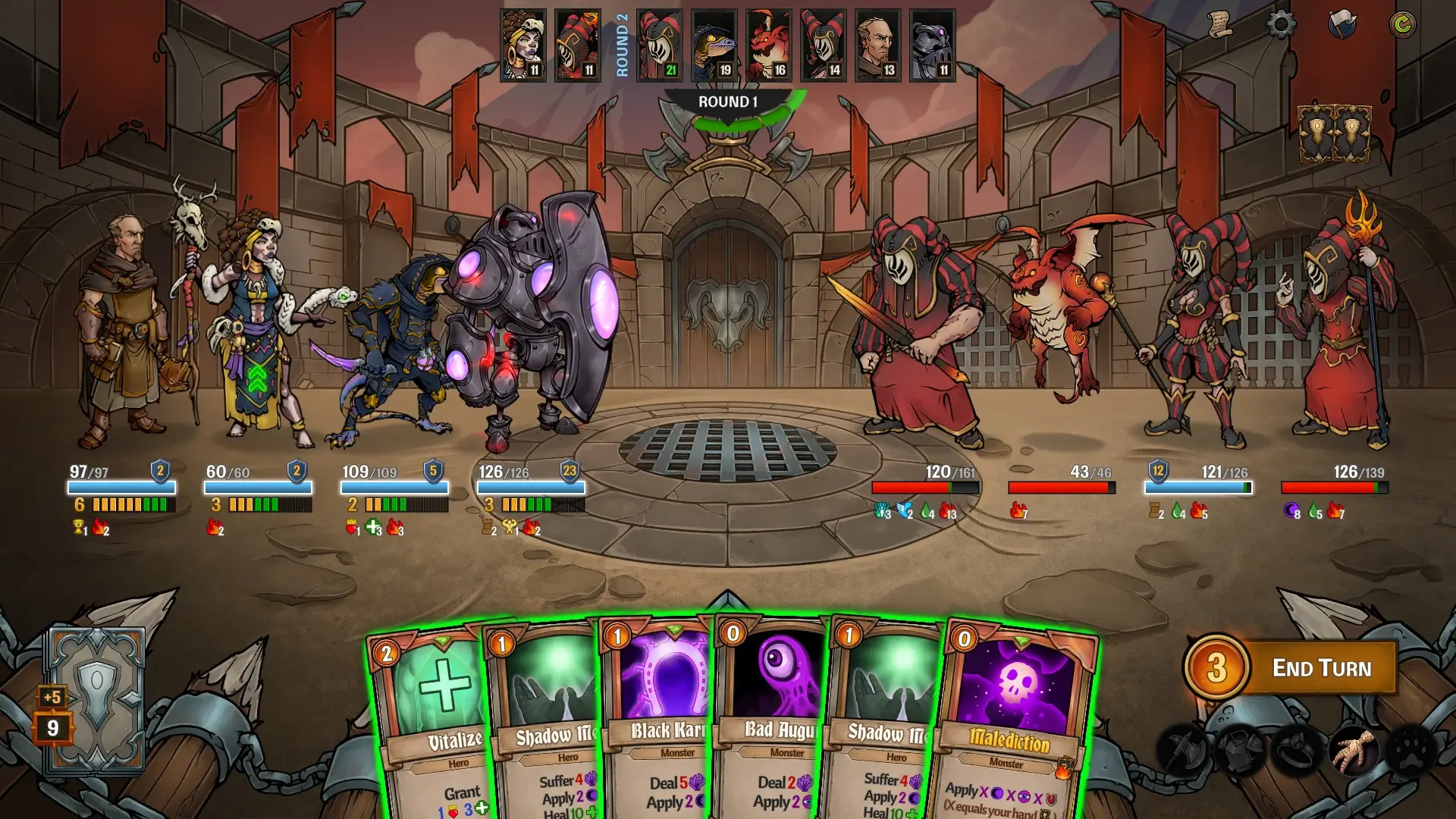
Across the Obelisk is a deck-building role-playing game that stands out through its blend of strategic combat, deep customization, and meaningful player choices. Rather than focusing on fast reflexes or flashy action, the game rewards careful planning, teamwork, and thoughtful decision-making. Each run feels distinct, encouraging players to experiment and adapt as they progress through a richly designed fantasy world.
One of the most defining features of Across the Obelisk is its party-based system. Instead of controlling a single hero, players manage a team of four characters, each belonging to a specific role such as tank, healer, mage, or damage dealer. Every hero has unique abilities, strengths, and weaknesses, which makes team composition a crucial part of success. Building synergy between characters is not optional—it is essential. A poorly balanced team can struggle, while a well-planned group can overcome even the toughest encounters.
The deck-building mechanics add another layer of depth. Each character uses their own deck of cards, which represents skills, spells, and actions in combat. As players advance, they can modify decks by adding new cards, removing weaker ones, and upgrading existing abilities. This system allows for a wide variety of playstyles, from aggressive strategies focused on quick victories to defensive approaches centered on survival and control.
What truly sets Across the Obelisk apart is its emphasis on choice and consequence. Decisions made outside of combat—such as selecting paths on the map, interacting with events, or choosing dialogue options—can permanently affect the journey. These choices influence character relationships, unlock new content, and shape the overall narrative. As a result, no two playthroughs feel exactly the same, giving the game strong replay value.
The game’s visual style complements its mechanics well. The artwork is clean and expressive, with character designs that clearly reflect their personalities and roles. Environments are colorful and varied, helping players feel immersed in the world without overwhelming them with unnecessary detail. The interface is also well-designed, making complex systems easy to understand even for newcomers to the genre.
Across the Obelisk also supports cooperative play, allowing friends to control different characters in the same party. This feature transforms the experience into a shared strategic challenge, where communication and coordination become just as important as deck construction. Playing together adds a social element that enhances both enjoyment and replayability.
In conclusion, Across the Obelisk is a thoughtfully crafted game that rewards patience, creativity, and strategic thinking. Its combination of deck-building, party management, and branching choices creates a compelling experience for players who enjoy depth and variety. Whether played solo or with friends, it offers a journey where every decision matters and every run tells a different story.
OS: OSX 10.14+Processor: 2.0 GhzRAM: 2 GB RAMVideo card: 1 Gb Video Memory, capable of OpenGL 3.0+ support (2.1 with ARB extensions acceptable)Disk space: 1 GB
Run the downloaded image and drag the application to the Applications folder shortcut.
Once the copy is complete, you can launch the application from Launchpad.
Frequently Asked Questions
Mount the image and run Open Gatekeeper friendly.
Press Enter to bypass Gatekeeper in the Terminal window.
Drag the application to the Applications folder.
The application is ready for use.
ATTENTION! SIP must be disabled. Learn more >
Restart your Mac and hold down Command + R to enter Recovery Mode.
Open Terminal from the Utilities menu.
Enter the command: csrutil disable
Restart your Mac.
This is a common Gatekeeper issue. Follow these steps:
1. Open Terminal
2. Enter: sudo xattr -rd com.apple.quarantine /Applications/AppName.app
3. Replace "AppName" with the actual application name
4. Press Enter and enter your password
Yes, all our downloads are thoroughly checked for viruses and malware.
We use multiple antivirus engines to scan every file.
Our team tests each application before publishing.
We never bundle adware or unwanted software.
Yes, we regularly update our applications to the latest versions.
You can check our website for updates or subscribe to our newsletter.
We strive to provide the most recent versions within 24-48 hours of release.
If a download link is not working, please:
1. Try a different browser
2. Clear your browser cache and cookies
3. Try the alternative download links provided
4. Contact our support team if the issue persists