


Counter Terrorist Agency
Download Counter Terrorist Agency
Run the downloaded image and drag the application to the Applications folder shortcut.
Once copying is complete, the application can be launched via Launchpad.
Previous Versions
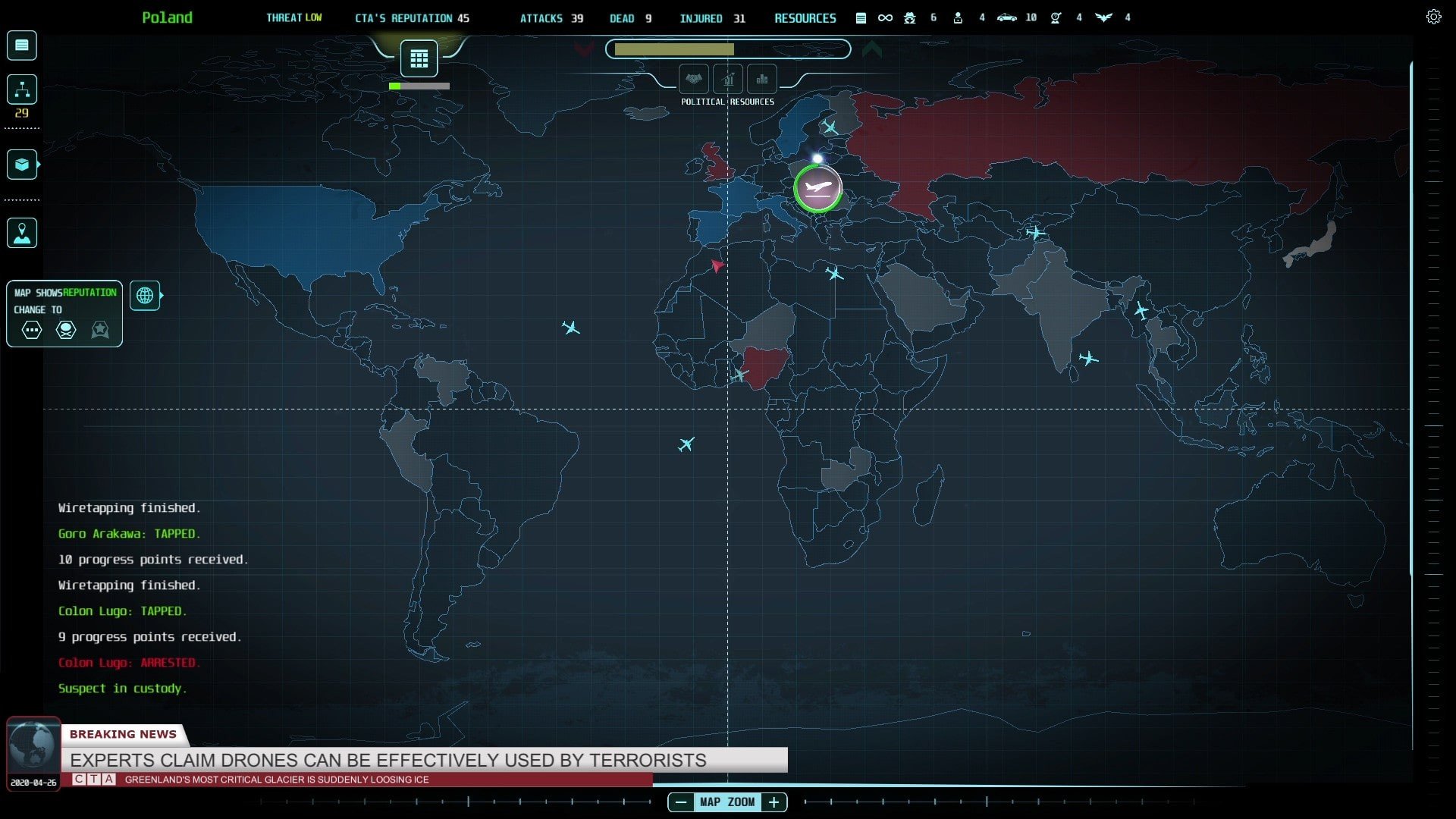
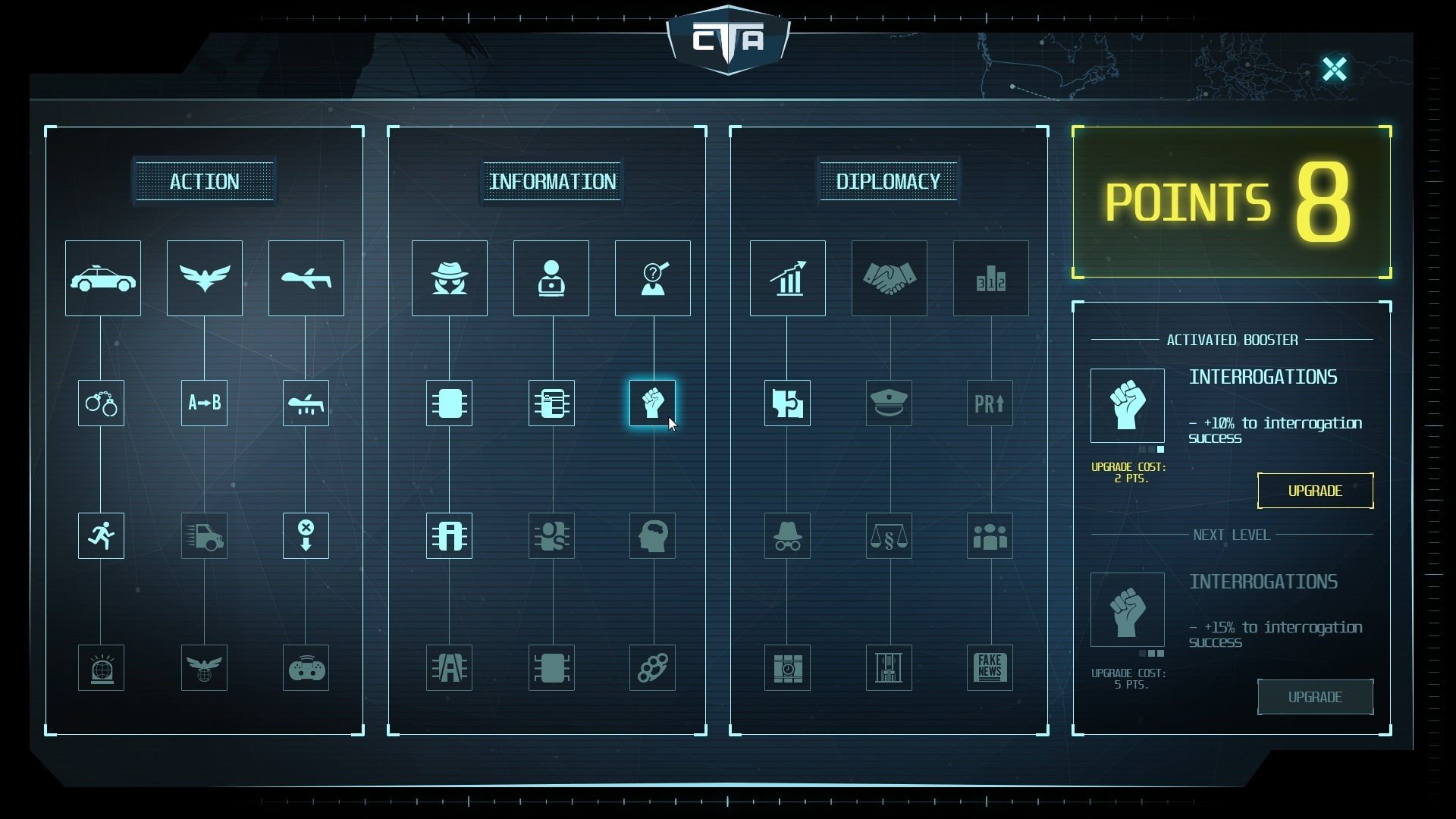
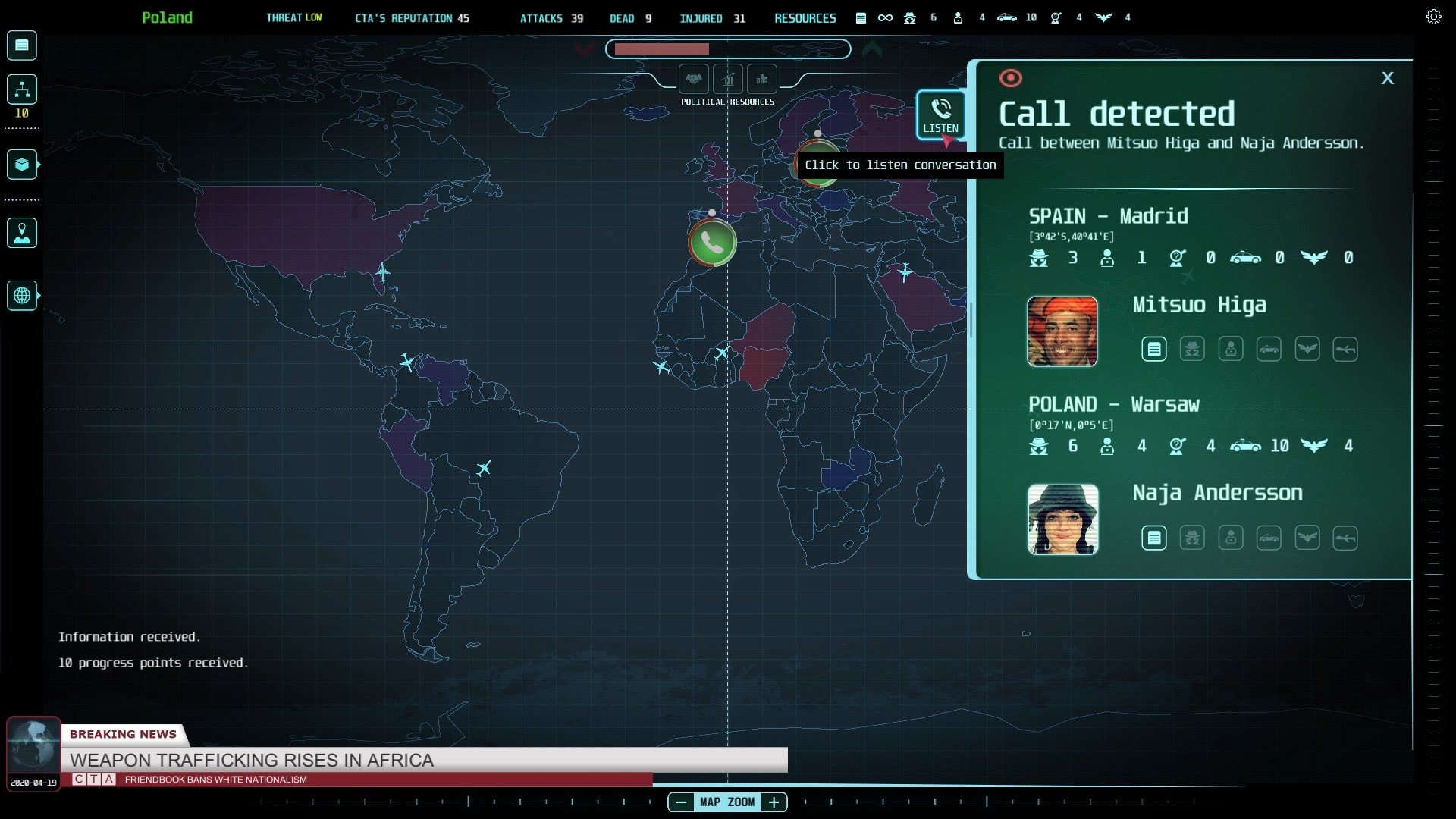
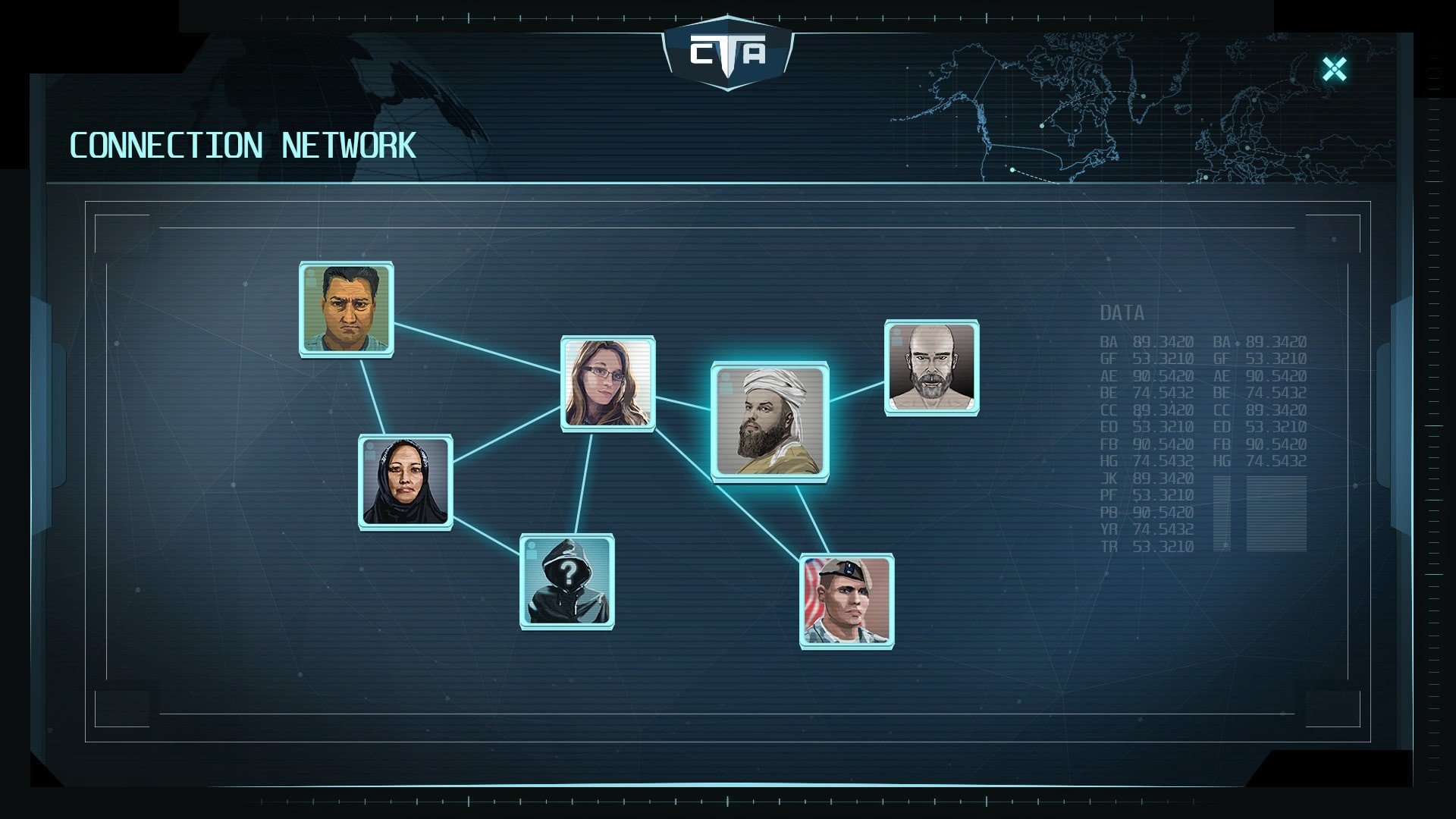
Counter Terrorist Agency is a strategy simulation game that immerses players in the high-stakes world of counterterrorism operations. Developed by Jan Zeleny, the game challenges players to think strategically, manage resources effectively, and make quick decisions under pressure. With its focus on planning, intelligence gathering, and tactical execution, Counter Terrorist Agency offers a deep and engaging experience for fans of strategy and simulation genres.
The game places players in the role of a newly appointed commander of a top-secret counterterrorism organization. The primary objective is to prevent terrorist attacks, apprehend criminals, and secure the safety of civilians. Players are tasked with monitoring threats, analyzing intelligence, and deploying specialized agents to neutralize risks. Unlike traditional action games, success in Counter Terrorist Agency relies on careful planning and strategic foresight rather than reflexes, making it a cerebral and rewarding challenge.
One of the key strengths of the game is its emphasis on intelligence and surveillance. Players must analyze various data sources, track suspicious activities, and predict the movements of terrorists. Decisions are not always straightforward—incorrect actions can escalate threats or compromise missions. This element of unpredictability adds tension and realism, simulating the pressure and complexity faced by real-world counterterrorism units. Players quickly learn that patience, observation, and critical thinking are as essential as rapid response.
The game also features a robust operational management system. Players recruit, train, and assign agents, each with unique skills and abilities tailored for specific missions. Balancing agent capabilities with mission requirements adds a strategic layer, encouraging players to consider team composition and long-term planning. Missions vary in complexity, ranging from surveillance and reconnaissance to hostage rescues and high-risk raids, ensuring that gameplay remains diverse and challenging.
Visually, Counter Terrorist Agency adopts a minimalist yet functional design. The interface focuses on clarity, allowing players to access critical information quickly and efficiently. Maps, agent profiles, and mission objectives are presented in a clean, easy-to-navigate format. While the graphics are not the primary focus, the visual presentation supports gameplay by ensuring that decisions can be made confidently and efficiently.
The game’s audio design complements its tactical gameplay. Subtle sound effects, alerts, and notifications reinforce the sense of urgency, helping players remain attentive to emerging threats. The soundtrack is minimal, emphasizing focus and concentration, which aligns perfectly with the game’s strategic pace.
Ultimately, Counter Terrorist Agency is a thoughtful and challenging simulation that rewards careful planning, analysis, and adaptability. It successfully captures the high-pressure environment of counterterrorism operations, offering players a realistic and engaging experience. By combining strategy, resource management, and tactical decision-making, the game stands out as a unique and immersive entry in the simulation genre. For players who enjoy thoughtful, strategy-driven gameplay with real-world stakes, Counter Terrorist Agency provides a compelling and satisfying journey into the world of tactical operations.
C: Mac OS X 10.14+Processor: Intel Core i5RAM: 8 GBVideo card: Radeon Pro 580Disk space: 4 GB
Run the downloaded image and drag the application to the Applications folder shortcut.
Once copying is complete, the application can be launched via Launchpad.
Frequently Asked Questions
Mount the image and run Open Gatekeeper friendly.
Press Enter to bypass Gatekeeper in the Terminal window.
Drag the application to the Applications folder.
The application is ready for use.
ATTENTION! SIP must be disabled. Learn more >
Restart your Mac and hold down Command + R to enter Recovery Mode.
Open Terminal from the Utilities menu.
Enter the command: csrutil disable
Restart your Mac.
This is a common Gatekeeper issue. Follow these steps:
1. Open Terminal
2. Enter: sudo xattr -rd com.apple.quarantine /Applications/AppName.app
3. Replace "AppName" with the actual application name
4. Press Enter and enter your password
Yes, all our downloads are thoroughly checked for viruses and malware.
We use multiple antivirus engines to scan every file.
Our team tests each application before publishing.
We never bundle adware or unwanted software.
Yes, we regularly update our applications to the latest versions.
You can check our website for updates or subscribe to our newsletter.
We strive to provide the most recent versions within 24-48 hours of release.
If a download link is not working, please:
1. Try a different browser
2. Clear your browser cache and cookies
3. Try the alternative download links provided
4. Contact our support team if the issue persists