


Golden Lap
Download Golden Lap
Run the downloaded image and drag the application to the Applications folder shortcut.
Once copying is complete, the application can be launched via Launchpad.
Previous Versions
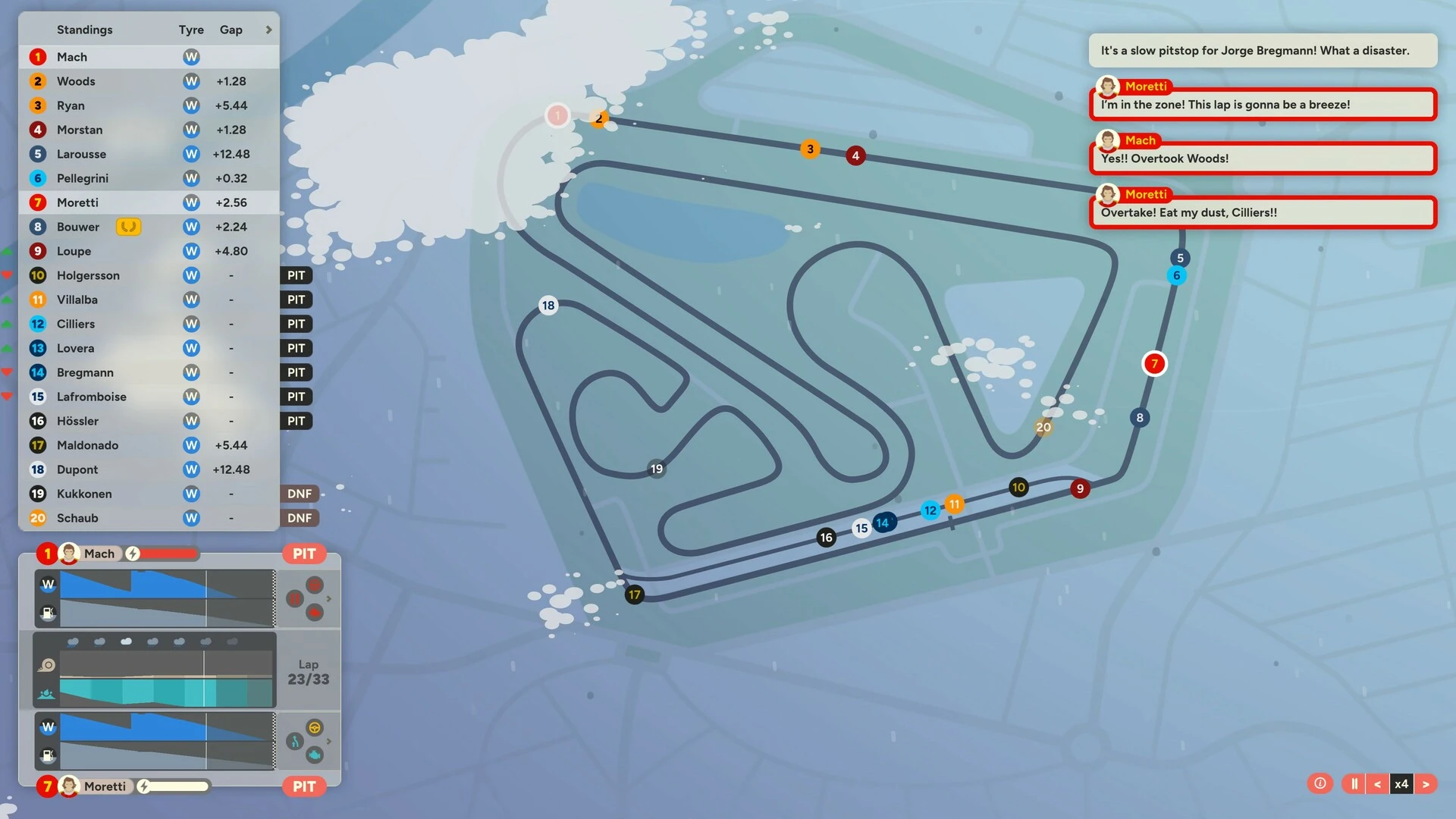
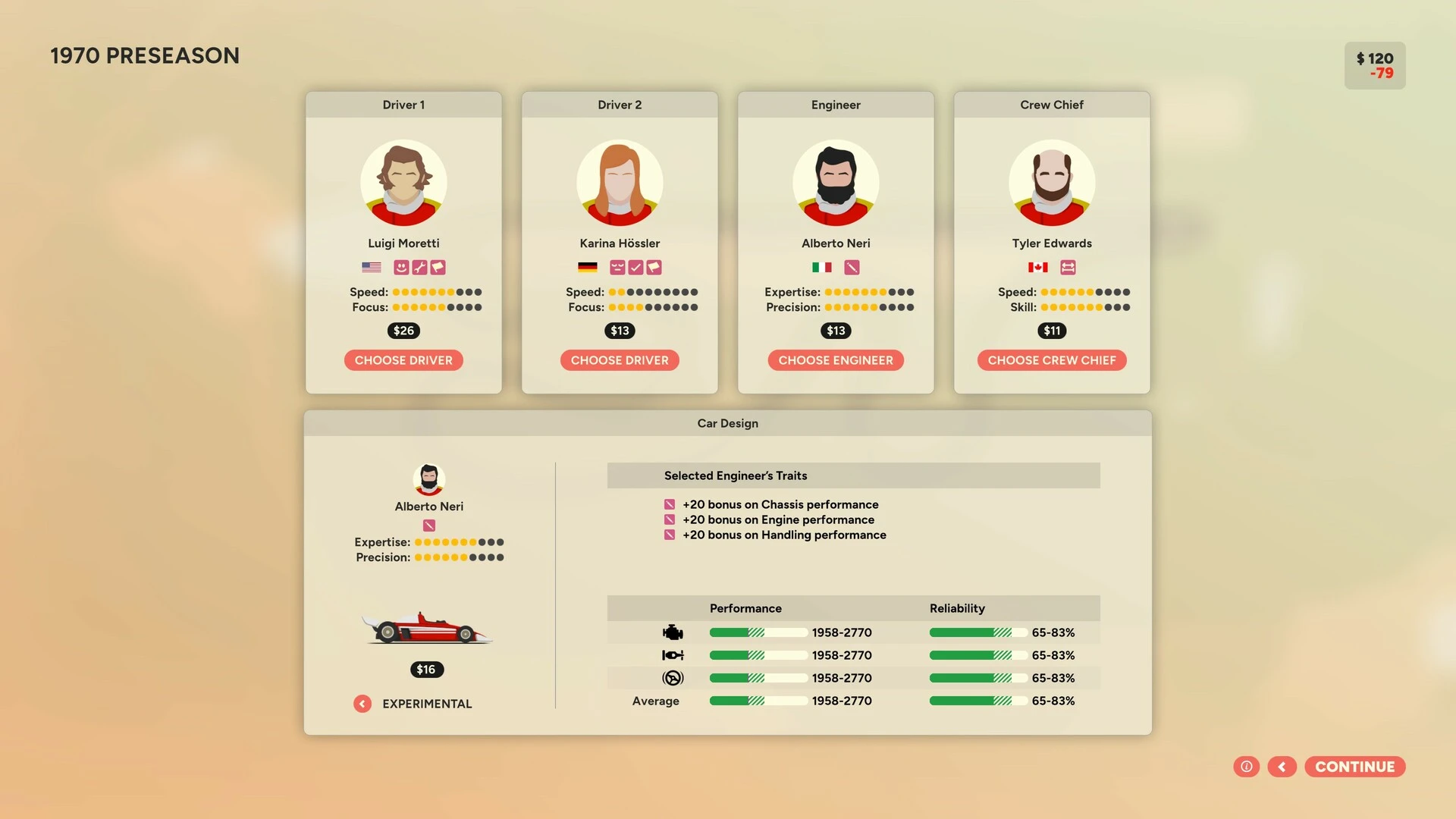
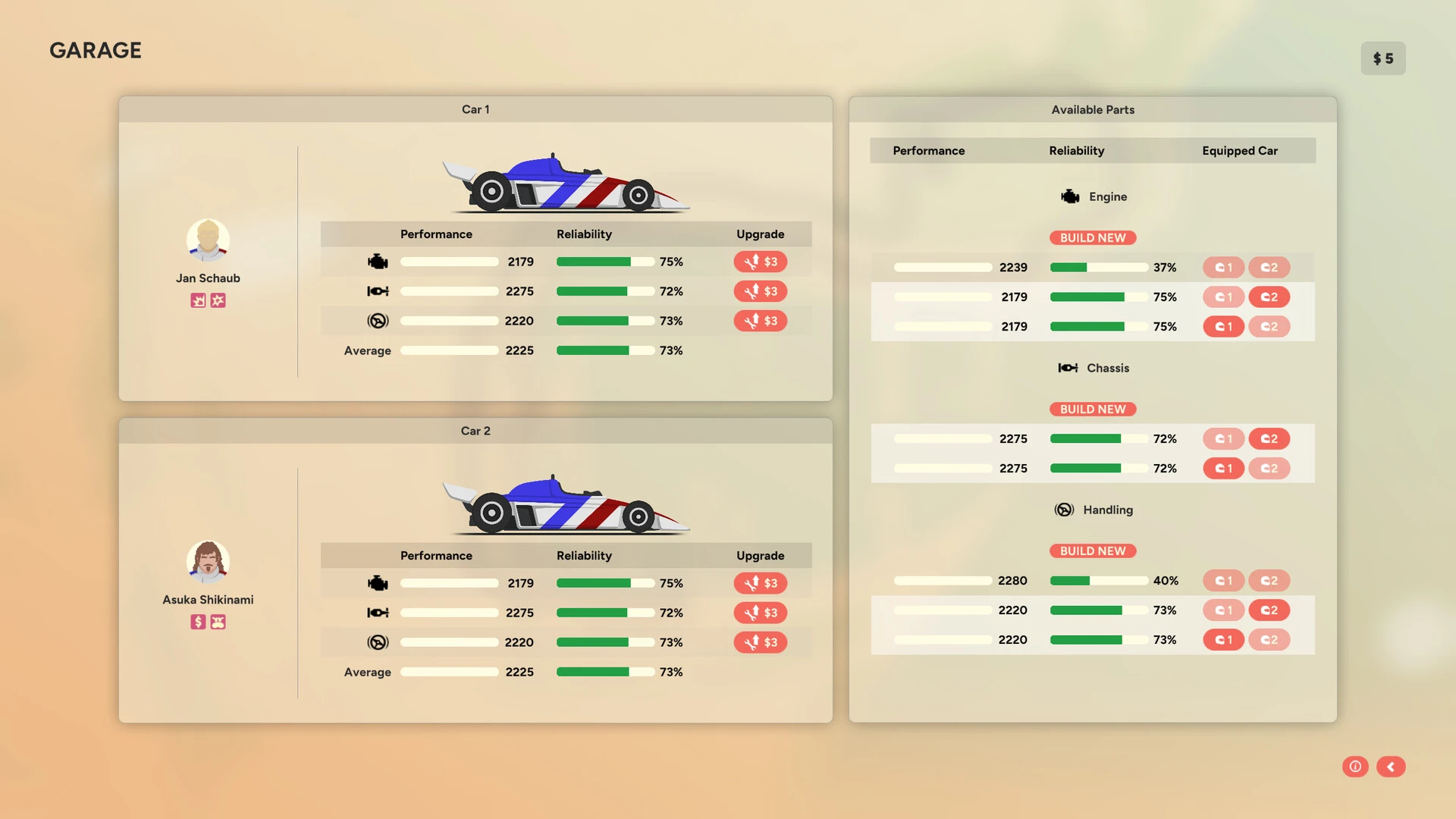
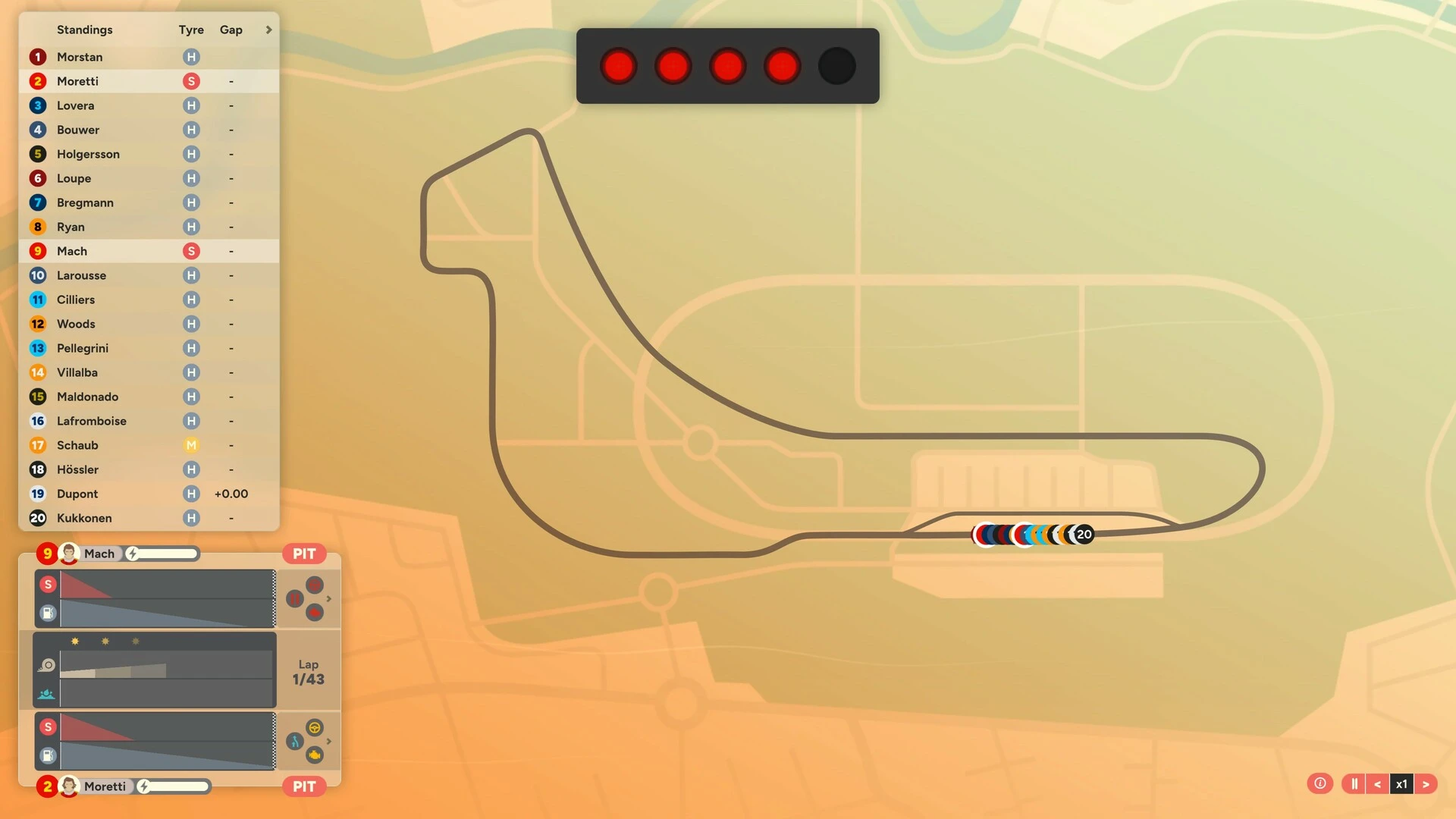
Golden Lap is a unique racing management game that combines strategic decision-making, team management, and retro-inspired motorsport aesthetics into an engaging simulation experience. Designed for players who enjoy strategy games and competitive racing culture, Golden Lap focuses less on direct driving mechanics and more on the complex management systems behind a successful racing team.
One of the most interesting aspects of Golden Lap is its management-focused gameplay. Players take control of a professional racing team and must handle every important aspect of motorsport operations. This includes hiring drivers, upgrading vehicles, managing budgets, planning race strategies, and balancing team morale. Every decision directly impacts race performance and long-term success.
Unlike traditional racing games that focus mainly on high-speed driving, Golden Lap emphasizes strategic planning and team coordination. Players must carefully manage resources while preparing for races across different tracks and weather conditions. Tire management, fuel strategy, and timing pit stops are all important elements that can determine victory or defeat during competitions.
Another major strength of Golden Lap is its retro visual style. The game features colorful pixel-art graphics inspired by classic motorsport culture from past decades. This nostalgic presentation gives the game a unique identity while maintaining a modern and polished gameplay experience. The combination of retro visuals and detailed management systems creates a distinctive atmosphere rarely seen in modern racing games.
Driver management is another important feature in Golden Lap. Players recruit and train drivers with different skill levels, personalities, and racing abilities. Some drivers excel in wet conditions, while others perform better under pressure or have superior overtaking skills. Building the right team chemistry becomes essential for achieving consistent success throughout the racing season.
The game also includes vehicle development systems where players improve engine performance, aerodynamics, reliability, and handling. Upgrading cars strategically helps teams stay competitive against stronger rivals. Balancing performance improvements with financial limitations adds another layer of challenge and realism to the gameplay experience.
Golden Lap’s race simulation system creates exciting and unpredictable competitions. Weather changes, mechanical failures, accidents, and strategic decisions can all affect race outcomes. This unpredictability keeps players engaged and forces them to adapt their plans constantly during championship events.
Another standout feature of Golden Lap is its accessibility. The interface is designed to be beginner-friendly while still offering enough depth for experienced strategy fans. Players new to management games can quickly understand the core mechanics, while advanced users can explore deeper tactical strategies and optimization systems.
The game is often compared to motorsport management titles such as Motorsport Manager, F1 Manager 2024, and Grid Autosport because of its strategic motorsport gameplay. However, Golden Lap stands out because of its retro-inspired art direction and simplified yet rewarding management mechanics.
Sound design and music also contribute to the immersive atmosphere. Engine sounds, crowd effects, and energetic background music create the feeling of participating in a competitive racing championship. The audio presentation complements the visual style and helps maintain excitement during races.
Replayability is another strong aspect of Golden Lap. Different team strategies, driver combinations, financial decisions, and race outcomes ensure that every career mode feels unique. Players can experiment with aggressive spending, long-term development, or balanced management approaches depending on their preferred playstyle.
In conclusion, Golden Lap is a creative and engaging motorsport management game that successfully combines strategy, racing culture, and retro aesthetics into an enjoyable experience. Its team management systems, race strategy mechanics, driver development, and stylish presentation make it a standout title for fans of sports simulation and strategy games. Whether managing finances or competing for championship victories, Golden Lap offers an exciting and rewarding motorsport management adventure.
OS: macOS 12 Monterey or laterProcessor: Apple M1 or Intel Core i3Memory: 8 GBRAM Graphics: Intel Iris Plus GraphicsStorage: 1 GB
Run the downloaded image and drag the application to the Applications folder shortcut.
Once copying is complete, the application can be launched via Launchpad.
Frequently Asked Questions
Mount the image and run Open Gatekeeper friendly.
Press Enter to bypass Gatekeeper in the Terminal window.
Drag the application to the Applications folder.
The application is ready for use.
ATTENTION! SIP must be disabled. Learn more >
Restart your Mac and hold down Command + R to enter Recovery Mode.
Open Terminal from the Utilities menu.
Enter the command: csrutil disable
Restart your Mac.
This is a common Gatekeeper issue. Follow these steps:
1. Open Terminal
2. Enter: sudo xattr -rd com.apple.quarantine /Applications/AppName.app
3. Replace "AppName" with the actual application name
4. Press Enter and enter your password
Yes, all our downloads are thoroughly checked for viruses and malware.
We use multiple antivirus engines to scan every file.
Our team tests each application before publishing.
We never bundle adware or unwanted software.
Yes, we regularly update our applications to the latest versions.
You can check our website for updates or subscribe to our newsletter.
We strive to provide the most recent versions within 24-48 hours of release.
If a download link is not working, please:
1. Try a different browser
2. Clear your browser cache and cookies
3. Try the alternative download links provided
4. Contact our support team if the issue persists