


inZOI
Download inZOI
Run the downloaded image and drag the application to the Applications folder shortcut.
Once copying is complete, the application can be launched via Launchpad.
Previous Versions

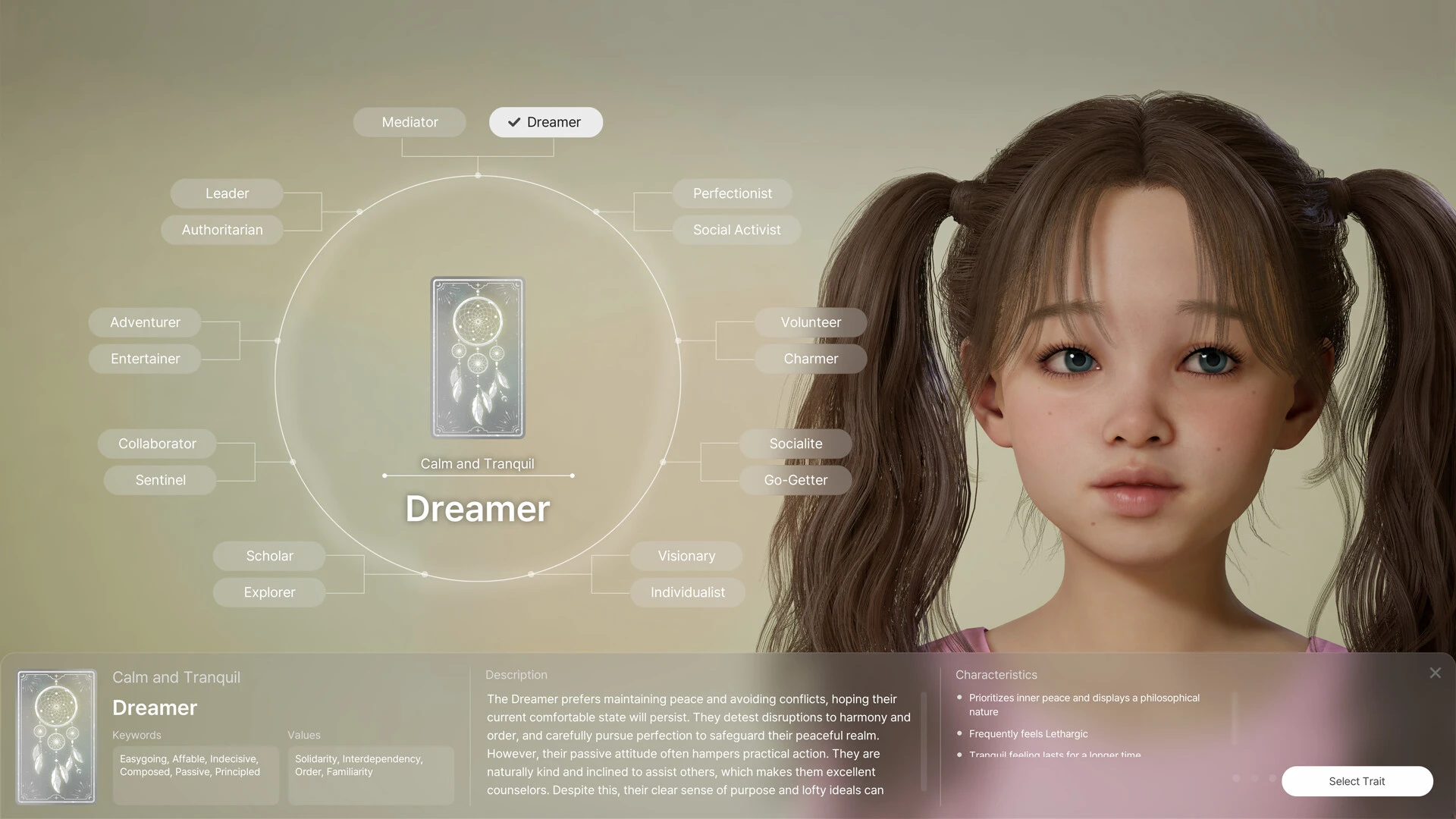
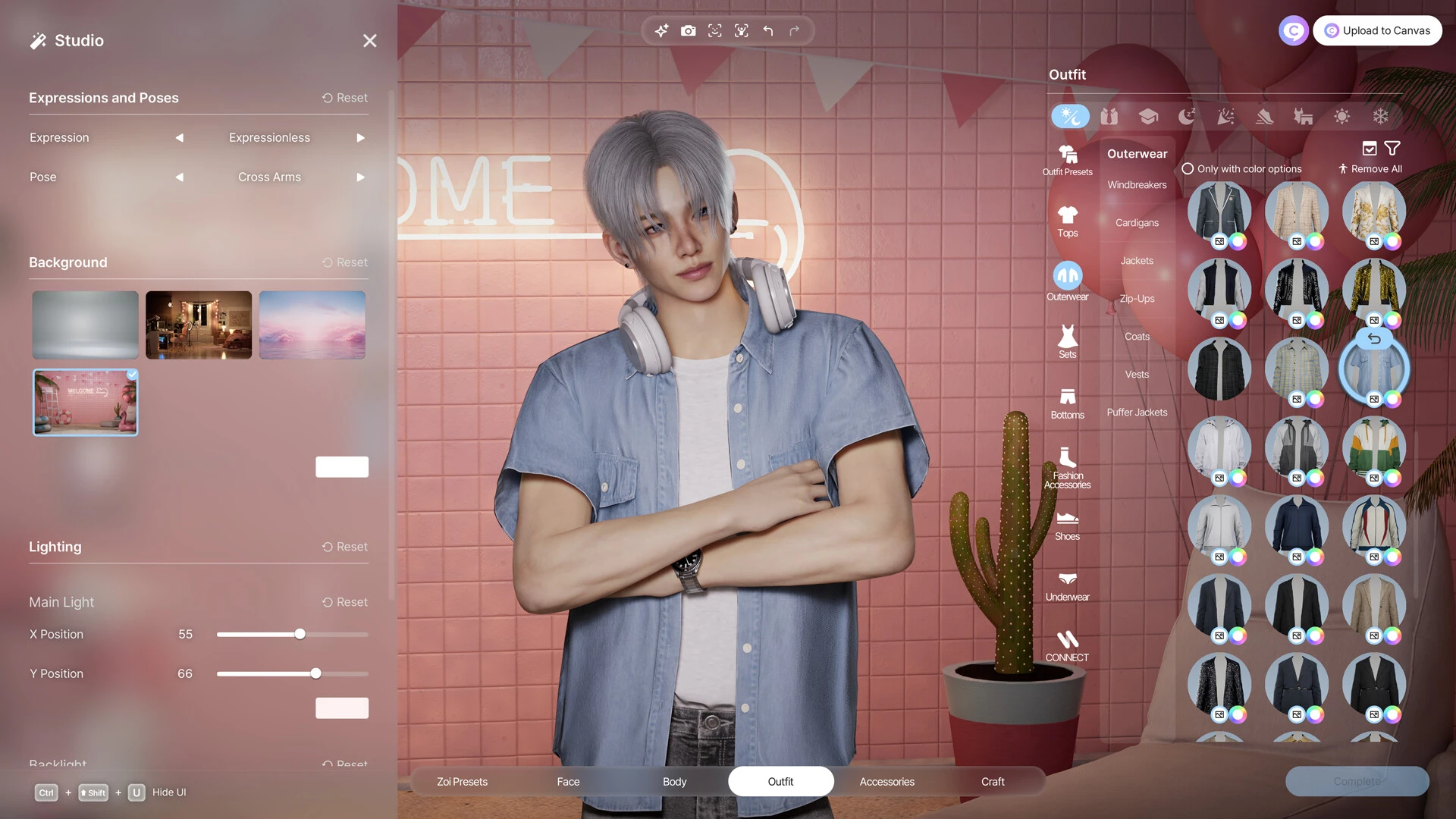
inZOI is an ambitious life simulation game that aims to redefine how players experience virtual living. Developed with a strong focus on realism, creativity, and emotional depth, the game presents a fresh alternative to traditional life simulators. Instead of simply managing characters, inZOI invites players to observe, influence, and emotionally connect with digital lives in a way that feels surprisingly natural.
One of the most striking aspects of inZOI is its visual realism. Built using modern game engine technology, the characters and environments feel detailed and alive. Facial expressions, body language, and subtle movements reflect moods and personalities, making interactions feel meaningful rather than scripted. Cities are vibrant, filled with dynamic weather, realistic lighting, and everyday details that mirror real-world life. This visual depth plays a major role in immersion, helping players feel truly present in the world they create.
Gameplay in inZOI centers around choice and consequence. Every decision, no matter how small, can influence a character’s emotional state and future path. Careers evolve based on performance and relationships, friendships grow or fade depending on behavior, and personal habits shape long-term outcomes. Rather than relying on rigid systems, the game encourages organic storytelling, where unexpected moments feel earned rather than forced.
Character creation is another standout feature. Players are given extensive tools to customize appearance, personality traits, and life goals. This freedom allows for deeply personal stories to emerge. Whether creating a hardworking professional, a struggling artist, or a carefree social explorer, each character feels unique. The game does not push players toward a single “correct” lifestyle, instead supporting diverse paths and playstyles.
What truly separates inZOI from other life simulators is its emphasis on emotional realism. Characters react authentically to success, failure, loneliness, and connection. Stress can build over time, happiness can fade if neglected, and meaningful relationships require effort to maintain. These systems encourage players to think beyond surface-level management and consider the emotional well-being of their characters.
The world of inZOI is designed to feel responsive and alive. Non-playable characters follow their own routines, form relationships, and react to events independently of the player. This creates a sense that life continues even when the player is not directly involved, adding depth and unpredictability to each playthrough. No two experiences feel exactly the same, enhancing replay value.
Despite its realism, inZOI remains accessible. The interface is clean, intuitive, and designed to guide new players without overwhelming them. Tutorials are subtle, allowing players to learn naturally through interaction rather than instruction. This balance makes the game appealing to both newcomers and longtime fans of the genre.
In conclusion, inZOI represents a thoughtful evolution of life simulation games. By blending visual realism, emotional depth, and player-driven storytelling, it offers an experience that feels both personal and dynamic. Rather than simply controlling virtual lives, players become quiet observers and gentle influencers, shaping stories that reflect the complexity of real life.
OS: MacOS Sequaia 15.0Processor: Apple M1RAM: 16 GB RAMVideo Card: Apple M1Disk Space: 36 GB
Run the downloaded image and drag the application to the Applications folder shortcut.
Once copying is complete, the application can be launched via Launchpad.
Frequently Asked Questions
Mount the image and run Open Gatekeeper friendly.
Press Enter to bypass Gatekeeper in the Terminal window.
Drag the application to the Applications folder.
The application is ready for use.
ATTENTION! SIP must be disabled. Learn more >
Restart your Mac and hold down Command + R to enter Recovery Mode.
Open Terminal from the Utilities menu.
Enter the command: csrutil disable
Restart your Mac.
This is a common Gatekeeper issue. Follow these steps:
1. Open Terminal
2. Enter: sudo xattr -rd com.apple.quarantine /Applications/AppName.app
3. Replace "AppName" with the actual application name
4. Press Enter and enter your password
Yes, all our downloads are thoroughly checked for viruses and malware.
We use multiple antivirus engines to scan every file.
Our team tests each application before publishing.
We never bundle adware or unwanted software.
Yes, we regularly update our applications to the latest versions.
You can check our website for updates or subscribe to our newsletter.
We strive to provide the most recent versions within 24-48 hours of release.
If a download link is not working, please:
1. Try a different browser
2. Clear your browser cache and cookies
3. Try the alternative download links provided
4. Contact our support team if the issue persists