


Lamplight City
Download Lamplight City
Run the downloaded package and follow the standard installation procedure.
The installation is completed by choosing a location to place the game.
It is recommended to specify the Applications folder.

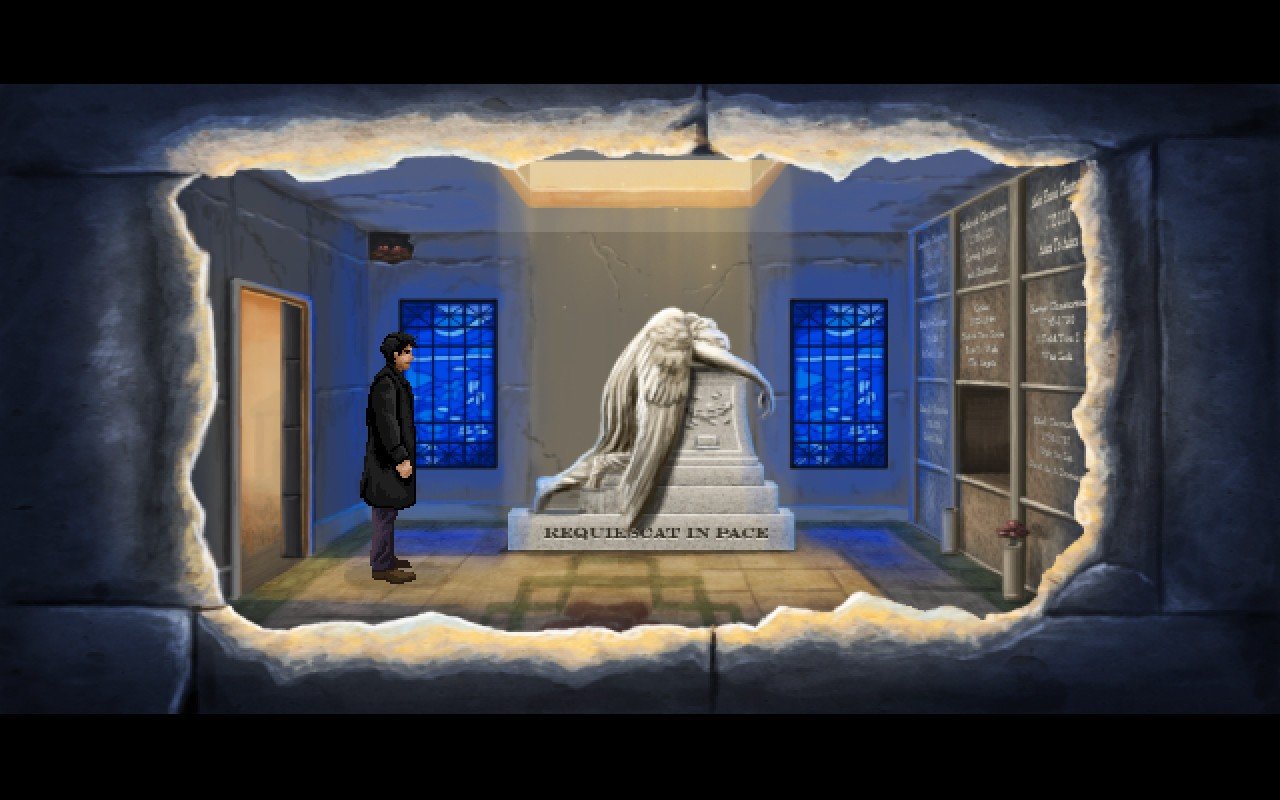


In the crowded world of adventure games, where visual novels and puzzle-driven mysteries often dominate, Lamplight City shines as a refreshing blend of narrative depth, investigative challenge, and atmospheric design. Developed by Grundislav Games, this title takes players on a journey into a 19th-century steampunk city filled with secrets, moral dilemmas, and human complexity. It’s a game that doesn’t just entertain—it immerses players into the role of a detective navigating a world where every choice has weight.
At the heart of Lamplight City is Miles Fordham, a private investigator with a tarnished reputation. Once a celebrated officer, Miles now operates on the margins, solving cases that the official authorities either cannot or will not handle. Players take on his role, diving into a variety of investigations ranging from thefts and murders to political conspiracies. Each case is meticulously structured, presenting clues, suspect statements, and moral choices that influence both the outcome of the case and the protagonist’s career. The game rewards careful observation and logical deduction, requiring players to think critically rather than rely on combat or quick reflexes.
What makes Lamplight City particularly engaging is its branching narrative system. Decisions are rarely straightforward; choosing to trust one character over another, or interpreting a piece of evidence in a certain way, can drastically alter the storyline. This adds a layer of replayability, as players can revisit cases and explore alternative outcomes. The moral ambiguity woven into the narrative challenges players to consider not only the legality of their choices but also the ethical implications, making each decision feel meaningful.
Visually, Lamplight City evokes a distinct steampunk aesthetic, with gas-lit streets, mechanical contraptions, and richly detailed interiors that create a sense of immersion. The pixel art style is complemented by subtle animations and carefully designed character portraits that bring the city to life without overwhelming the player. Shadows, fog, and dimly lit alleyways reinforce the noir atmosphere, making the world feel lived-in and mysterious.
Sound design also plays a crucial role in setting the mood. The game’s soundtrack, composed with a combination of orchestral and mechanical motifs, accentuates tension during investigations and provides a reflective backdrop during moments of solitude. Environmental sounds, from dripping water in empty corridors to the distant rumble of machinery, deepen immersion, ensuring players feel truly embedded in the city’s ambiance.
Beyond its aesthetic and narrative strengths, Lamplight City challenges players intellectually. Every investigation requires attention to detail, careful note-taking, and logical inference. Clues are presented in dialogue, documents, and environmental cues, demanding that players think like detectives rather than simply follow a linear path. Success comes from piecing together information, drawing connections, and making decisions that align with both reason and intuition.
In conclusion, Lamplight City is more than just a game; it is an experience that blends detective work, moral complexity, and immersive storytelling. It captures the essence of classic noir and steampunk adventure, delivering a world where every alleyway hides secrets, and every decision carries consequence. For fans of narrative-driven games and thoughtful detective work, Lamplight City offers a richly rewarding journey through the shadows of a city teeming with intrigue.
OS: Mac OS X 10.11+Processor: 1.2 GHzRAM: 1 GB RAMDisk space: 2 GB
Run the downloaded package and follow the standard installation procedure.
The installation is completed by choosing a location to place the game.
It is recommended to specify the Applications folder.
Frequently Asked Questions
Mount the image and run Open Gatekeeper friendly.
Press Enter to bypass Gatekeeper in the Terminal window.
Drag the application to the Applications folder.
The application is ready for use.
ATTENTION! SIP must be disabled. Learn more >
Restart your Mac and hold down Command + R to enter Recovery Mode.
Open Terminal from the Utilities menu.
Enter the command: csrutil disable
Restart your Mac.
This is a common Gatekeeper issue. Follow these steps:
1. Open Terminal
2. Enter: sudo xattr -rd com.apple.quarantine /Applications/AppName.app
3. Replace "AppName" with the actual application name
4. Press Enter and enter your password
Yes, all our downloads are thoroughly checked for viruses and malware.
We use multiple antivirus engines to scan every file.
Our team tests each application before publishing.
We never bundle adware or unwanted software.
Yes, we regularly update our applications to the latest versions.
You can check our website for updates or subscribe to our newsletter.
We strive to provide the most recent versions within 24-48 hours of release.
If a download link is not working, please:
1. Try a different browser
2. Clear your browser cache and cookies
3. Try the alternative download links provided
4. Contact our support team if the issue persists