


Life of Delta
Download Life of Delta
Mount the downloaded image and follow the standard installation procedure.
The installation is completed by choosing a location to place the game.
It is recommended to specify the Applications folder.

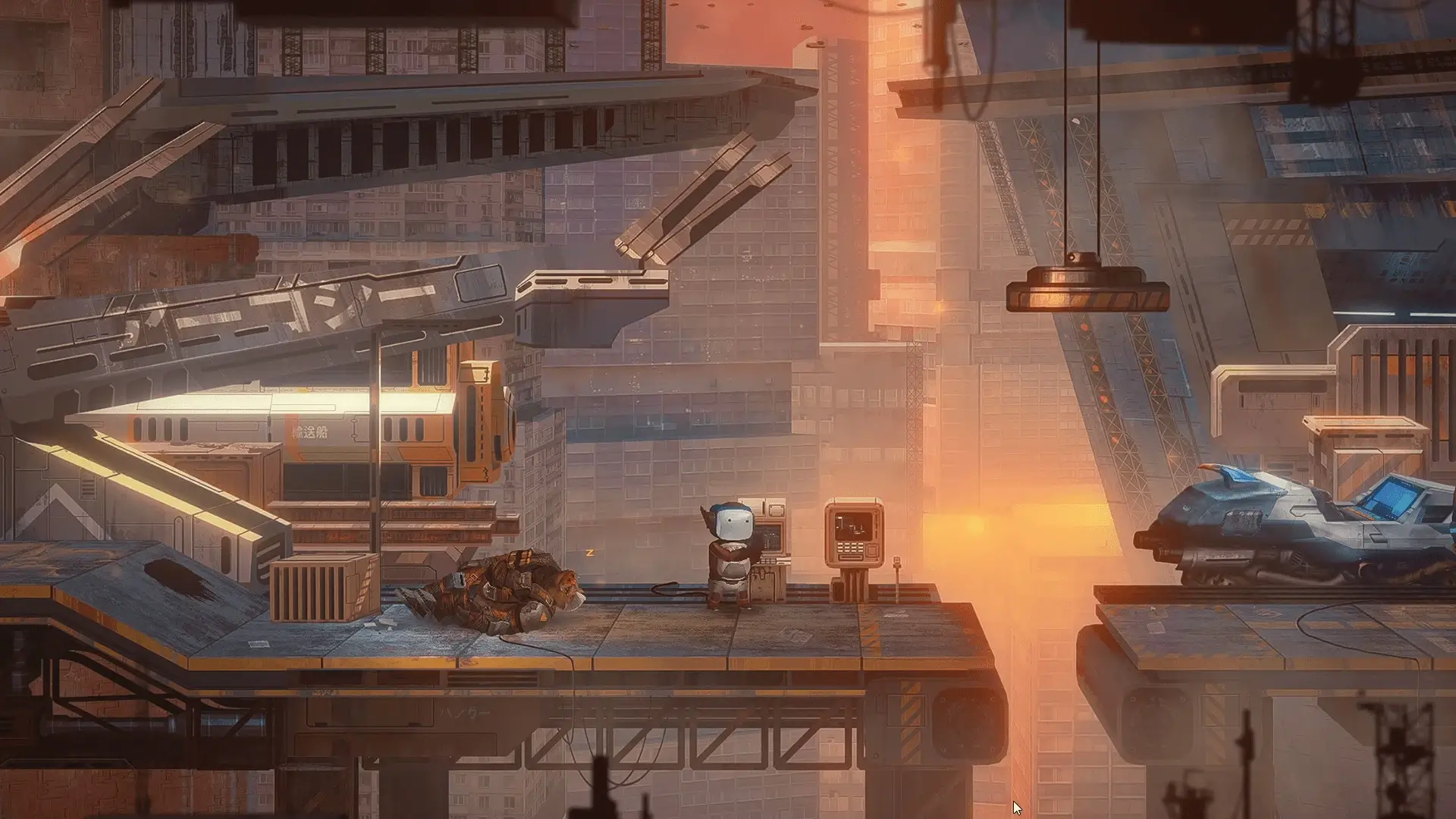

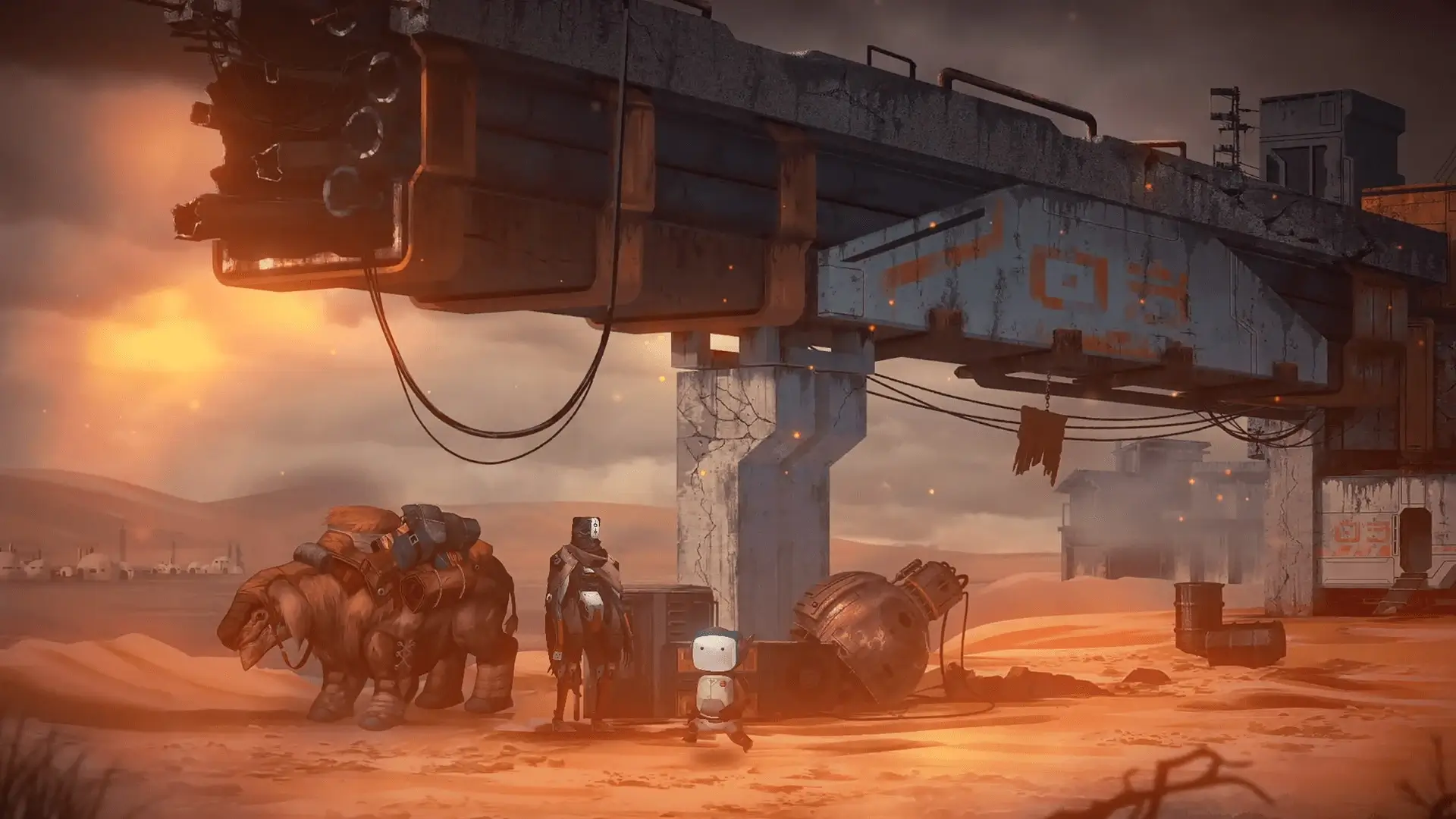
Life of Delta is a small game with a surprisingly powerful emotional impact. Developed by Airo Games, this point-and-click adventure tells a wordless story set in a post-apocalyptic world where humanity has vanished, leaving behind machines, ruins, and silence. Instead of action or dialogue-heavy storytelling, the game relies on atmosphere, visuals, and subtle interactions to deliver a thoughtful and memorable experience.
Players follow Delta, a tiny service robot separated from its mechanical community. Alone and vulnerable, Delta must navigate a dangerous world filled with abandoned cities, hostile machines, and remnants of human civilization. The absence of spoken language is one of the game’s strongest creative choices. By removing text and dialogue, Life of Delta invites players to interpret the story emotionally rather than intellectually, allowing personal connections to form through observation and discovery.
The gameplay focuses on classic point-and-click mechanics, but with a modern sense of restraint. Puzzles are intuitive and integrated naturally into the environment, never feeling out of place or overly complex. Instead of overwhelming the player, the game encourages slow exploration and careful thinking. Each solved puzzle feels meaningful, as it represents another small step forward in Delta’s lonely journey.
Visually, Life of Delta stands out with its hand-painted art style. The environments are detailed and expressive, ranging from overgrown cities to dark underground facilities. Every scene tells a story of decay, survival, and forgotten purpose. Despite the ruined settings, there is a quiet beauty in the landscapes, suggesting that life continues even after collapse. Delta’s small size compared to the massive surroundings reinforces the feeling of isolation and vulnerability.
Sound design plays a crucial role in shaping the game’s mood. Soft ambient music, mechanical hums, and distant echoes replace traditional dialogue, creating an immersive soundscape. The audio elements subtly guide emotions, shifting between calm reflection and quiet tension as Delta encounters threats or explores unfamiliar territory. The restraint shown in sound usage ensures that every noise feels intentional and impactful.
One of the most compelling aspects of Life of Delta is its pacing. The game never rushes the player, allowing moments of silence and stillness to linger. This slow rhythm reinforces the themes of loneliness and perseverance. Instead of dramatic twists or constant danger, the game focuses on small, human-like moments—helping another machine, observing broken memories, or simply moving forward despite uncertainty.
Emotionally, the game succeeds without trying too hard. Delta is not expressive in a traditional sense, yet players easily project feelings onto the character. The simple animations and careful framing create empathy, making each obstacle feel personal. The story unfolds quietly, trusting the player to piece together meaning through visual clues rather than explicit explanations.
In the end, Life of Delta is a reminder that games do not need loud action or complex narratives to be powerful. Through simplicity, atmosphere, and thoughtful design, it delivers an experience that stays with players long after the screen fades to black. It is a gentle, reflective journey about survival, connection, and hope in a world that has forgotten what it once was.
OS: macOS 11 Big SurProcessor: 3.2 GHz Quad Core Intel Core i5 (late 2015)RAM: 6 GBVideo card: Dedicated video graphics card with 2GB of memoryDisk space: 6 GBAdditionally: Requires a 64-bit processor and operating system
Mount the downloaded image and follow the standard installation procedure.
The installation is completed by choosing a location to place the game.
It is recommended to specify the Applications folder.
Frequently Asked Questions
Mount the image and run Open Gatekeeper friendly.
Press Enter to bypass Gatekeeper in the Terminal window.
Drag the application to the Applications folder.
The application is ready for use.
ATTENTION! SIP must be disabled. Learn more >
Restart your Mac and hold down Command + R to enter Recovery Mode.
Open Terminal from the Utilities menu.
Enter the command: csrutil disable
Restart your Mac.
This is a common Gatekeeper issue. Follow these steps:
1. Open Terminal
2. Enter: sudo xattr -rd com.apple.quarantine /Applications/AppName.app
3. Replace "AppName" with the actual application name
4. Press Enter and enter your password
Yes, all our downloads are thoroughly checked for viruses and malware.
We use multiple antivirus engines to scan every file.
Our team tests each application before publishing.
We never bundle adware or unwanted software.
Yes, we regularly update our applications to the latest versions.
You can check our website for updates or subscribe to our newsletter.
We strive to provide the most recent versions within 24-48 hours of release.
If a download link is not working, please:
1. Try a different browser
2. Clear your browser cache and cookies
3. Try the alternative download links provided
4. Contact our support team if the issue persists