


Master of Piece
Download Master of Piece
Run the downloaded image and drag the application to the Applications folder shortcut.
Once copying is complete, the application can be launched via Launchpad.
Previous Versions
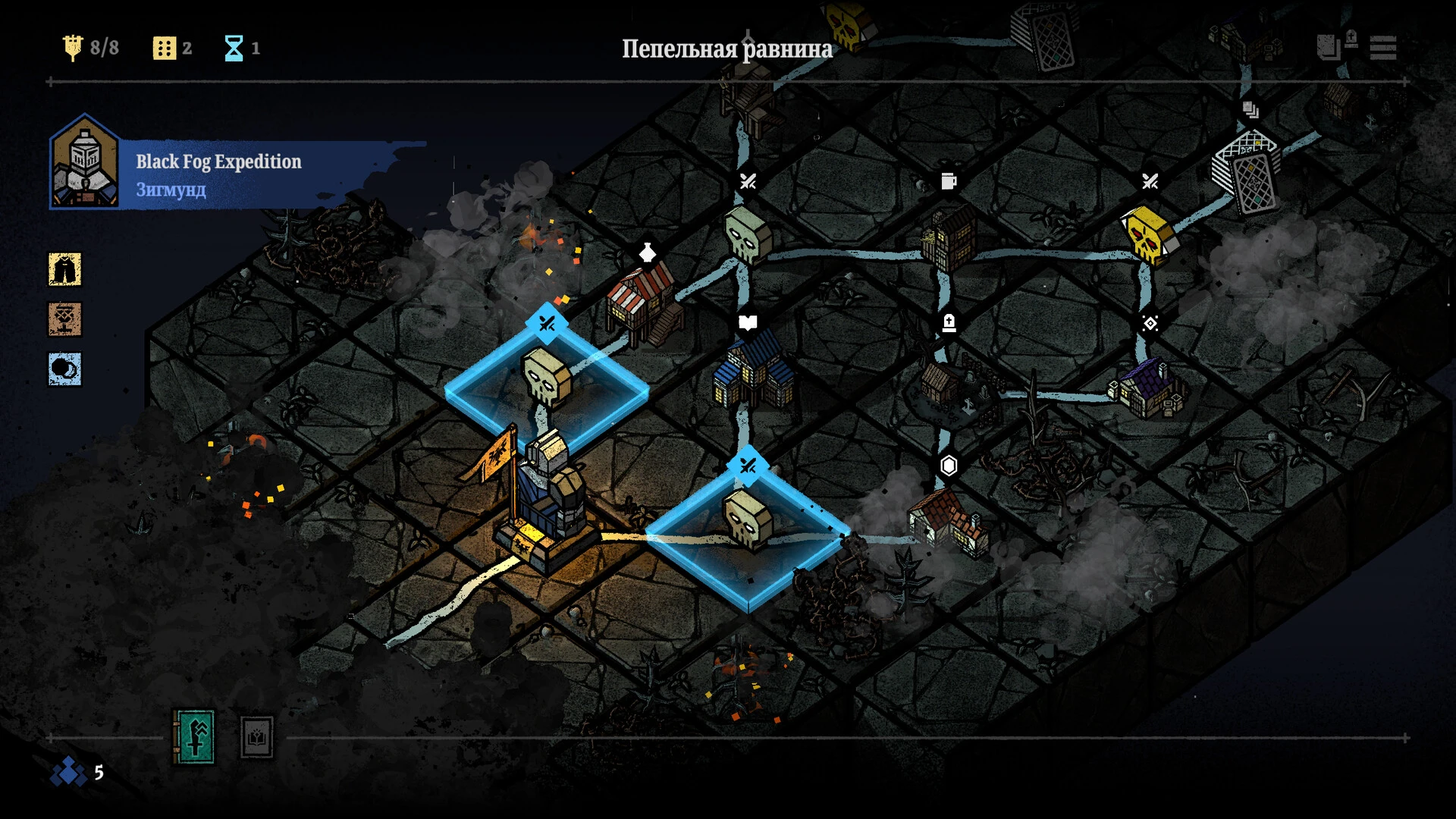
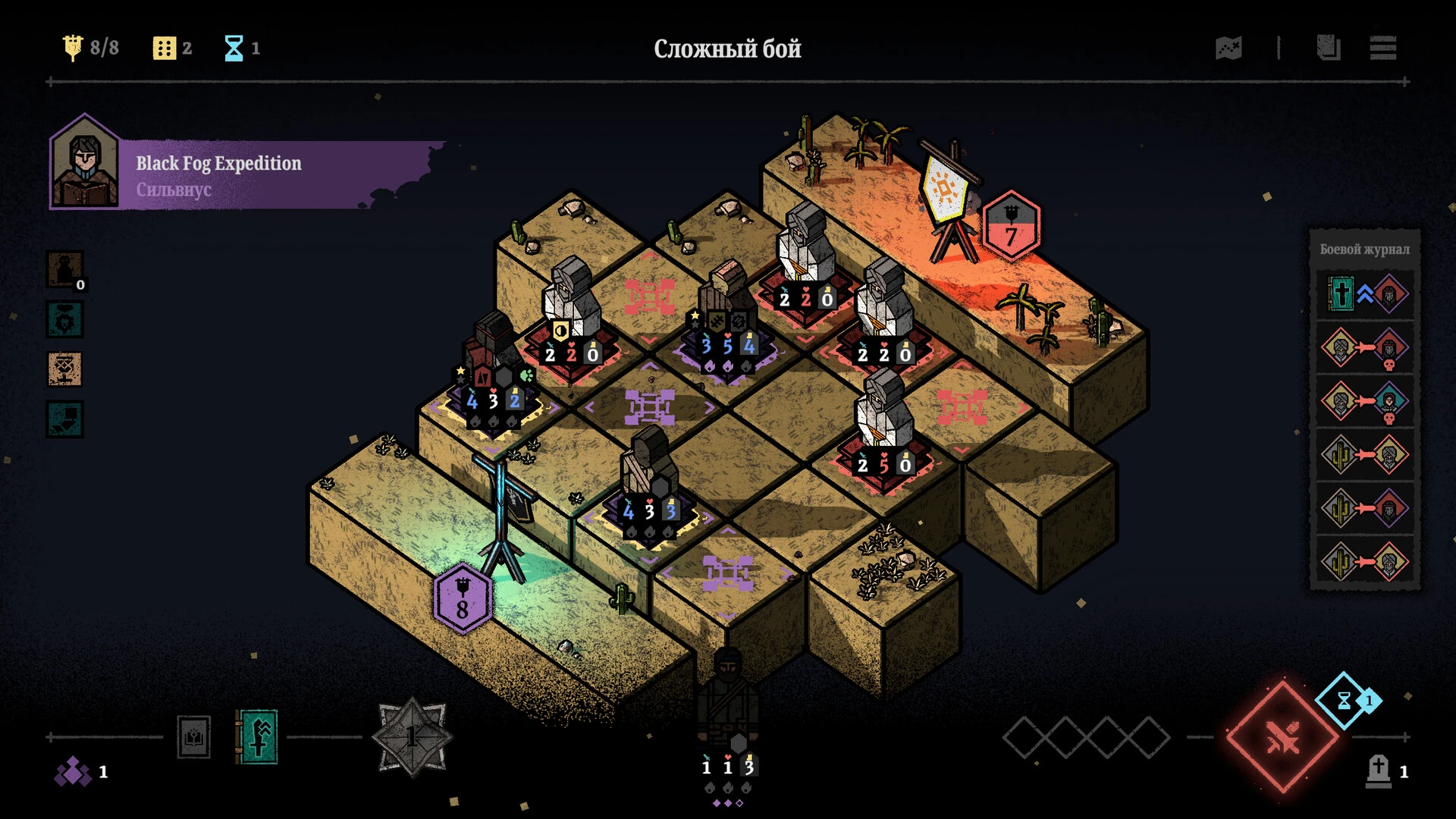
The indie gaming scene in 2026 has delivered a true gem with Master of Piece, a gothic-style roguelike deckbuilder that is taking Steam by storm. Developed by I M GAME, this title blends the ruthless strategy of Darkest Dungeon with the tactical positioning of Into the Breach.
If you’re looking to master this "piece-building" journey, this guide covers everything from core mechanics to advanced synergies.
What is Master of Piece?
Unlike traditional deckbuilders that rely on cards, Master of Piece treats your units as miniature board game pieces. You play as a Commander leading a band of mercenaries through a world consumed by the "Black Mist."
The game is famous for its "Easy to learn, hard to master" philosophy, featuring a 4×4 grid where every placement can mean the difference between a flawless victory and a total wipeout.
Core Gameplay Mechanics
To win, you must break through enemy lines and strike the Enemy Flag. Here’s the breakdown:
-
Action Points (AP): You start each turn with a limited pool of AP. Summoning mercenaries usually costs 2 AP, while moving existing pieces costs 1.
-
The Three Stats: Every piece has Attack Power (damage), Health (survivability), and Speed (turn order).
-
Automatic Combat: Once placed, units act automatically based on their Speed. High-speed units are vital for sniping threats before they can react.
Key Features & Strategic Depth
-
Don't Bloat Your Deck: It’s tempting to recruit every mercenary, but a lean deck of 5–7 "super units" is often better than 20 weak ones.
-
Respect the Speed Stat: If two units have the same speed, the game rolls a dice. Don't leave your strategy to chance—buff your speed!
-
Use the Shaman Huts: These locations provide permanent stat upgrades. Always prioritize a Shaman Hut over a basic enemy encounter if your health is stable.
-
Positioning is King: Obstacles on the board can block attacks. Use your "Tank" pieces to funnel enemies into traps or away from your Flag.
Minimum RequirementsOperating System: Windows 7 (64-bit) or higherProcessor: Intel Core i5-760 / AMD Athlon II X4 645Memory (RAM): 4 GBGraphics (GPU): NVIDIA GTX 550 Ti (3GB) / AMD Radeon HD 6850Storage: 2 GB available spaceRecommended RequirementsOperating System: Windows 10 / 11 (64-bit)Processor: Intel Core i5-3470 / AMD FX-4350Memory (RAM): 8 GBGraphics (GPU): NVIDIA GTX 1050 (2GB) / AMD Radeon RX 460Storage: 2 GB available spaceGood to know: Since this is a board-game style tactical RPG, it isn't very demanding. Even most modern "office" laptops with integrated graphics should be able to run it without any major issues.
Run the downloaded image and drag the application to the Applications folder shortcut.
Once copying is complete, the application can be launched via Launchpad.
Frequently Asked Questions
Mount the image and run Open Gatekeeper friendly.
Press Enter to bypass Gatekeeper in the Terminal window.
Drag the application to the Applications folder.
The application is ready for use.
ATTENTION! SIP must be disabled. Learn more >
Restart your Mac and hold down Command + R to enter Recovery Mode.
Open Terminal from the Utilities menu.
Enter the command: csrutil disable
Restart your Mac.
This is a common Gatekeeper issue. Follow these steps:
1. Open Terminal
2. Enter: sudo xattr -rd com.apple.quarantine /Applications/AppName.app
3. Replace "AppName" with the actual application name
4. Press Enter and enter your password
Yes, all our downloads are thoroughly checked for viruses and malware.
We use multiple antivirus engines to scan every file.
Our team tests each application before publishing.
We never bundle adware or unwanted software.
Yes, we regularly update our applications to the latest versions.
You can check our website for updates or subscribe to our newsletter.
We strive to provide the most recent versions within 24-48 hours of release.
If a download link is not working, please:
1. Try a different browser
2. Clear your browser cache and cookies
3. Try the alternative download links provided
4. Contact our support team if the issue persists