


Quern – Undying Thoughts
Download Quern – Undying Thoughts
Follow the standard installation procedure.
Installation concludes with selecting a location for the game.
It is recommended to select the Applications folder.


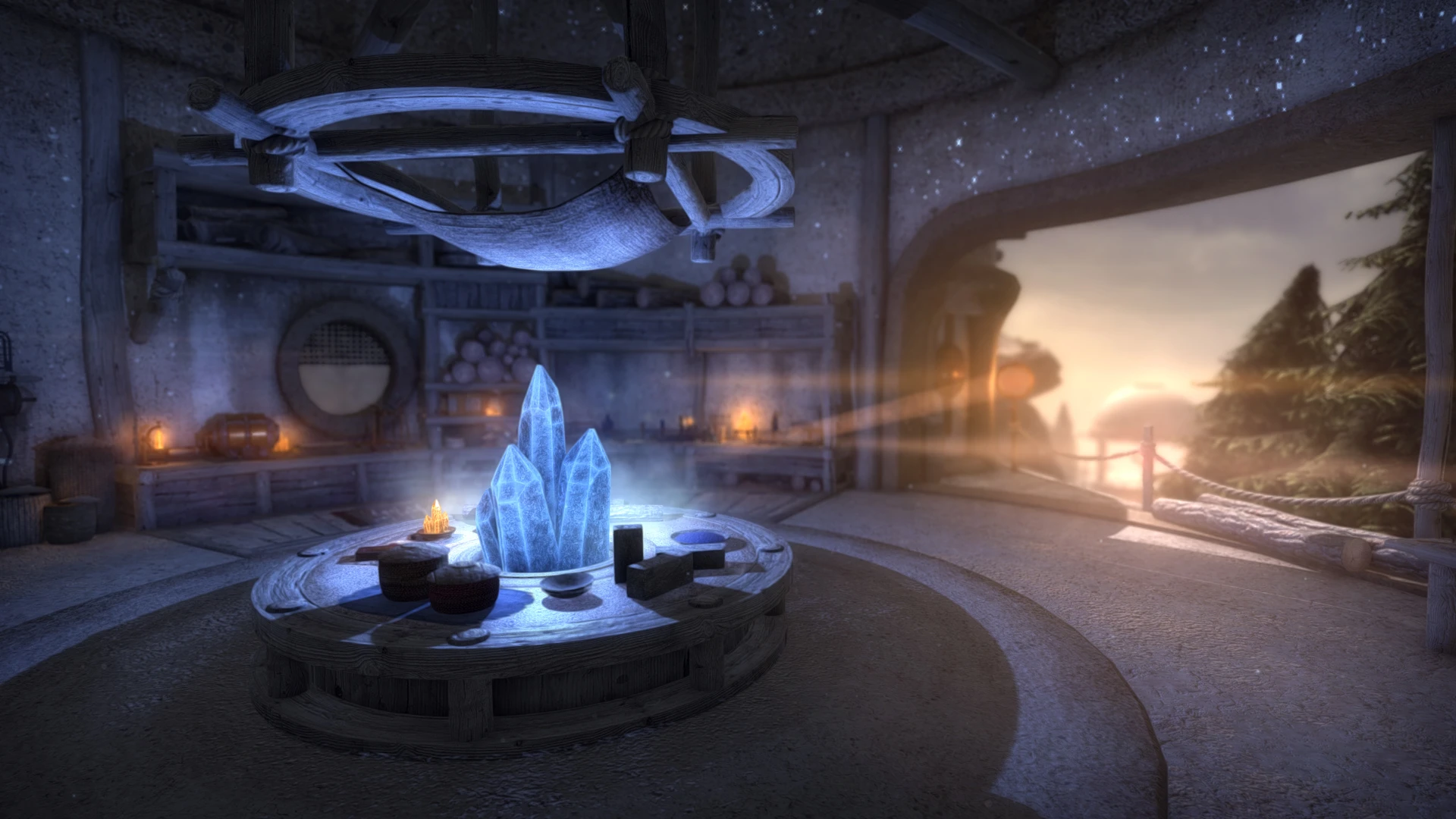
In the world of adventure games, few titles manage to blend intellectual challenge, atmospheric storytelling, and immersive exploration as seamlessly as Quern - Undying Thoughts. Developed by Zadbox Entertainment, this game pays homage to classic puzzle adventure games while introducing modern mechanics and visuals that enhance the experience for contemporary players. With its intricate puzzles, captivating environments, and thought-provoking narrative, Quern stands out as a compelling journey for fans of cerebral gameplay.
At its core, Quern - Undying Thoughts is a first-person adventure that emphasizes exploration and problem-solving. Players find themselves on a mysterious island with little explanation of how they arrived. The environment itself becomes both guide and obstacle, filled with cryptic devices, hidden mechanisms, and clues that must be deciphered to advance. Unlike games that rely heavily on combat or action sequences, Quern focuses on engaging the mind, encouraging players to think critically, observe closely, and experiment with creative solutions.
One of the game’s most notable strengths is its puzzle design. Every challenge in Quern is thoughtfully crafted, requiring a combination of logic, pattern recognition, and deduction. Puzzles range from mechanical contraptions and intricate locks to environmental riddles that demand attention to detail. The sense of accomplishment that comes from solving these puzzles is profound, as players are rewarded not just with progression but with the satisfaction of overcoming clever obstacles through their own reasoning.
The narrative of Quern - Undying Thoughts is subtle yet compelling. The story unfolds gradually, primarily through exploration, environmental cues, and fragments of written text scattered throughout the island. Players are encouraged to piece together the lore at their own pace, uncovering the mysteries of the island and its enigmatic inhabitants. This approach to storytelling fosters a deep sense of immersion, as players feel like active participants in unraveling the narrative rather than passive observers.
Visually, Quern excels in creating a believable and captivating world. The island is rich with detail, from the overgrown ruins to the meticulously designed machinery, all rendered in a realistic yet atmospheric style. Lighting and sound design play crucial roles in enhancing the sense of mystery and tension, drawing players further into the game’s immersive environment. The combination of visual fidelity and atmospheric audio ensures that the island of Quern feels alive and full of secrets waiting to be discovered.
Replayability is another key feature of Quern - Undying Thoughts. While the main puzzles remain consistent, players can approach challenges in multiple ways and take different paths through the island. This flexibility encourages exploration and experimentation, making each playthrough feel fresh. Additionally, the game’s open-ended structure invites players to fully immerse themselves in its world, taking the time to uncover every secret and unravel every layer of its story.
In conclusion, Quern - Undying Thoughts is a masterful modern puzzle adventure that combines challenging gameplay, a rich narrative, and a beautifully realized world. Its focus on intellectual engagement, exploration, and atmospheric storytelling makes it a standout title for anyone who enjoys cerebral and immersive gaming experiences. For players seeking a game that challenges both the mind and the curiosity, Quern offers a deeply satisfying journey into mystery and discovery.
OS: OS X 10.8 Mountain LionProcessor: Intel Core i3-2100 or AMD equivalentMemory: 3 GB RAM
Follow the standard installation procedure.
Installation concludes with selecting a location for the game.
It is recommended to select the Applications folder.
Frequently Asked Questions
Mount the image and run Open Gatekeeper friendly.
Press Enter to bypass Gatekeeper in the Terminal window.
Drag the application to the Applications folder.
The application is ready for use.
ATTENTION! SIP must be disabled. Learn more >
Restart your Mac and hold down Command + R to enter Recovery Mode.
Open Terminal from the Utilities menu.
Enter the command: csrutil disable
Restart your Mac.
This is a common Gatekeeper issue. Follow these steps:
1. Open Terminal
2. Enter: sudo xattr -rd com.apple.quarantine /Applications/AppName.app
3. Replace "AppName" with the actual application name
4. Press Enter and enter your password
Yes, all our downloads are thoroughly checked for viruses and malware.
We use multiple antivirus engines to scan every file.
Our team tests each application before publishing.
We never bundle adware or unwanted software.
Yes, we regularly update our applications to the latest versions.
You can check our website for updates or subscribe to our newsletter.
We strive to provide the most recent versions within 24-48 hours of release.
If a download link is not working, please:
1. Try a different browser
2. Clear your browser cache and cookies
3. Try the alternative download links provided
4. Contact our support team if the issue persists