


Sanitarium
Download Sanitarium
Unzip the archive and follow the standard installation procedure.
The installation is completed by choosing a location to place the game.
It is recommended to specify the Applications folder.


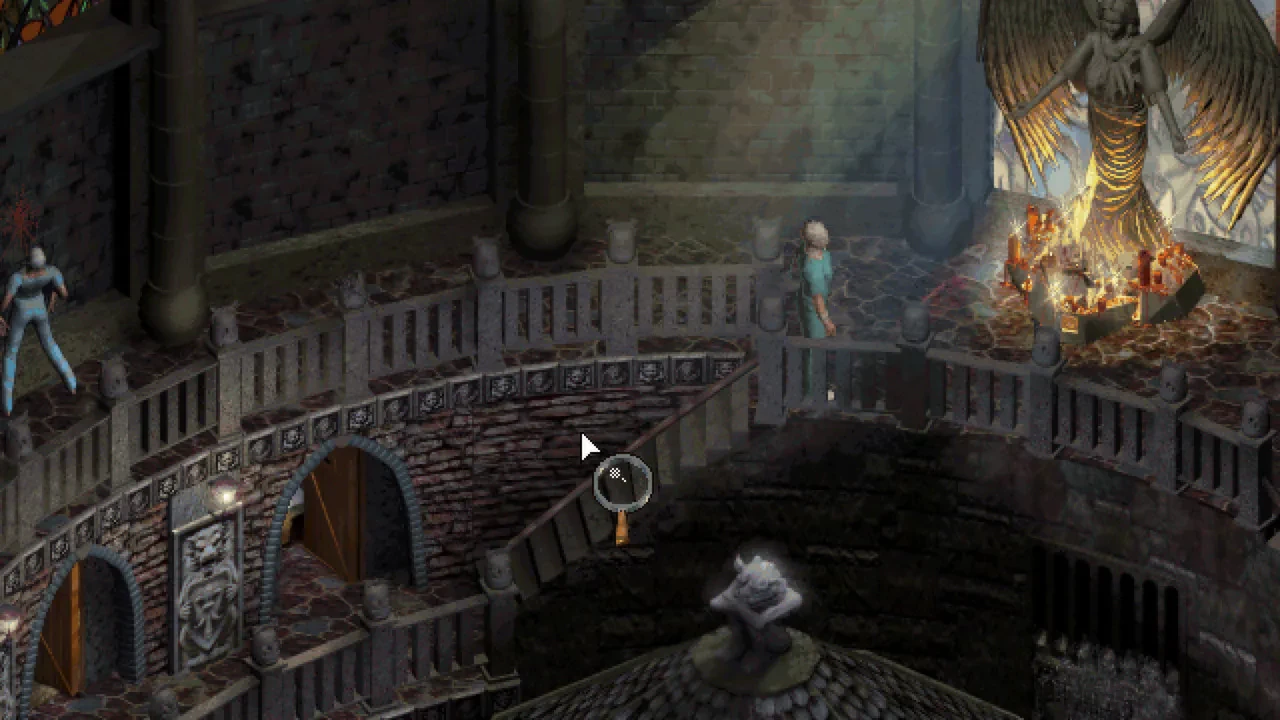

In the realm of psychological adventure games, Sanitarium stands as a remarkable and unforgettable experience. Developed by DreamForge Intertainment and released in 1998, this classic title continues to captivate players with its intricate storytelling, eerie atmosphere, and thought-provoking exploration of the human psyche. Combining elements of horror, mystery, and surrealism, Sanitarium offers a unique gaming experience that challenges players both emotionally and intellectually.
At the heart of Sanitarium is the story of Max, a man who awakens in a mysterious asylum with no memory of his past. The game immediately immerses players in a sense of disorientation and suspense, reflecting Max’s own confusion. From the outset, players are tasked with exploring the asylum, interacting with other patients, and uncovering the secrets of their own identity. The narrative unfolds in a deeply personal and psychological way, revealing layers of mystery, trauma, and the blurred lines between reality and imagination.
Gameplay in Sanitarium emphasizes exploration, puzzle-solving, and interaction with a richly detailed world. Players navigate through diverse environments, ranging from the unsettling corridors of the asylum to surreal, dreamlike landscapes that defy logic. Puzzles are cleverly designed to challenge both observation and reasoning, often requiring players to interpret clues, manipulate objects, or think outside conventional boundaries. The game encourages careful attention to detail, rewarding curiosity and persistence.
One of the most compelling aspects of Sanitarium is its ability to create atmosphere and tension. The hand-drawn graphics, combined with a haunting soundtrack and immersive sound design, establish a pervasive sense of unease. Environments are meticulously crafted to evoke feelings of isolation, dread, and intrigue, making players feel as though they are navigating the fragile and fragmented mind of the protagonist. This psychological depth sets Sanitarium apart from many other adventure games of its era.
Character development is also a key element of the game. Throughout his journey, Max encounters a variety of individuals, each with their own stories, quirks, and hidden agendas. Interacting with these characters reveals more about the asylum and Max’s past, while also presenting moral and strategic decisions that can affect the outcome of certain scenarios. These interactions add emotional weight and depth to the narrative, making players feel invested in the world and its inhabitants.
The game’s storytelling and surreal visuals also explore themes of memory, identity, and mental health. By blending realistic and fantastical elements, Sanitarium creates a narrative that is both gripping and reflective, prompting players to question the nature of reality and the human mind. The surreal sequences are particularly memorable, offering moments of startling creativity and psychological insight that remain vivid long after the game ends.
In conclusion, Sanitarium is a masterful psychological adventure that combines immersive storytelling, challenging puzzles, and a haunting atmosphere. Its exploration of memory, identity, and the human psyche creates a rich, emotional experience that stands the test of time. For players seeking a game that is intellectually stimulating, emotionally engaging, and psychologically compelling, Sanitarium offers a journey into the darkest and most intriguing corners of the mind, leaving a lasting impression that is both haunting and unforgettable.
System: Mac OS 10.11Processor: 1.8 GHzMemory: 512 MB RAMDisk space: 4GB HDD
Unzip the archive and follow the standard installation procedure.
The installation is completed by choosing a location to place the game.
It is recommended to specify the Applications folder.
Frequently Asked Questions
Mount the image and run Open Gatekeeper friendly.
Press Enter to bypass Gatekeeper in the Terminal window.
Drag the application to the Applications folder.
The application is ready for use.
ATTENTION! SIP must be disabled. Learn more >
Restart your Mac and hold down Command + R to enter Recovery Mode.
Open Terminal from the Utilities menu.
Enter the command: csrutil disable
Restart your Mac.
This is a common Gatekeeper issue. Follow these steps:
1. Open Terminal
2. Enter: sudo xattr -rd com.apple.quarantine /Applications/AppName.app
3. Replace "AppName" with the actual application name
4. Press Enter and enter your password
Yes, all our downloads are thoroughly checked for viruses and malware.
We use multiple antivirus engines to scan every file.
Our team tests each application before publishing.
We never bundle adware or unwanted software.
Yes, we regularly update our applications to the latest versions.
You can check our website for updates or subscribe to our newsletter.
We strive to provide the most recent versions within 24-48 hours of release.
If a download link is not working, please:
1. Try a different browser
2. Clear your browser cache and cookies
3. Try the alternative download links provided
4. Contact our support team if the issue persists