


140
Download 140
Run the downloaded image and follow the standard installation procedure.
The installation is completed by choosing a location to place the game.
It is recommended to specify the Applications folder.
Previous Versions
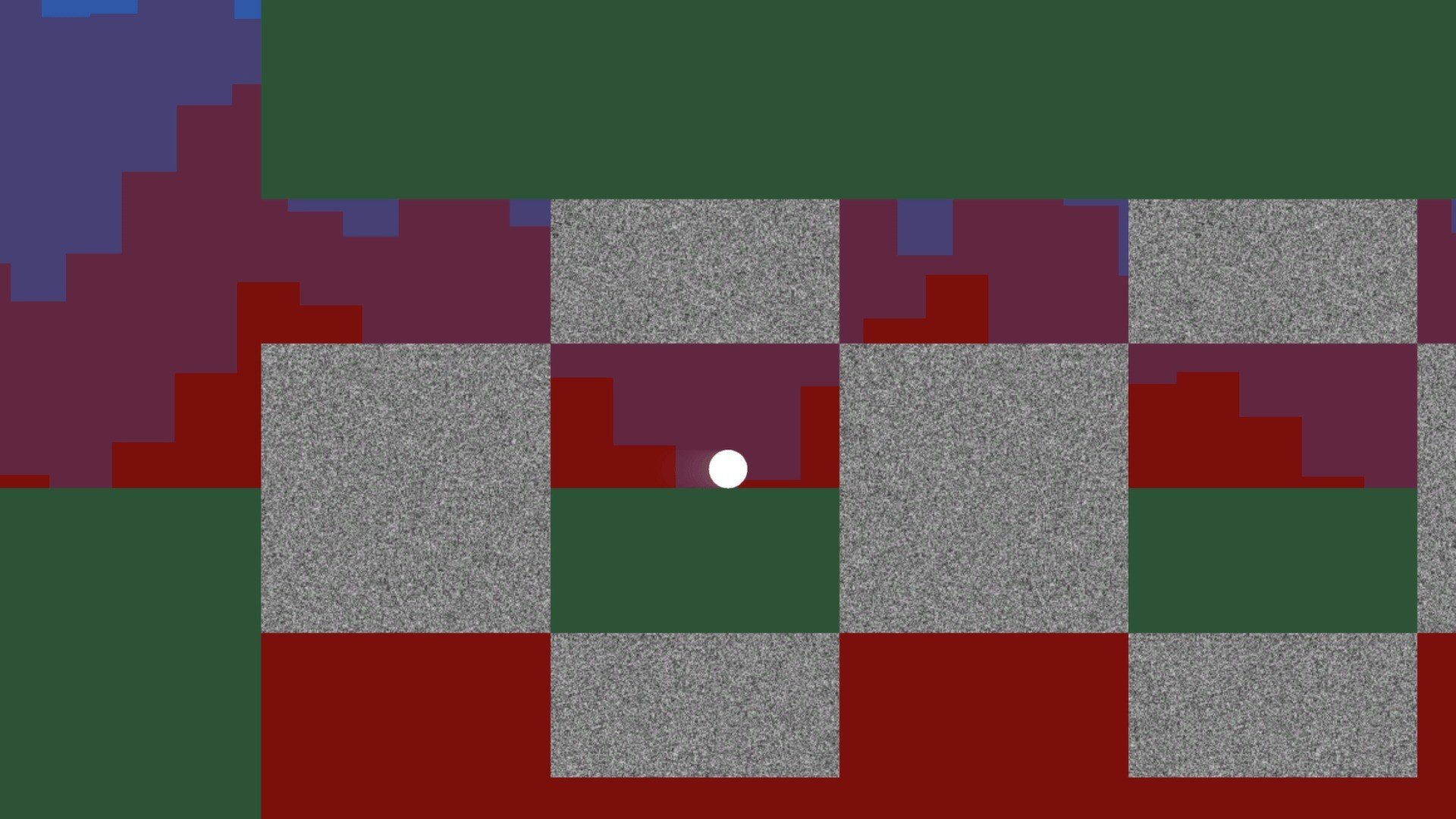

In the crowded world of indie games, 140 stands out as a unique and audacious experiment in minimalism, music synchronization, and challenging gameplay. Developed by Jeppe Carlsen, a designer known for his work on the Hitman series, 140 strips gaming down to its bare essentials: precise control, sharp reflexes, and an acute sense of rhythm. Despite—or perhaps because of—its minimalistic presentation, the game delivers an experience that is as intense as it is mesmerizing.
At its heart, 140 is a puzzle platformer, but it defies conventional definitions. Players control a small, geometric cube that moves through abstract, color-coded environments. What makes the game distinct is its deep integration with music: every obstacle, platform, and hazard is synchronized with the electronic soundtrack, creating a rhythmic harmony between player action and the game world. Jumping over spikes, dodging lasers, or navigating moving platforms isn’t just about timing—it’s about feeling the music. Every successful move reinforces this symbiotic relationship, making the game feel like a dance between player and environment.
The beauty of 140 lies in its minimalism. Visuals are stripped to basic geometric shapes, and colors are deliberately limited to provide clarity and focus. This approach removes unnecessary distractions, forcing players to concentrate solely on movement, timing, and rhythm. The minimalist aesthetic also gives the game a sleek, modernist style that is both striking and functional. Each level is carefully designed, presenting new patterns of hazards that challenge the player’s perception, reflexes, and sense of timing.
The gameplay itself is deceptively simple. The cube can move left, right, jump, and interact with certain objects, yet mastering these mechanics is anything but easy. Levels gradually increase in complexity, introducing moving platforms, shifting floors, and precise timing requirements that test even the most skilled players. The challenge in 140 isn’t just surviving obstacles—it’s achieving perfection in timing, often synchronizing every move to the beat of the music. This creates a high-stakes, adrenaline-pumping experience that keeps players on edge from start to finish.
Beyond gameplay, 140 offers an almost hypnotic audio-visual experience. The soundtrack, composed specifically for the game, evolves alongside the player’s progress. Electronic beats, pulsing rhythms, and dynamic audio cues serve as both a guide and a motivator, reinforcing the bond between music and gameplay. Players often find themselves completely absorbed, their movements instinctively syncing with the music, turning each level into an almost meditative performance.
In conclusion, 140 is a masterclass in minimalistic game design. It combines precise platforming, rhythmic puzzle-solving, and striking visuals into a cohesive experience that challenges both mind and reflexes. While its aesthetic may appear simple, the depth and intensity of its gameplay make it anything but. For players seeking a unique, challenging, and musically immersive journey, 140 offers an unforgettable experience that proves less can indeed be more.
OS: Mac OS X 10.6+RAM: 1 GB Disk space: 100 MB
Run the downloaded image and follow the standard installation procedure.
The installation is completed by choosing a location to place the game.
It is recommended to specify the Applications folder.
Frequently Asked Questions
Mount the image and run Open Gatekeeper friendly.
Press Enter to bypass Gatekeeper in the Terminal window.
Drag the application to the Applications folder.
The application is ready for use.
ATTENTION! SIP must be disabled. Learn more >
Restart your Mac and hold down Command + R to enter Recovery Mode.
Open Terminal from the Utilities menu.
Enter the command: csrutil disable
Restart your Mac.
This is a common Gatekeeper issue. Follow these steps:
1. Open Terminal
2. Enter: sudo xattr -rd com.apple.quarantine /Applications/AppName.app
3. Replace "AppName" with the actual application name
4. Press Enter and enter your password
Yes, all our downloads are thoroughly checked for viruses and malware.
We use multiple antivirus engines to scan every file.
Our team tests each application before publishing.
We never bundle adware or unwanted software.
Yes, we regularly update our applications to the latest versions.
You can check our website for updates or subscribe to our newsletter.
We strive to provide the most recent versions within 24-48 hours of release.
If a download link is not working, please:
1. Try a different browser
2. Clear your browser cache and cookies
3. Try the alternative download links provided
4. Contact our support team if the issue persists