


Bridge Constructor Studio
Download Bridge Constructor Studio
Run the downloaded image and drag the application to the Applications folder shortcut.
Once copying is complete, the application can be launched via Launchpad.
Previous Versions
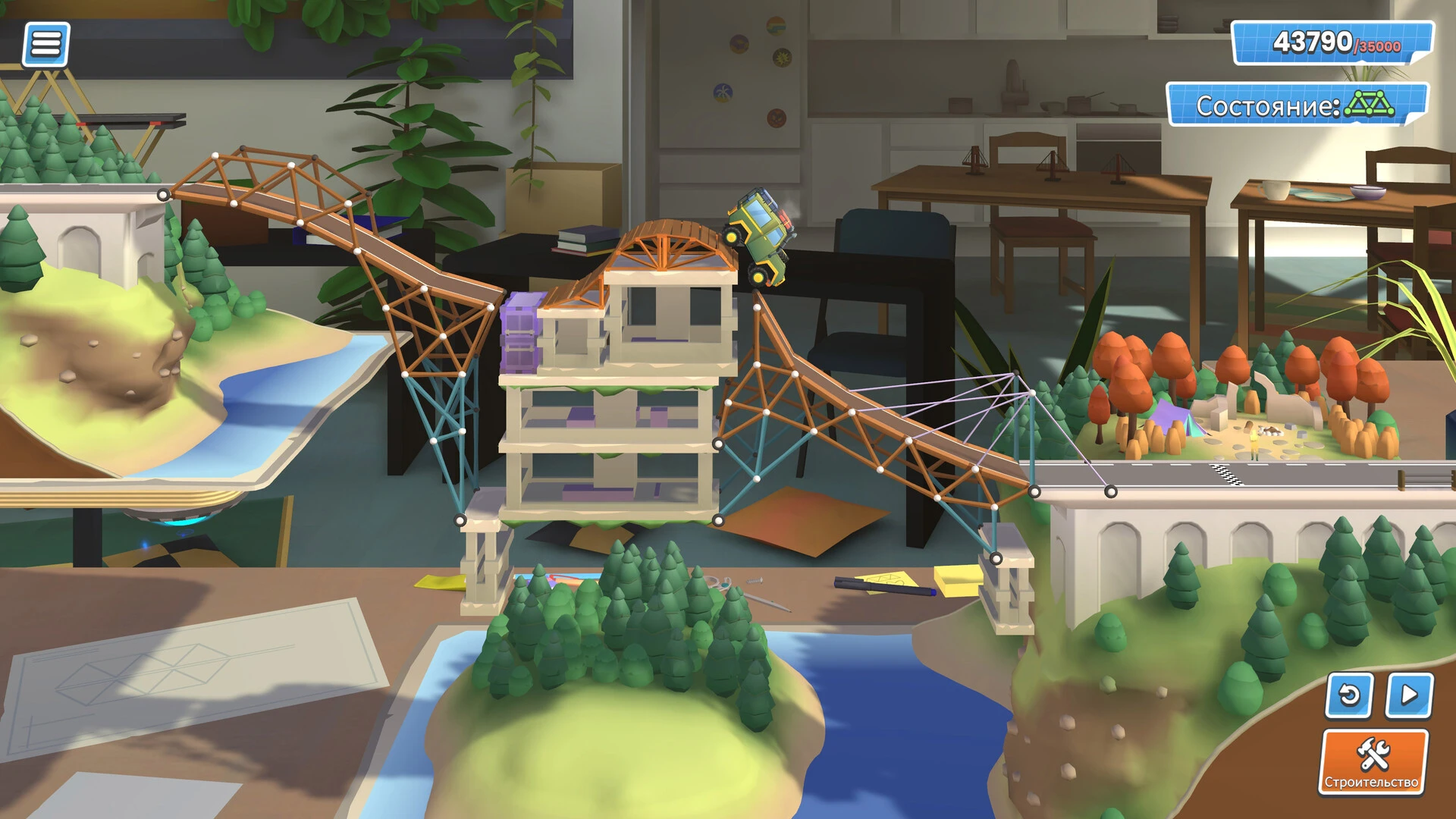



Bridge Constructor Studio is a standout title in the world of simulation and construction games, offering players the unique opportunity to become virtual engineers and designers. Developed by ClockStone Studio, the game combines creativity, problem-solving, and physics-based challenges to provide a deeply satisfying experience for players of all ages. Unlike many games that prioritize action or narrative, Bridge Constructor Studio focuses on logic, design, and the joy of seeing a complex creation come to life.
At its core, the game revolves around building bridges capable of supporting vehicles, pedestrians, and trains across a variety of terrains. Each level presents unique challenges, from wide rivers and deep canyons to urban landscapes that require careful planning. The physics engine is realistic, meaning that every decision—from material choice to structural design—affects whether a bridge will hold or collapse under pressure. This creates a sense of tension and reward, as players must think critically and apply engineering principles creatively.
One of the key strengths of Bridge Constructor Studio is the freedom it offers. Unlike strict simulation software, the game encourages experimentation. Players can test unconventional designs or push materials to their limits, discovering innovative ways to solve complex problems. The sandbox mode, in particular, allows for endless creativity, letting players design bridges without restrictions while experimenting with different shapes, weights, and support structures. This approach fosters both learning and entertainment, subtly teaching principles of physics and engineering in a playful, interactive way.
Another remarkable feature is the game’s attention to detail. The environments are thoughtfully crafted, providing realistic scenarios that challenge players’ problem-solving skills. Vehicles respond authentically to changes in bridge stability, and failures are both dramatic and instructive, helping players understand why a design did not work. Additionally, the game’s visuals strike a balance between clarity and charm, making it easy to follow the construction process while still enjoying a visually appealing world.
Community and creativity extend beyond individual gameplay. Bridge Constructor Studio allows players to share their bridge designs, compete in challenges, and even attempt solutions created by others. This social element encourages collaboration, learning, and friendly competition. Players can see how different approaches solve the same problem, which broadens perspectives and inspires new design ideas.
In conclusion, Bridge Constructor Studio is more than just a game; it is an educational and creative tool that engages players in engineering, design, and critical thinking. Its combination of realistic physics, open-ended design, and community interaction ensures a rewarding experience that goes beyond simple entertainment. Whether building simple bridges across a river or tackling intricate structural puzzles, players find satisfaction in both the process and the result. For anyone interested in construction, engineering, or creative problem-solving, Bridge Constructor Studio offers a virtual playground where imagination and logic meet.
• OS: macOS 11.0 (Big Sur) and later.• Processor: Intel (x64) 2 GHz, M1 and newer.• RAM: 4 GB.• Video card: Metal compatible. • Free disk space: ~600 MB.
Run the downloaded image and drag the application to the Applications folder shortcut.
Once copying is complete, the application can be launched via Launchpad.
Frequently Asked Questions
Mount the image and run Open Gatekeeper friendly.
Press Enter to bypass Gatekeeper in the Terminal window.
Drag the application to the Applications folder.
The application is ready for use.
ATTENTION! SIP must be disabled. Learn more >
Restart your Mac and hold down Command + R to enter Recovery Mode.
Open Terminal from the Utilities menu.
Enter the command: csrutil disable
Restart your Mac.
This is a common Gatekeeper issue. Follow these steps:
1. Open Terminal
2. Enter: sudo xattr -rd com.apple.quarantine /Applications/AppName.app
3. Replace "AppName" with the actual application name
4. Press Enter and enter your password
Yes, all our downloads are thoroughly checked for viruses and malware.
We use multiple antivirus engines to scan every file.
Our team tests each application before publishing.
We never bundle adware or unwanted software.
Yes, we regularly update our applications to the latest versions.
You can check our website for updates or subscribe to our newsletter.
We strive to provide the most recent versions within 24-48 hours of release.
If a download link is not working, please:
1. Try a different browser
2. Clear your browser cache and cookies
3. Try the alternative download links provided
4. Contact our support team if the issue persists