


Crime Scene Cleaner
Download Crime Scene Cleaner
Run the downloaded image and drag the application to the Applications folder shortcut.
Once copying is complete, the application can be launched via Launchpad.

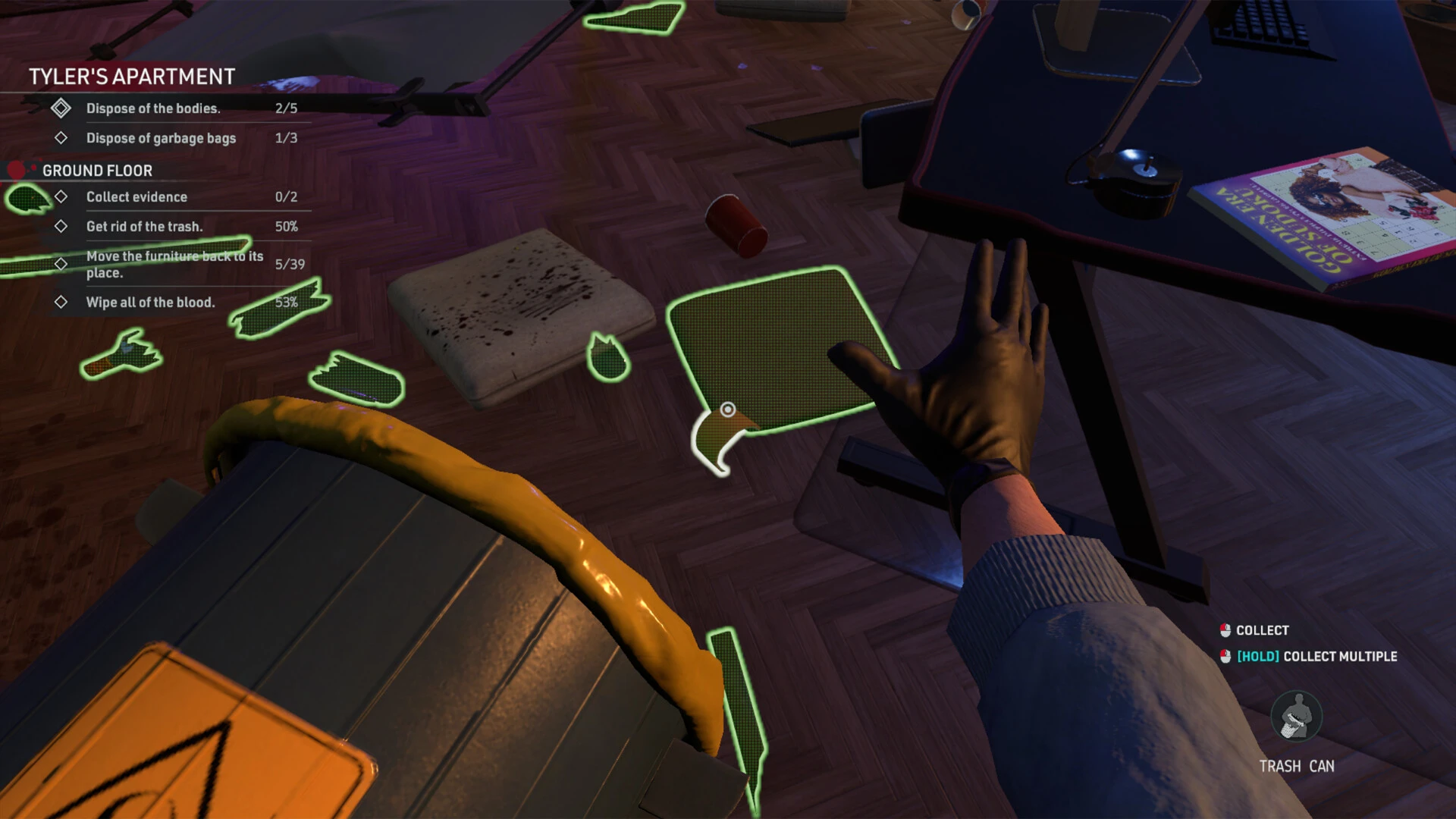


Crime Scene Cleaner offers a strikingly unusual perspective within simulation games by placing players behind the scenes of criminal investigations—not as detectives, but as the person responsible for restoring order once the chaos is over. Rather than focusing on violence or crime itself, the game explores the quiet, often overlooked work that happens after everyone else has left. This fresh angle turns an unconventional job into a thoughtful and surprisingly engaging experience.
The game revolves around cleaning and sanitizing locations where crimes have occurred. Players arrive after the 사건 has ended, facing bloodstains, damaged furniture, and unsettling environments that tell silent stories. Each location feels heavy with atmosphere, encouraging players to pay attention to detail while respecting the gravity of the situation. The task is not rushed, allowing players to approach each job methodically and carefully.
What makes Crime Scene Cleaner compelling is its balance between realism and gameplay flow. Cleaning mechanics are detailed without becoming overwhelming. Players use specialized tools, chemicals, and equipment to remove traces, repair damage, and return spaces to a neutral state. Every action feels purposeful, reinforcing the idea that precision and patience matter. The satisfaction comes from watching disorder slowly transform into cleanliness, creating a calm contrast to the implied chaos that came before.
Environmental storytelling plays a major role in shaping the experience. While the game avoids graphic storytelling, subtle clues within each scene hint at what may have happened. Players are never forced to uncover the full story, but observant individuals may piece together fragments through objects, layouts, and damage patterns. This optional narrative layer adds depth without distracting from the core cleaning mechanics.
The pacing of Crime Scene Cleaner is intentionally slow and reflective. There are no time limits forcing mistakes, no constant pressure from external threats. Instead, the game encourages focus and mindfulness. This makes it appealing to players who enjoy methodical gameplay and find relaxation in repetitive, goal-oriented tasks. Each completed job feels earned, not because it was difficult, but because it required attention and care.
Visually, the game adopts a grounded and realistic art style. Lighting, textures, and environmental detail work together to create believable locations that feel authentic. Sound design enhances immersion with subtle effects such as running water, tool usage, and ambient background noise. These elements help maintain a quiet, professional tone that matches the nature of the work.
Beyond gameplay, Crime Scene Cleaner touches on themes of responsibility and closure. While players never interact directly with victims or investigations, their role contributes to restoring normalcy. The act of cleaning becomes symbolic—removing traces of trauma so spaces can move forward. This emotional undercurrent adds meaning to tasks that might otherwise feel mechanical.
In conclusion, Crime Scene Cleaner transforms an unusual profession into a thoughtful and immersive simulation. Through detailed mechanics, atmospheric environments, and reflective pacing, it offers a unique experience that values precision and calm over excitement. For players seeking something different—grounded, methodical, and quietly meaningful—Crime Scene Cleaner delivers an experience that proves even the smallest roles can leave a lasting impact.
▎Apple Silicon (ARM)- macOS Tahoe 26.1-26.2 and later. - Apple Silicon (M1-M5, M Pro/Max/Ultra).- ±16 GB of shared memory.- ±45 GB free space.▎Dualshock/Dualsense gamepad support available
Run the downloaded image and drag the application to the Applications folder shortcut.
Once copying is complete, the application can be launched via Launchpad.
Frequently Asked Questions
Mount the image and run Open Gatekeeper friendly.
Press Enter to bypass Gatekeeper in the Terminal window.
Drag the application to the Applications folder.
The application is ready for use.
ATTENTION! SIP must be disabled. Learn more >
Restart your Mac and hold down Command + R to enter Recovery Mode.
Open Terminal from the Utilities menu.
Enter the command: csrutil disable
Restart your Mac.
This is a common Gatekeeper issue. Follow these steps:
1. Open Terminal
2. Enter: sudo xattr -rd com.apple.quarantine /Applications/AppName.app
3. Replace "AppName" with the actual application name
4. Press Enter and enter your password
Yes, all our downloads are thoroughly checked for viruses and malware.
We use multiple antivirus engines to scan every file.
Our team tests each application before publishing.
We never bundle adware or unwanted software.
Yes, we regularly update our applications to the latest versions.
You can check our website for updates or subscribe to our newsletter.
We strive to provide the most recent versions within 24-48 hours of release.
If a download link is not working, please:
1. Try a different browser
2. Clear your browser cache and cookies
3. Try the alternative download links provided
4. Contact our support team if the issue persists