


Demon’s Winter
Download Demon’s Winter
Unzip the archive and follow the standard installation procedure.
The installation is completed by choosing a location to place the game.
It is recommended to specify the Applications folder.
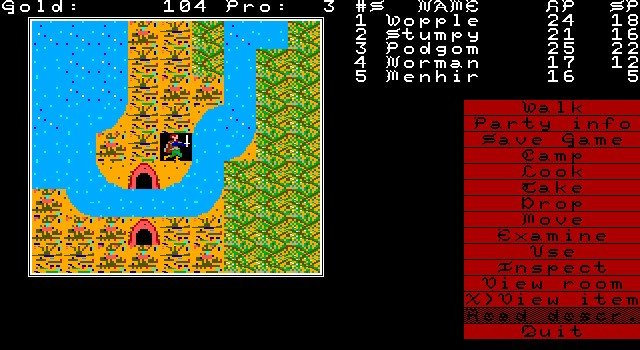
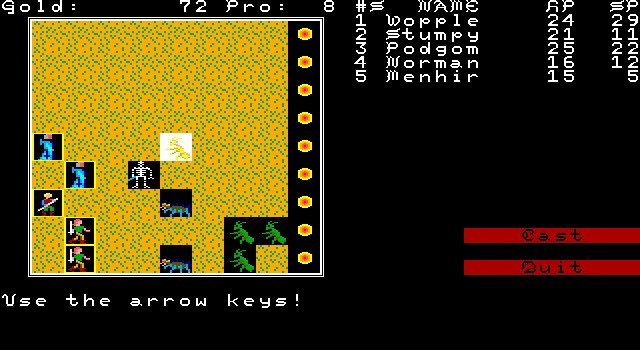
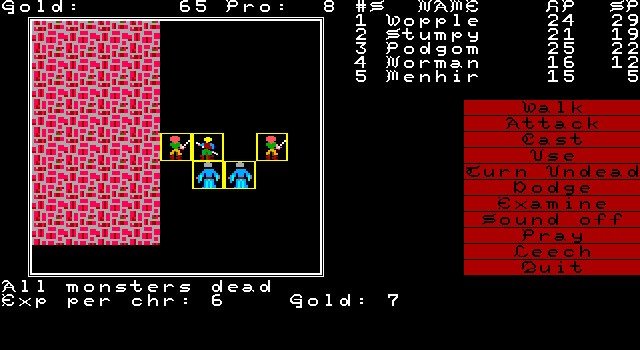
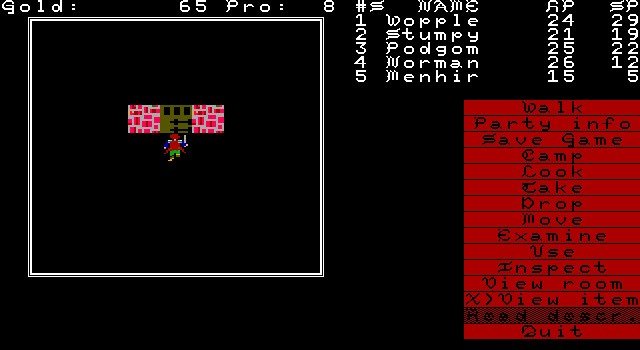
In the golden age of role-playing games, few titles managed to combine depth, exploration, and storytelling as effectively as Demon’s Winter. Developed as a classic RPG experience, the game immerses players in a dark, fantastical world filled with danger, intrigue, and adventure. With its intricate mechanics, rich narrative, and atmospheric design, Demon's Winter remains a notable entry for fans of tactical role-playing and those seeking a challenging, immersive journey.
Gameplay and Mechanics
Demon’s Winter is a party-based role-playing game that emphasizes tactical combat, exploration, and strategic decision-making. Players create a group of adventurers, each with distinct skills, strengths, and weaknesses. Character creation allows for a variety of playstyles, from warriors and rogues to spellcasters, providing flexibility in combat and exploration. The game encourages careful planning, as party composition, inventory management, and skill selection all play crucial roles in overcoming the many challenges of the game.
Combat in Demon's Winter is turn-based, requiring players to think strategically about positioning, attacks, and resource management. Enemies range from monstrous creatures to rival adventurers, each with unique abilities and behaviors. Success demands careful coordination of party members, proper use of spells and abilities, and anticipation of enemy tactics. The game’s difficulty ensures that players remain engaged, as every encounter presents both risk and reward.
Exploration and Story
The game world is vast, dark, and richly detailed. Players traverse dungeons, forests, and towns, uncovering hidden treasures, quests, and lore that expand the universe’s depth. Exploration is rewarded with rare items, secret paths, and narrative revelations, encouraging thorough investigation of every environment. The sense of discovery is a core part of the game’s appeal, giving players a true feeling of adventure.
The narrative of Demon's Winter is steeped in classic fantasy themes. Players confront an impending threat of dark forces, unravel conspiracies, and make choices that impact the story’s outcome. Non-player characters (NPCs) play a pivotal role, offering quests, assistance, or conflict depending on interactions. The game’s story strikes a balance between epic questlines and smaller, personal narratives, making the world feel alive and responsive to player actions.
Visuals and Audio
Although Demon's Winter originates from an earlier era of gaming, its visual and audio design contribute significantly to the atmosphere. The game employs detailed isometric graphics that convey the gritty, perilous nature of its environments. Ambient sound effects, thematic music, and atmospheric cues enhance immersion, creating a sense of tension and wonder as players explore dungeons or encounter formidable enemies.
Conclusion
Demon’s Winter is a testament to the enduring appeal of classic role-playing games. Its combination of tactical combat, expansive exploration, and engaging storytelling makes it a rich and rewarding experience for both veteran gamers and newcomers interested in classic RPG design. By challenging players to think strategically, explore thoroughly, and immerse themselves in a dark, compelling world, Demon's Winter provides an adventure that is both challenging and memorable. For those seeking a deep, atmospheric RPG experience, it remains a journey worth undertaking.
Mac OS X (10.11+)
Unzip the archive and follow the standard installation procedure.
The installation is completed by choosing a location to place the game.
It is recommended to specify the Applications folder.
Frequently Asked Questions
Mount the image and run Open Gatekeeper friendly.
Press Enter to bypass Gatekeeper in the Terminal window.
Drag the application to the Applications folder.
The application is ready for use.
ATTENTION! SIP must be disabled. Learn more >
Restart your Mac and hold down Command + R to enter Recovery Mode.
Open Terminal from the Utilities menu.
Enter the command: csrutil disable
Restart your Mac.
This is a common Gatekeeper issue. Follow these steps:
1. Open Terminal
2. Enter: sudo xattr -rd com.apple.quarantine /Applications/AppName.app
3. Replace "AppName" with the actual application name
4. Press Enter and enter your password
Yes, all our downloads are thoroughly checked for viruses and malware.
We use multiple antivirus engines to scan every file.
Our team tests each application before publishing.
We never bundle adware or unwanted software.
Yes, we regularly update our applications to the latest versions.
You can check our website for updates or subscribe to our newsletter.
We strive to provide the most recent versions within 24-48 hours of release.
If a download link is not working, please:
1. Try a different browser
2. Clear your browser cache and cookies
3. Try the alternative download links provided
4. Contact our support team if the issue persists