


Haven Park
Download Haven Park
Run the downloaded package and follow the standard installation procedure.
The installation is completed by choosing a location to place the game.
It is recommended to specify the Applications folder.
Previous Versions


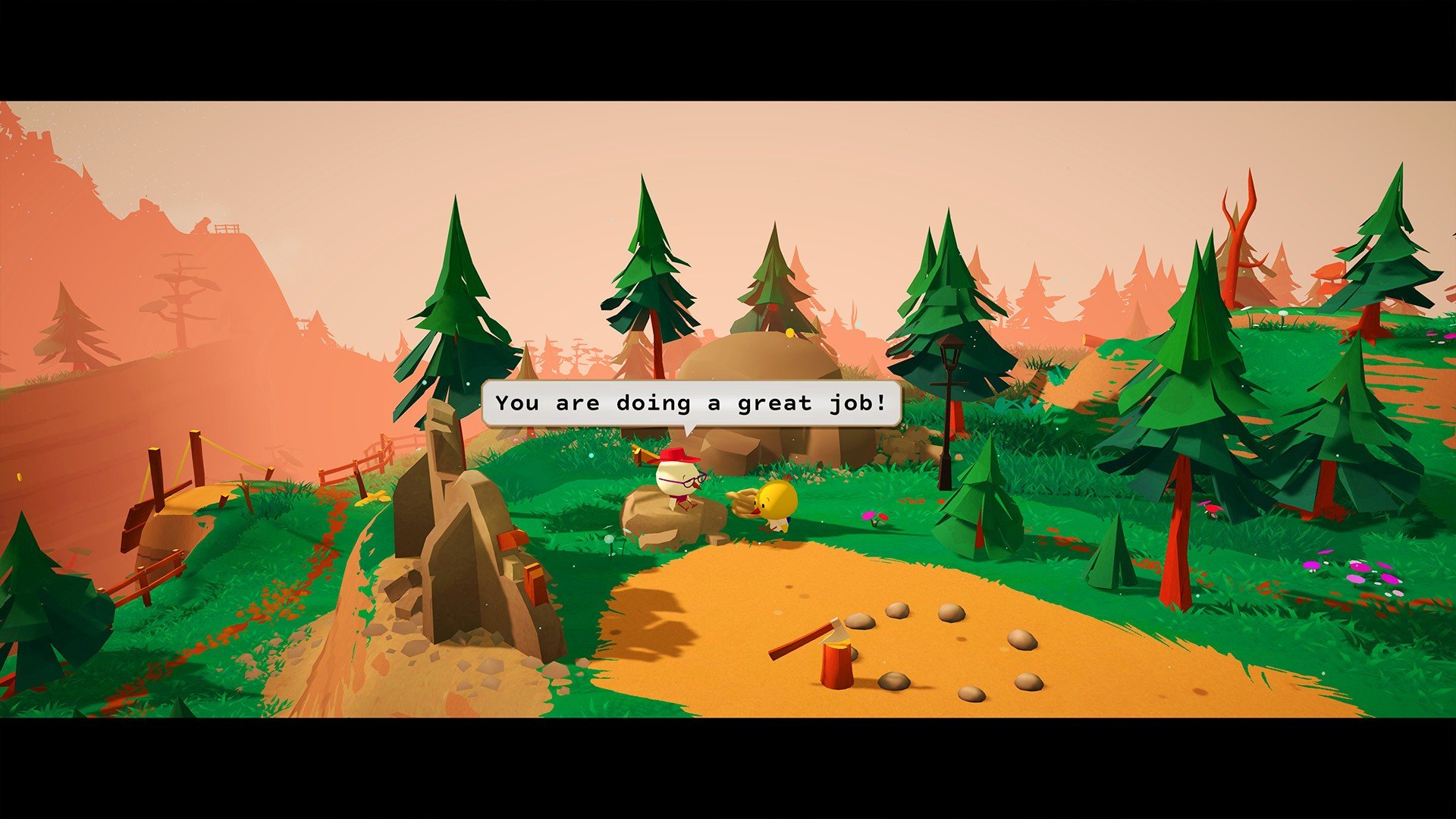

Haven Park is a charming and relaxing simulation adventure developed by Fabien Weibel that invites players into the serene world of park management and exploration. Unlike high-pressure management games, Haven Park focuses on creativity, storytelling, and the simple joys of organizing a beautiful national park. With its soothing visuals, heartfelt narrative, and engaging mechanics, it delivers an experience that’s perfect for players looking to unwind while still enjoying meaningful gameplay.
In Haven Park, players step into the shoes of Flint, a young park ranger tasked with revitalizing an abandoned national park. The park is divided into various zones, each with unique landscapes, wildlife, and features waiting to be discovered. Flint’s mission is to restore facilities, help park visitors, and uncover the secrets of the natural world around them. What makes the game particularly captivating is its focus on exploration and community: players aren’t just maintaining a park—they’re building a space where stories unfold and nature thrives.
The gameplay in Haven Park is both relaxing and rewarding. Players engage in tasks like repairing cabins, constructing trails, and upgrading park amenities. Each task is intuitive and satisfying, allowing players to approach their work at their own pace. Exploration is equally important; players can wander through forests, lakes, and meadows, discovering hidden objects, interacting with wildlife, and taking in the scenery. The game’s mechanics strike a balance between management and adventure, making every day in the park feel purposeful without being stressful.
One of the standout features of Haven Park is its visual and artistic design. The game employs a vibrant, low-poly art style that feels warm and inviting. Trees sway gently in the breeze, wildlife moves naturally across the landscape, and water reflects sunlight in a calming, realistic way. The environments are diverse and thoughtfully designed, from dense forests and flowing rivers to tranquil meadows. The visual style is complemented by a soothing soundtrack featuring soft acoustic melodies and ambient natural sounds, which together create an atmosphere of relaxation and immersion.
Haven Park also excels in storytelling. Throughout the game, players meet quirky characters, interact with park visitors, and uncover personal stories hidden in letters and notes. These narrative elements are subtle but impactful, adding emotional depth to the otherwise tranquil gameplay. The story emphasizes themes of care, community, and environmental stewardship, reminding players of the importance of preserving and enjoying natural spaces.
Ultimately, Haven Park is more than just a park management game—it is a celebration of nature, creativity, and the simple pleasures of exploration. Its combination of relaxing gameplay, beautiful visuals, and heartfelt storytelling makes it a standout title for anyone seeking a calm yet engaging experience. Whether restoring an abandoned cabin, exploring a hidden grove, or simply enjoying the gentle soundtrack, Haven Park offers players a soothing escape into a world where nature, adventure, and storytelling coexist in perfect harmony.
OS: macOS 10.12+Processor: Intel or AMD Dual Core @2Ghz or betterRAM: 2 GBVideo card: Intel Graphics 4400 or betterDisk space: 300 MB
Run the downloaded package and follow the standard installation procedure.
The installation is completed by choosing a location to place the game.
It is recommended to specify the Applications folder.
Frequently Asked Questions
Mount the image and run Open Gatekeeper friendly.
Press Enter to bypass Gatekeeper in the Terminal window.
Drag the application to the Applications folder.
The application is ready for use.
ATTENTION! SIP must be disabled. Learn more >
Restart your Mac and hold down Command + R to enter Recovery Mode.
Open Terminal from the Utilities menu.
Enter the command: csrutil disable
Restart your Mac.
This is a common Gatekeeper issue. Follow these steps:
1. Open Terminal
2. Enter: sudo xattr -rd com.apple.quarantine /Applications/AppName.app
3. Replace "AppName" with the actual application name
4. Press Enter and enter your password
Yes, all our downloads are thoroughly checked for viruses and malware.
We use multiple antivirus engines to scan every file.
Our team tests each application before publishing.
We never bundle adware or unwanted software.
Yes, we regularly update our applications to the latest versions.
You can check our website for updates or subscribe to our newsletter.
We strive to provide the most recent versions within 24-48 hours of release.
If a download link is not working, please:
1. Try a different browser
2. Clear your browser cache and cookies
3. Try the alternative download links provided
4. Contact our support team if the issue persists