


Reflex Unit: Strike Ops
Download Reflex Unit: Strike Ops
Run the downloaded image and drag the application to the Applications folder shortcut.
Once copying is complete, the application can be launched via Launchpad.
Previous Versions

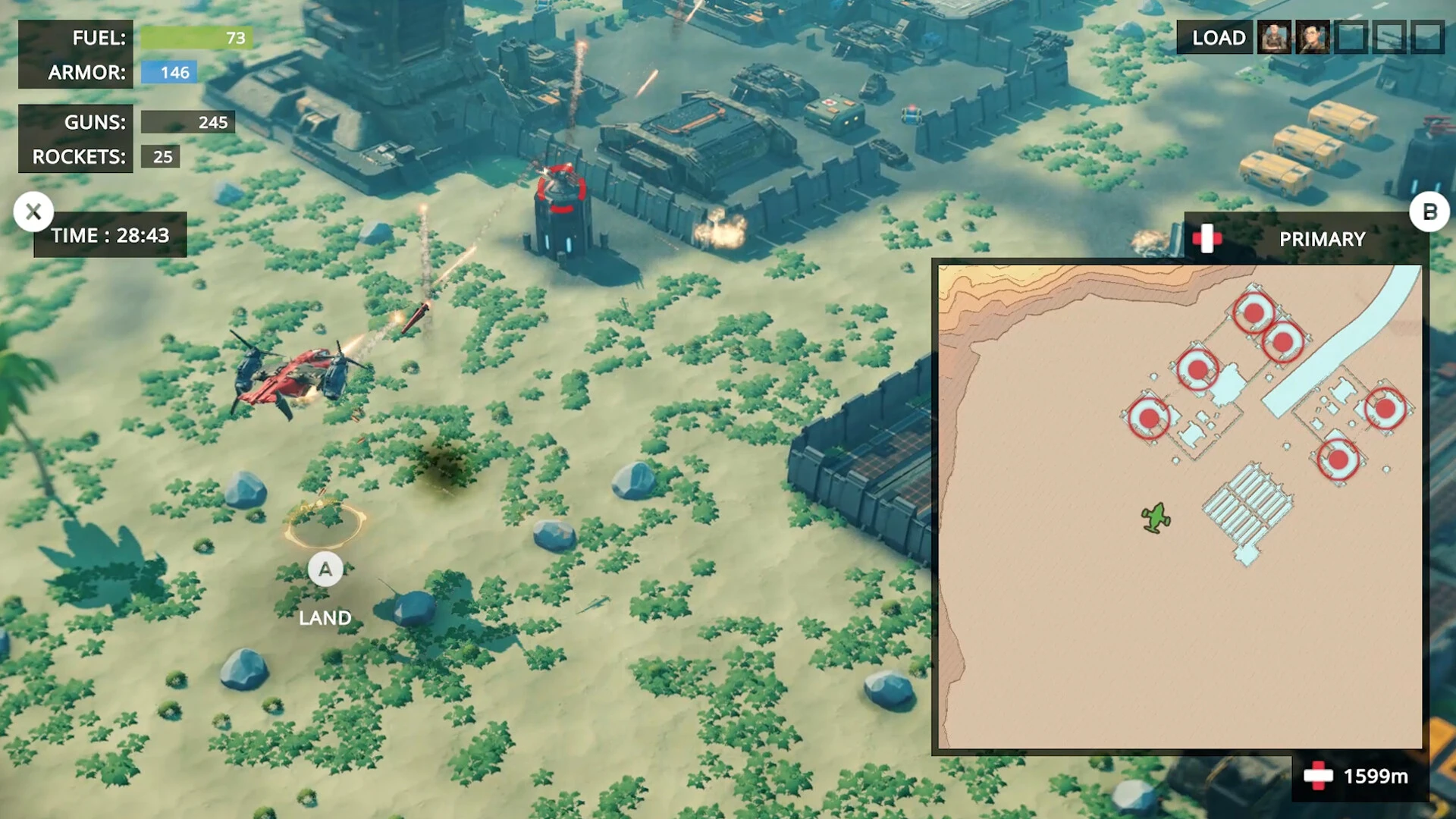


Reflex Unit: Strike Ops is a fast-paced tactical action game that puts player awareness and split-second decision-making at the center of every encounter. Rather than relying on overwhelming firepower or flashy mechanics, the game challenges players to think, react, and adapt under constant pressure. Each mission feels like a test of focus, where hesitation can be just as dangerous as recklessness.
The game’s core strength lies in its emphasis on precision. Weapons are powerful but unforgiving, rewarding careful aim and disciplined movement. Running blindly into combat is rarely effective; success comes from reading the environment, predicting enemy behavior, and striking at the right moment. This design choice creates a constant sense of tension, keeping players fully engaged from start to finish.
Level design in Reflex Unit: Strike Ops supports this tactical mindset. Environments are compact yet layered, offering multiple paths, cover points, and vantage positions. Urban corridors, industrial zones, and fortified compounds each demand different approaches. Players are encouraged to study layouts, plan routes, and adapt strategies as situations change. No two encounters feel identical, even when replaying the same mission.
Enemy AI plays a significant role in maintaining challenge and realism. Opponents do not simply rush forward; they flank, take cover, and respond to player actions. Mistakes are punished quickly, forcing players to learn from failure rather than rely on brute force. This intelligent opposition keeps combat grounded and satisfying, especially when a carefully planned maneuver succeeds.
Sound design and visuals work together to heighten immersion. Gunfire is sharp and impactful, footsteps signal approaching threats, and ambient noise adds to the feeling of being in hostile territory. Visually, the game avoids unnecessary clutter, using clear silhouettes and lighting to ensure that information is readable in the heat of battle. This clarity supports the game’s focus on reaction and awareness.
Customization and progression are handled with restraint. Instead of overwhelming players with endless upgrades, Reflex Unit: Strike Ops offers meaningful choices that influence playstyle. Weapon modifications, equipment loadouts, and tactical tools allow players to tailor their approach without breaking balance. Progress feels earned, reinforcing the satisfaction of mastering the game’s systems.
What truly defines the experience is the mental pressure it creates. Every corner feels dangerous, every decision carries weight, and every victory feels deserved. The game does not rely on scripted hero moments; instead, it allows players to create their own through smart play and steady nerves. This approach makes success deeply personal and failure a valuable teacher.
In conclusion, Reflex Unit: Strike Ops stands out as a focused and disciplined action experience. By prioritizing reflexes, tactical thinking, and player responsibility, it delivers intense moments that stay memorable long after the mission ends. For players seeking challenge without excess, this game proves that sharp design and thoughtful execution can be more powerful than spectacle alone.
Apple processor requiredProcessor: Apple M1RAM: 16 MB RAM
Run the downloaded image and drag the application to the Applications folder shortcut.
Once copying is complete, the application can be launched via Launchpad.
Frequently Asked Questions
Mount the image and run Open Gatekeeper friendly.
Press Enter to bypass Gatekeeper in the Terminal window.
Drag the application to the Applications folder.
The application is ready for use.
ATTENTION! SIP must be disabled. Learn more >
Restart your Mac and hold down Command + R to enter Recovery Mode.
Open Terminal from the Utilities menu.
Enter the command: csrutil disable
Restart your Mac.
This is a common Gatekeeper issue. Follow these steps:
1. Open Terminal
2. Enter: sudo xattr -rd com.apple.quarantine /Applications/AppName.app
3. Replace "AppName" with the actual application name
4. Press Enter and enter your password
Yes, all our downloads are thoroughly checked for viruses and malware.
We use multiple antivirus engines to scan every file.
Our team tests each application before publishing.
We never bundle adware or unwanted software.
Yes, we regularly update our applications to the latest versions.
You can check our website for updates or subscribe to our newsletter.
We strive to provide the most recent versions within 24-48 hours of release.
If a download link is not working, please:
1. Try a different browser
2. Clear your browser cache and cookies
3. Try the alternative download links provided
4. Contact our support team if the issue persists