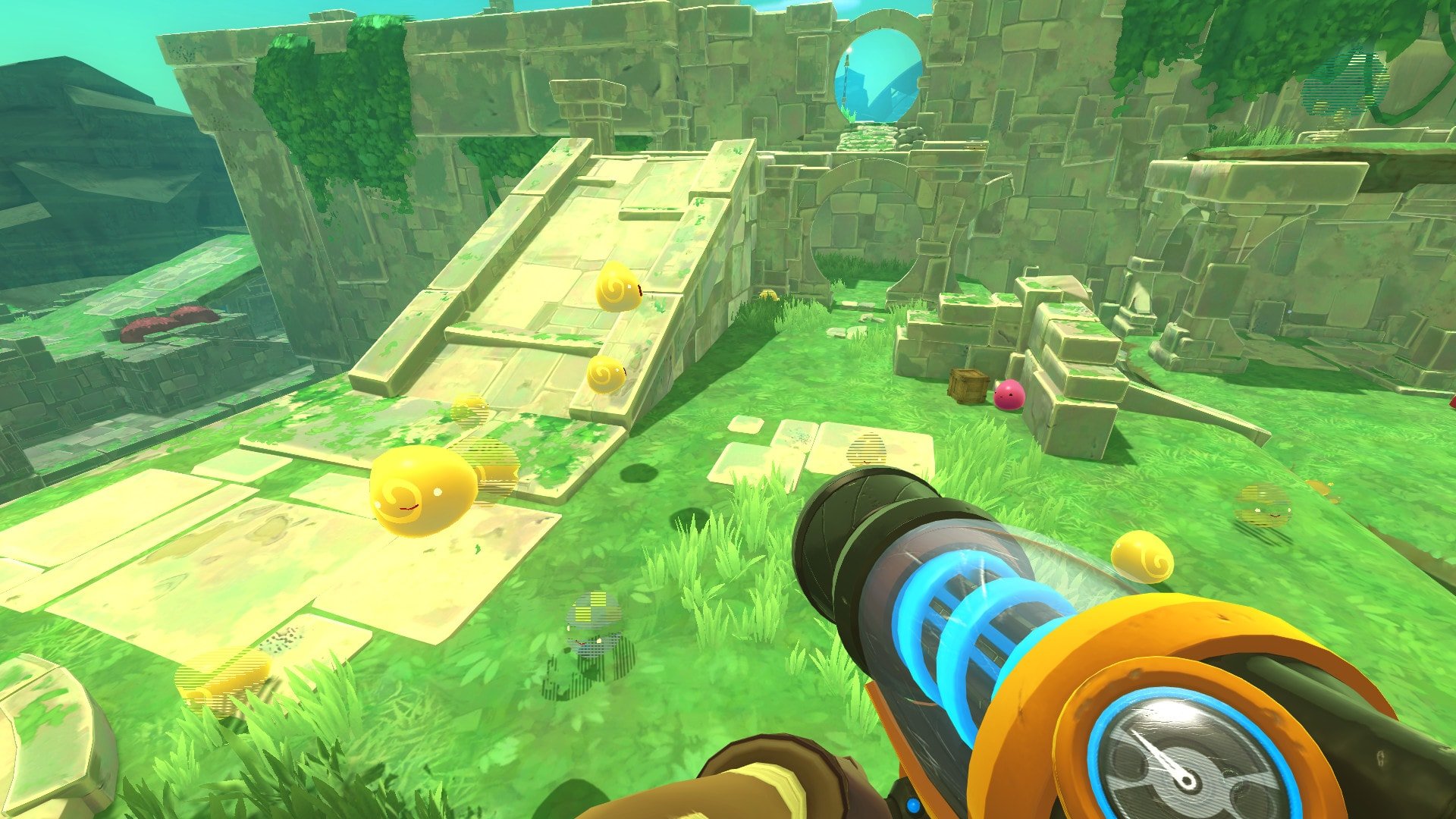
Slime Rancher

Published:
600 MB80 downloads

Slime Rancher is a game that surprises players with how comforting and imaginative it can be. Developed by Monomi Park, this first-person farming and exploration game blends creativity, light strategy, and a sense of wonder into an experience that feels both relaxing and endlessly engaging. Rather than focusing on competition or combat, the game invites players to slow down, experiment, and build something joyful.

Players step into the role of Beatrix LeBeau, a rancher who travels far from Earth to the Far, Far Range, a vibrant alien world filled with living, bouncing slimes. Armed with a versatile vacuum tool, Beatrix collects slimes, resources, and discoveries while learning how this strange ecosystem functions. The game’s premise is simple, yet it quickly opens into a surprisingly deep system of management and exploration.

Each slime species behaves differently and has its own dietary needs and unique traits. Some are harmless and cheerful, while others can be unpredictable if mishandled. Feeding slimes properly produces valuable resources that can be sold to upgrade equipment and expand the ranch. Balancing profits with care is a central challenge, encouraging thoughtful planning rather than reckless collection.

Exploration is a major part of the experience. The Far, Far Range is full of hidden paths, secret areas, and environmental puzzles that reward curiosity. From glowing caves to ancient ruins, every region has its own personality and mysteries. Movement upgrades gradually open the world, allowing players to reach new heights and uncover previously inaccessible areas. This sense of discovery keeps the game feeling fresh long after the basics are mastered.

Visually, Slime Rancher is bright, charming, and full of life. The world bursts with color, and the slimes themselves are animated with expressive simplicity that makes them instantly lovable. The art style avoids realism in favor of playful design, helping create a welcoming atmosphere that appeals to players of all ages.

Sound design complements the visuals perfectly. Gentle music and ambient sounds create a peaceful mood, while the slimes’ cheerful noises add personality without becoming distracting. The audio reinforces the idea that this world is meant to be enjoyed rather than conquered.

Narratively, the game takes a subtle approach. Story elements are discovered through exploration, old messages, and environmental clues. Instead of guiding players with constant direction, the game allows its emotional moments to unfold naturally. Themes of independence, discovery, and connection emerge quietly, making the story feel personal and reflective.

What truly makes Slime Rancher special is its tone. Failure is rarely punishing, encouraging experimentation and learning through play. The game respects the player’s pace, making it just as enjoyable for short sessions as for long, immersive playtimes. Whether tending slimes, exploring unknown lands, or simply watching the ranch come to life, there is a constant sense of calm satisfaction.

In the end, Slime Rancher stands as a reminder that games do not need intense action to be memorable. With its joyful world, thoughtful mechanics, and gentle storytelling, it offers a unique adventure built on curiosity, care, and creativity—one that continues to charm players long after their first visit to the Far, Far Range.

OS: OSX 10.11+
Processor: 2.2GHz Dual Core
RAM: 4 GB
Video card: OpenGL 3.2 compatible, 512 MB VRAM
Disk space: 1 GB

Run the downloaded package and follow the standard installation procedure.
The installation is completed by choosing a location to place the game.
It is recommended to specify the Applications folder.


Frequently Asked Questions

Mount the image and run Open Gatekeeper friendly.

Press Enter to bypass Gatekeeper in the Terminal window.

Drag the application to the Applications folder.

The application is ready for use.

ATTENTION! SIP must be disabled. Learn more >

Restart your Mac and hold down Command + R to enter Recovery Mode.

Open Terminal from the Utilities menu.

Enter the command: csrutil disable

Restart your Mac.

This is a common Gatekeeper issue. Follow these steps:

1. Open Terminal

2. Enter: sudo xattr -rd com.apple.quarantine /Applications/AppName.app

3. Replace "AppName" with the actual application name

4. Press Enter and enter your password

Yes, all our downloads are thoroughly checked for viruses and malware.

We use multiple antivirus engines to scan every file.

Our team tests each application before publishing.

We never bundle adware or unwanted software.

Yes, we regularly update our applications to the latest versions.

You can check our website for updates or subscribe to our newsletter.

We strive to provide the most recent versions within 24-48 hours of release.

If a download link is not working, please:

1. Try a different browser

2. Clear your browser cache and cookies

3. Try the alternative download links provided

4. Contact our support team if the issue persists