


Tennis Manager 2021
Download Tennis Manager 2021
Run the downloaded package and follow the standard installation procedure.
The installation is completed by choosing a location to place the game.
It is recommended to specify the Applications folder.
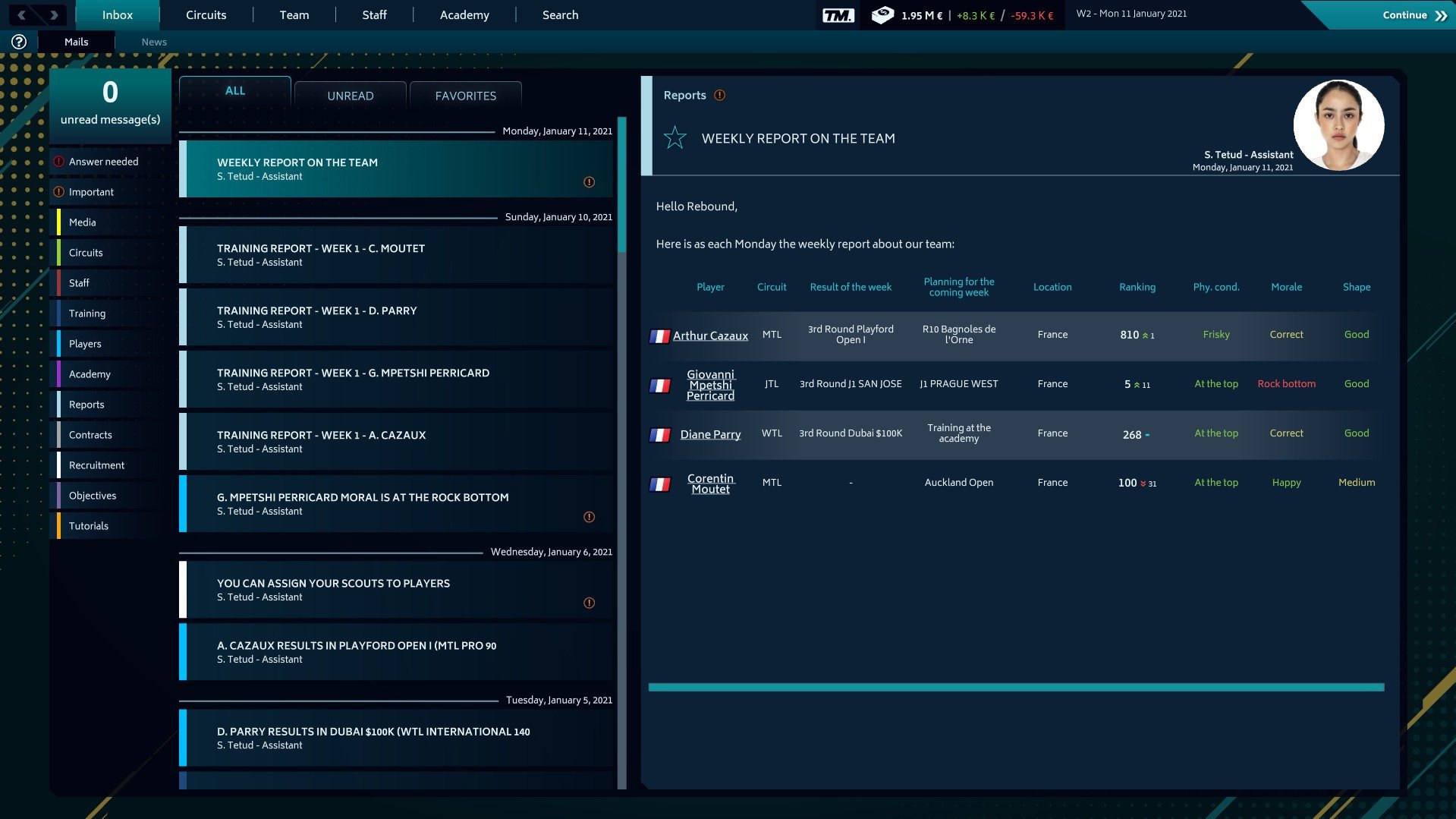
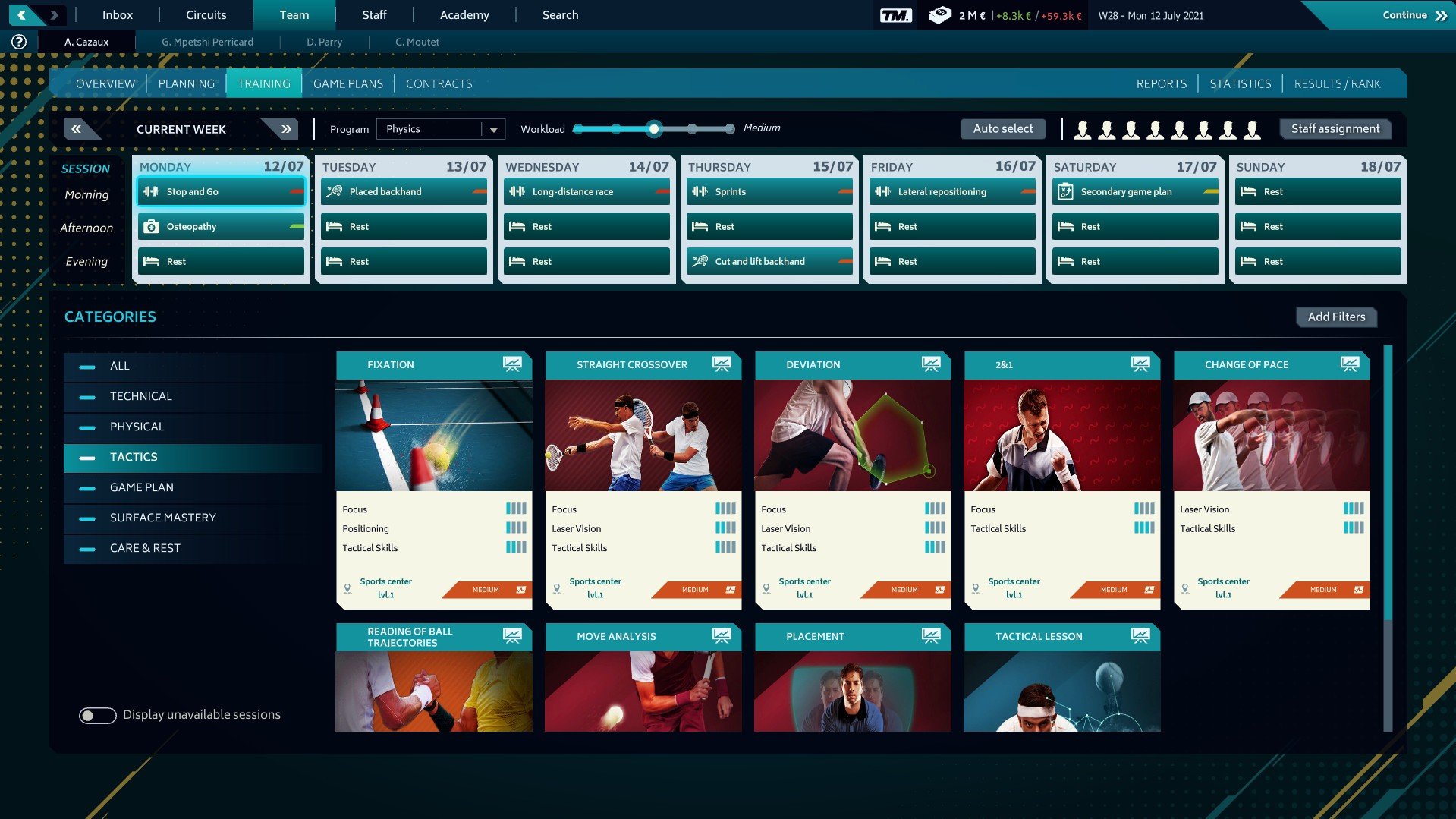
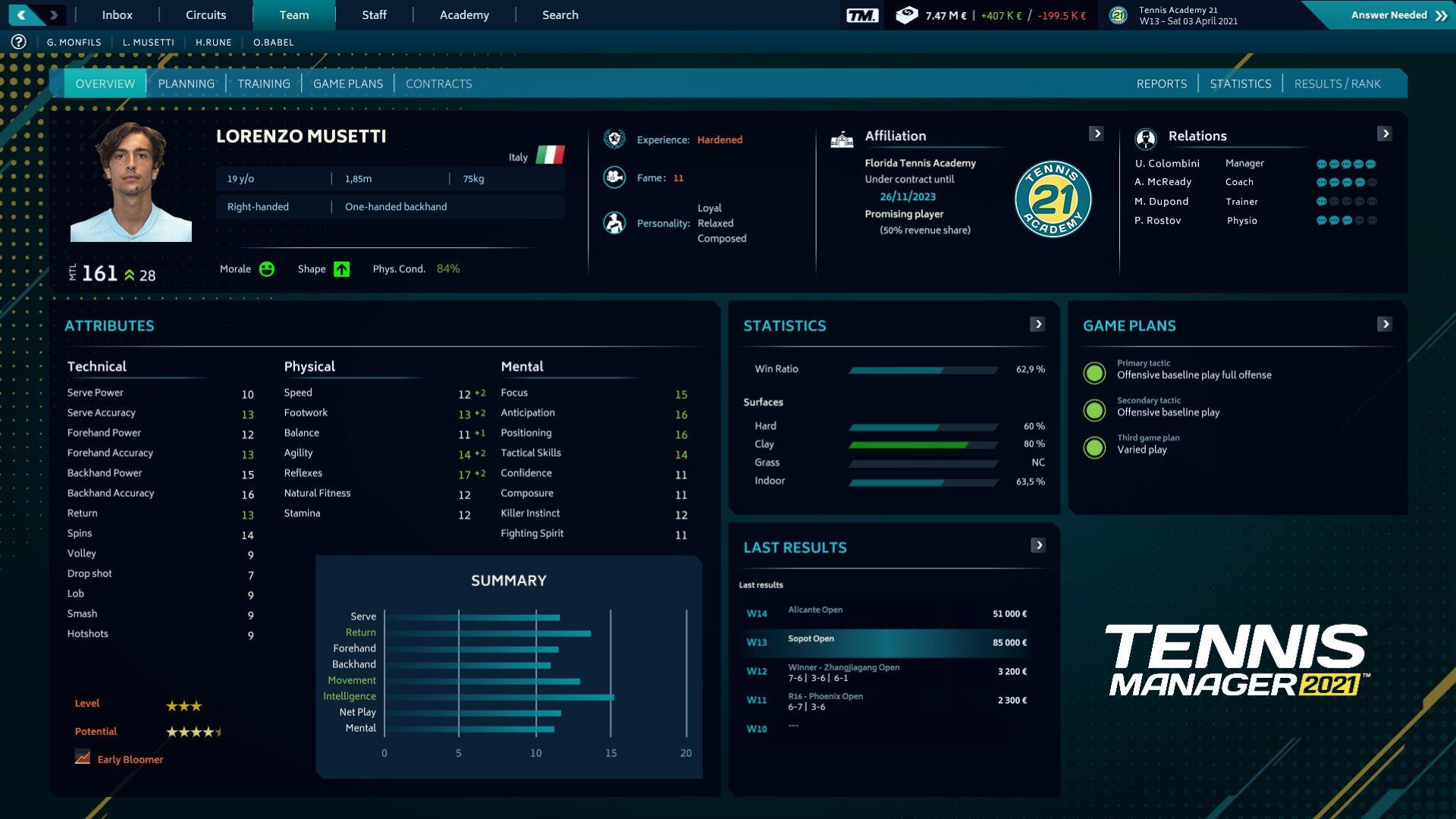
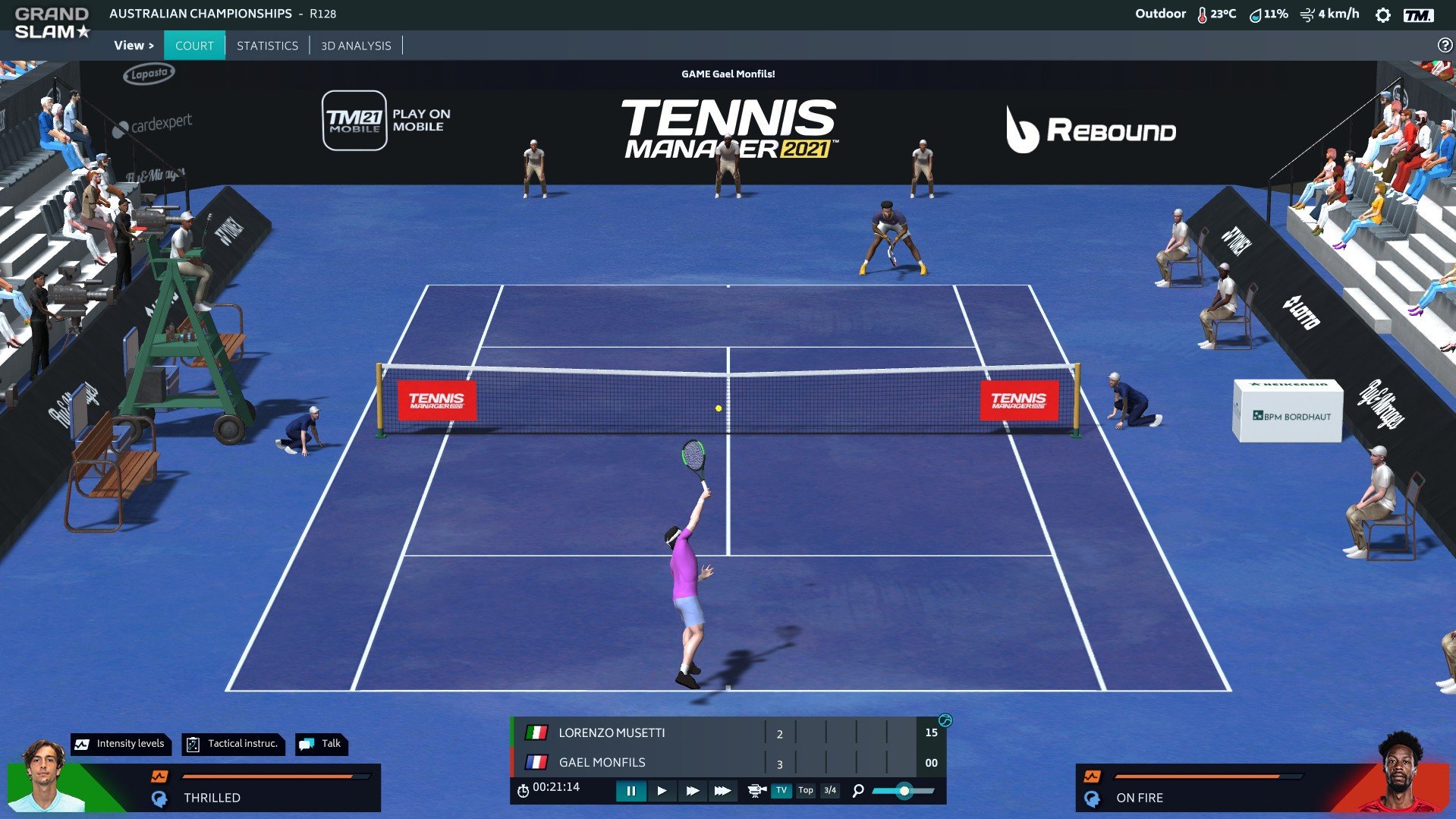
Tennis Manager 2021 offers a compelling simulation experience for sports enthusiasts and strategy lovers alike. Developed by Rebound CG, this game allows players to step into the shoes of a professional tennis coach and manager, overseeing every aspect of a player’s career—from training routines to tournament strategies. With its combination of realistic gameplay, deep management mechanics, and immersive graphics, it has carved a niche for itself in the sports simulation genre.
At its core, Tennis Manager 2021 puts the player in control of building and guiding a tennis athlete’s journey from a promising rookie to a top-ranked professional. Players are responsible for planning training sessions, managing fitness levels, monitoring morale, and deciding which tournaments to enter. The game emphasizes a balance between physical conditioning, skill development, and tactical preparation. Each decision carries weight, and poor management can lead to burnout, injuries, or missed opportunities, making the managerial aspect both challenging and rewarding.
One of the game’s most impressive features is its realism. Match simulations are dynamic, taking into account player statistics, playing styles, surface types, and fatigue levels. Watching a match unfold is both strategic and engaging, as players can make tactical decisions during live play, such as adjusting aggression levels, targeting weaknesses in opponents, or modifying positioning on the court. The level of detail in player performance and statistics ensures that each match feels authentic and unpredictable, requiring careful planning and adaptation.
The depth of customization in Tennis Manager 2021 adds another layer of engagement. Players can develop their athletes according to preferred playstyles, whether it’s a baseline powerhouse, a serve-and-volley specialist, or an all-court player. Beyond training and match tactics, the game allows management of staff, facilities, sponsorship deals, and finances. This comprehensive approach ensures that success is not only a matter of on-court skill but also effective off-court decision-making.
The game’s visuals and presentation complement its strategic gameplay. While the graphics are not hyper-realistic, they are polished and functional, providing clear views of matches and training sessions. The user interface is intuitive, allowing easy navigation between menus, player profiles, and performance analytics. The combination of clear visuals and detailed statistics helps players make informed decisions without feeling overwhelmed by the game’s complexity.
Moreover, Tennis Manager 2021 shines in its long-term progression. Each season presents new challenges, including evolving player dynamics, emerging talents, and shifting rankings. The game encourages planning several steps ahead, rewarding patience, foresight, and adaptability. Whether aiming to win Grand Slam tournaments, nurture young talent, or build a sports empire, players have the freedom to shape their path and test their managerial skills in a realistic environment.
In conclusion, Tennis Manager 2021 is a standout sports simulation that successfully combines tactical decision-making, strategic planning, and immersive management. It offers an experience that goes beyond simple match play, challenging players to think critically, plan meticulously, and guide their athletes to glory. For fans of tennis and sports management alike, this game provides a deeply satisfying and highly engaging journey into the competitive world of professional tennis.
System: macOS 10.15Processor: Intel Core 2 Duo – 1.8 GHzMemory: 4 GB RAMGraphics: Intel HD Graphics 4000Storage: 3 GB available spaceOther: Requires a 64-bit processor and operating system
Run the downloaded package and follow the standard installation procedure.
The installation is completed by choosing a location to place the game.
It is recommended to specify the Applications folder.
Frequently Asked Questions
Mount the image and run Open Gatekeeper friendly.
Press Enter to bypass Gatekeeper in the Terminal window.
Drag the application to the Applications folder.
The application is ready for use.
ATTENTION! SIP must be disabled. Learn more >
Restart your Mac and hold down Command + R to enter Recovery Mode.
Open Terminal from the Utilities menu.
Enter the command: csrutil disable
Restart your Mac.
This is a common Gatekeeper issue. Follow these steps:
1. Open Terminal
2. Enter: sudo xattr -rd com.apple.quarantine /Applications/AppName.app
3. Replace "AppName" with the actual application name
4. Press Enter and enter your password
Yes, all our downloads are thoroughly checked for viruses and malware.
We use multiple antivirus engines to scan every file.
Our team tests each application before publishing.
We never bundle adware or unwanted software.
Yes, we regularly update our applications to the latest versions.
You can check our website for updates or subscribe to our newsletter.
We strive to provide the most recent versions within 24-48 hours of release.
If a download link is not working, please:
1. Try a different browser
2. Clear your browser cache and cookies
3. Try the alternative download links provided
4. Contact our support team if the issue persists