


Screamer
Download Screamer
Follow the standard installation procedure.
Installation concludes with selecting a location for the game.
It is recommended to select the Applications folder.
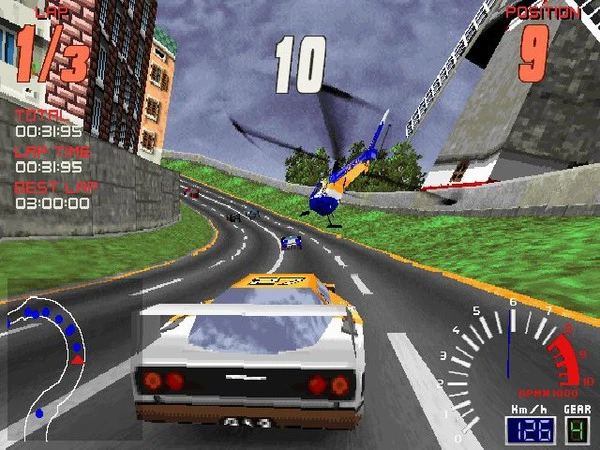
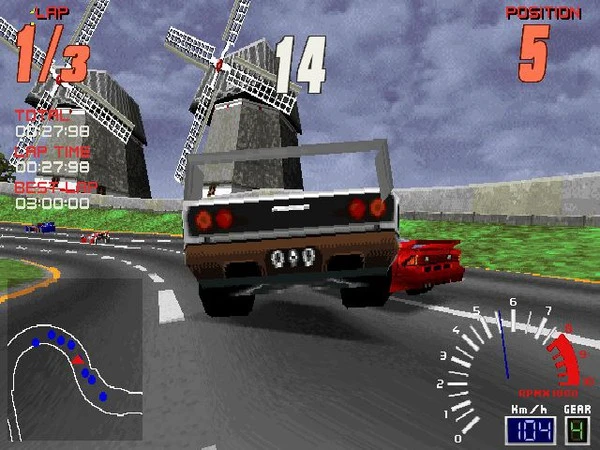
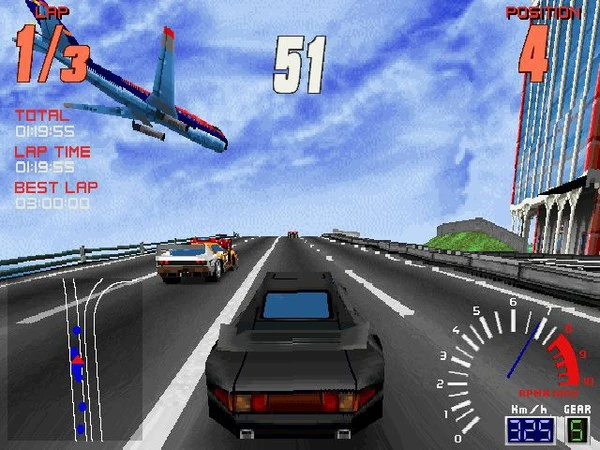
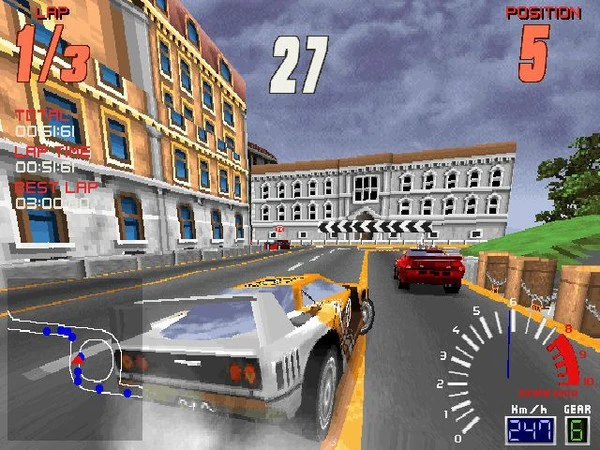
Screamer is a classic racing game that left a significant mark on the genre when it was released, offering players a blend of speed, excitement, and adrenaline-pumping action. Developed by Milestone and launched in the mid-1990s, Screamer quickly gained a reputation for its fast-paced gameplay, engaging tracks, and innovative features that distinguished it from other racing games of its time. Even decades later, it remains a memorable title for fans of arcade-style racing.
At its core, Screamer is an arcade racing game that emphasizes pure speed and reaction-based driving. Players can choose from a variety of vehicles, each with unique handling characteristics and performance capabilities. The game’s focus is on thrill and precision, challenging players to navigate winding roads, tight corners, and high-speed straights while competing against other racers or the clock. Unlike realistic simulators, Screamer prioritizes fun and excitement, making it accessible to both casual players and dedicated racing enthusiasts.
One of the standout features of Screamer is its track design. The game features a series of well-crafted circuits set in diverse locations, from urban cityscapes to winding countryside roads. Each track presents its own challenges, including sharp turns, sudden elevation changes, and environmental hazards that test a player’s reflexes and driving skills. The variety of tracks keeps gameplay fresh and encourages players to master each course for the fastest times and highest scores.
Visuals in Screamer were impressive for their time. The game employed detailed 3D graphics that brought vehicles and environments to life, with smooth animations and dynamic perspectives that enhanced the sense of speed. The combination of fast rendering and colorful scenery created an immersive racing experience, allowing players to feel the thrill of racing at high velocities. Even though modern games have surpassed these graphics, Screamer still holds nostalgic appeal for those who experienced its early-era 3D visuals.
Sound design also contributes significantly to the game’s immersive quality. Engine roars, tire screeches, and dynamic collision sounds amplify the sensation of speed and danger, while upbeat music tracks accompany races, creating an adrenaline-fueled atmosphere. The audio cues are functional as well, helping players gauge speed, cornering, and impact intensity, which is essential in maintaining precision during high-speed maneuvers.
Gameplay in Screamer is further enhanced by its variety of modes. Players can engage in time trials, single races, or championships, offering multiple ways to enjoy the game. The arcade-style approach encourages repeated playthroughs, as mastering each track and vehicle combination becomes a rewarding challenge. Leaderboards and scoring systems also add a competitive element, motivating players to improve their times and refine their racing strategies.
In conclusion, Screamer stands as a classic example of 1990s arcade racing, blending speed, excitement, and engaging gameplay into a memorable experience. Its combination of well-designed tracks, vibrant graphics, and immersive audio makes it a game that continues to resonate with fans of the genre. For anyone seeking a high-octane racing adventure filled with thrills and nostalgia, Screamer delivers an exhilarating ride that remains timeless in its appeal.
OS: OS X 10.6.8 or laterProcessor: Intel Core Duo 2GHz+RAM: 1 GB RAMVideo card: 64 MB of video memoryDisk space: 500 MB
Follow the standard installation procedure.
Installation concludes with selecting a location for the game.
It is recommended to select the Applications folder.
Frequently Asked Questions
Mount the image and run Open Gatekeeper friendly.
Press Enter to bypass Gatekeeper in the Terminal window.
Drag the application to the Applications folder.
The application is ready for use.
ATTENTION! SIP must be disabled. Learn more >
Restart your Mac and hold down Command + R to enter Recovery Mode.
Open Terminal from the Utilities menu.
Enter the command: csrutil disable
Restart your Mac.
This is a common Gatekeeper issue. Follow these steps:
1. Open Terminal
2. Enter: sudo xattr -rd com.apple.quarantine /Applications/AppName.app
3. Replace "AppName" with the actual application name
4. Press Enter and enter your password
Yes, all our downloads are thoroughly checked for viruses and malware.
We use multiple antivirus engines to scan every file.
Our team tests each application before publishing.
We never bundle adware or unwanted software.
Yes, we regularly update our applications to the latest versions.
You can check our website for updates or subscribe to our newsletter.
We strive to provide the most recent versions within 24-48 hours of release.
If a download link is not working, please:
1. Try a different browser
2. Clear your browser cache and cookies
3. Try the alternative download links provided
4. Contact our support team if the issue persists