


Hoop Land
Download Hoop Land
Run the downloaded image and drag the application to the Applications folder shortcut.
Once copying is complete, the application can be launched via Launchpad.
Previous Versions
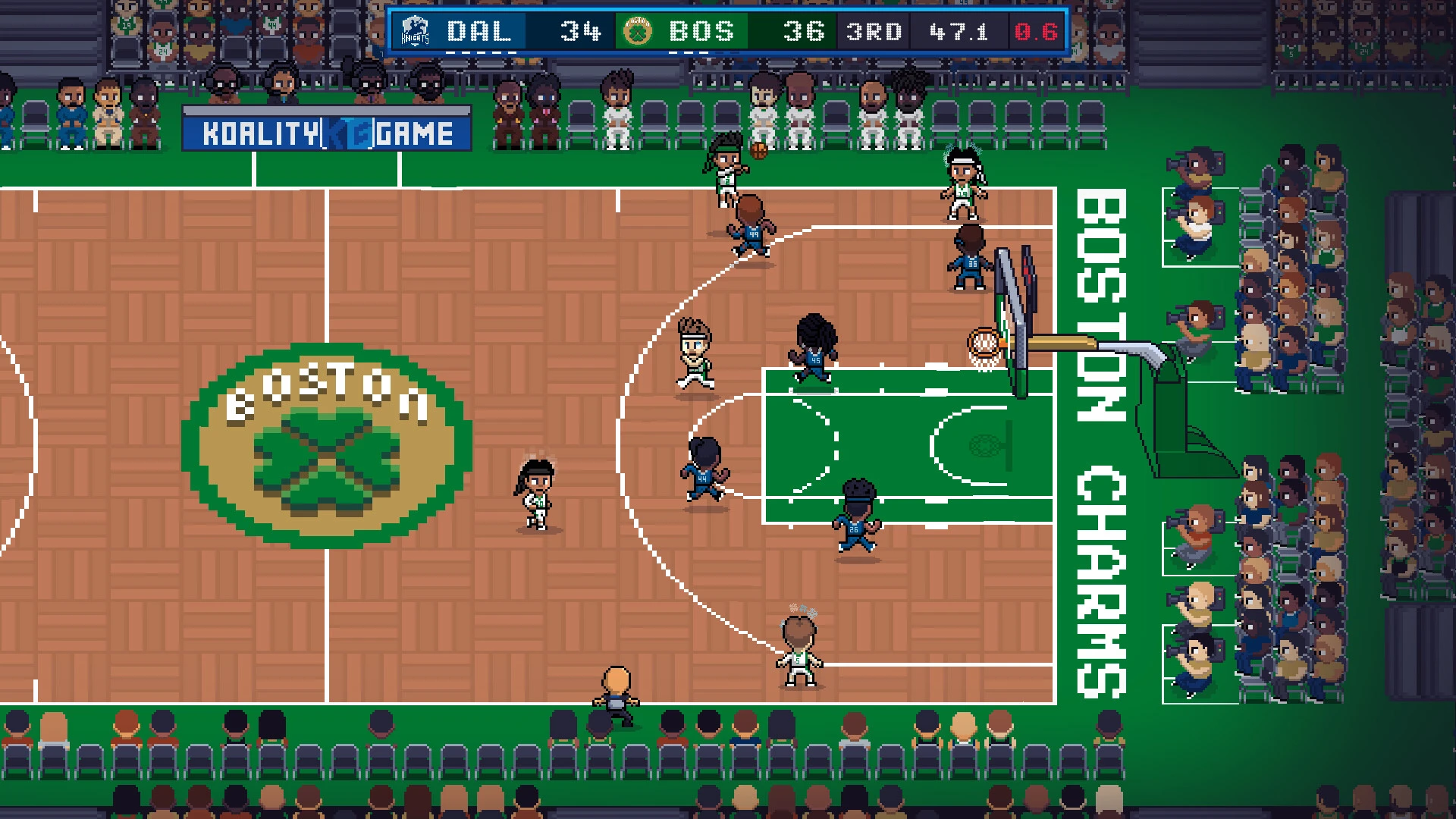

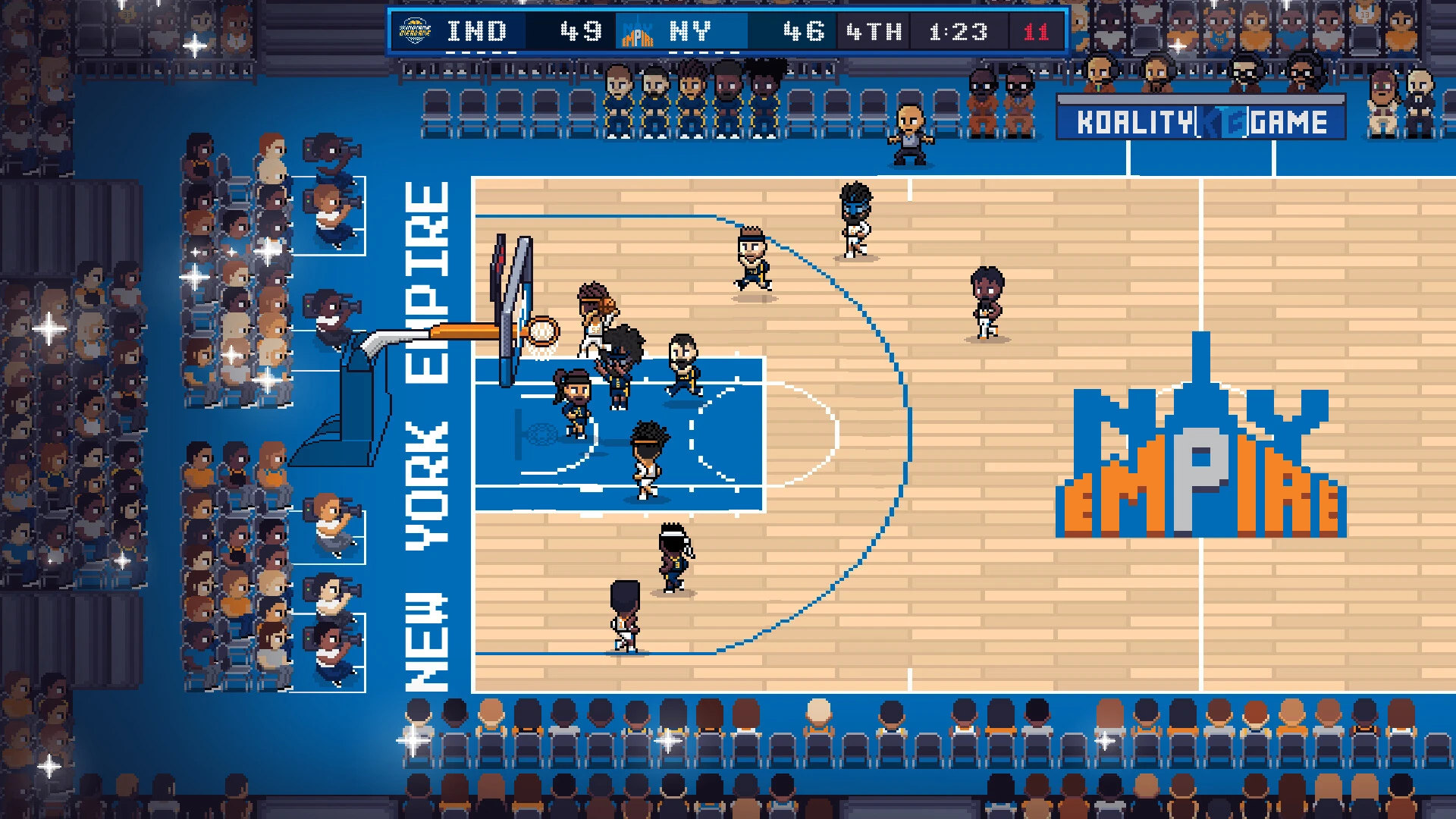
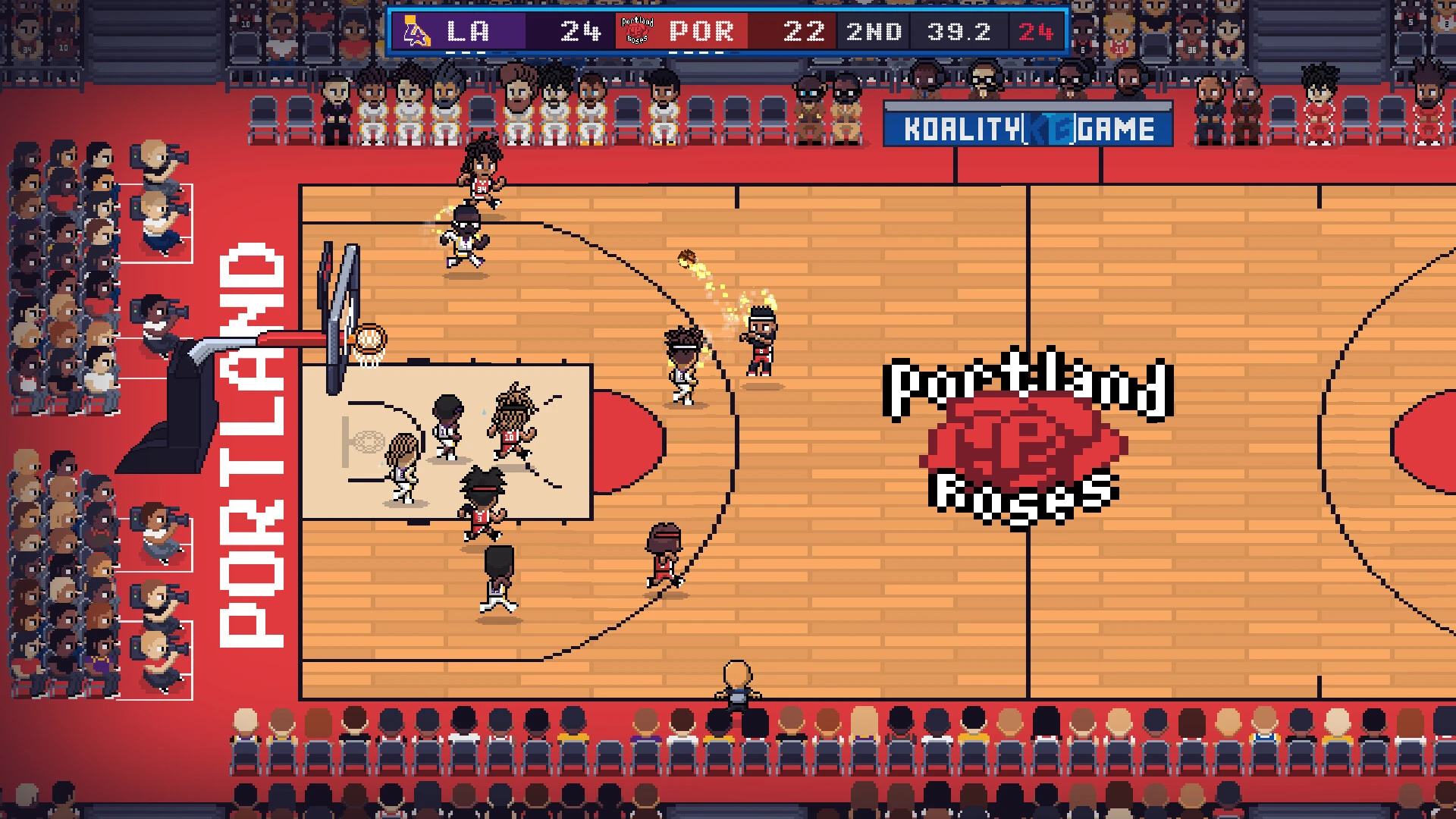
Hoop Land is an exciting basketball simulation game that combines arcade action with deep team management and player development. Designed for sports enthusiasts, the game offers fast-paced matches, strategic coaching decisions, and immersive career progression. Whether you enjoy scoring spectacular plays or prefer building a championship team, Hoop Land offers a complete basketball experience.
Fast-Paced Basketball Gameplay
The main appeal of Hoop Land is its dynamic basketball gameplay. Players can dribble, pass, shoot, block, and perform spectacular dunks in competitive matches. Quick reflexes and smart positioning are essential for success.
Every game feels dynamic because player movement, team chemistry, and tactical decisions all influence the final result. Offense requires creativity, while defense demands timing and discipline.
This balance between action and strategy keeps games exciting from start to finish.
Team Management and Coaching
Beyond the gameplay, Hoop Land offers a robust management system. Players can act as coaches or team managers, making decisions that impact long-term success.
Building the right roster is essential. Selecting talented athletes, balancing positions, and improving team chemistry are key factors in winning championships.
Training programs, player development, and scouting for new talent add even more depth to the experience. Young players can become superstars with the right training and support.
Career and Season Progression
One of the most rewarding aspects of Hoop Land is its career progression system. Players can guide their teams through multiple seasons, aiming for playoff success and championship wins.
Each season presents new challenges, such as injuries, trades, rival teams, and performance expectations. These factors make the long-term gameplay experience more realistic and exciting.
Career mode allows players to create their own legacy, whether as a coach, manager, or star athlete.
Customization and Player Development
Hoop Land also gives players the ability to customize teams, uniforms, strategies, and player roles. This adds a personal touch and makes each team feel unique.
Player progression is another key feature. Athletes improve over time based on their performance, training, and experience. This creates an emotional connection with the player as they watch their team evolve.
Competitive Strategy
Winning in Hoop Land isn't just about scoring points. Smart tactical decisions, such as defensive formations, substitution timing, and offensive play selection, can completely change a game.
Understanding opponents' strengths and weaknesses becomes essential in high-level competition.
This strategic layer makes the game appealing to both casual players and more experienced basketball fans.
Why is Hoop Land popular?
Hoop Land's popularity stems from its combination of action, strategy, and realism. It captures the excitement of basketball while giving players significant control over team development. Its accessible gameplay makes it easy for beginners to enjoy the game, while its more complex management systems keep experienced players entertained for hours.
Conclusion
Hoop Land offers an exciting basketball experience that combines dynamic gameplay with smart team management. With its career progression, strategic depth, and competitive energy, it offers something for every sports video game fan. Whether you enjoy scoring game-winning baskets or prefer building a championship team, Hoop Land offers a rewarding immersion into the world of competitive basketball.
OS: Mojave 10.14+ (Intel processors). Big Sur 11.0 (Apple silicon-based processors).Processor: X64 architecture with SSE2 instruction set support (Intel processors). Apple M1 or higher (Apple silicon-based processors).Memory: 4 GB RAM.Disk space: 2 GB.
Run the downloaded image and drag the application to the Applications folder shortcut.
Once copying is complete, the application can be launched via Launchpad.
Frequently Asked Questions
Mount the image and run Open Gatekeeper friendly.
Press Enter to bypass Gatekeeper in the Terminal window.
Drag the application to the Applications folder.
The application is ready for use.
ATTENTION! SIP must be disabled. Learn more >
Restart your Mac and hold down Command + R to enter Recovery Mode.
Open Terminal from the Utilities menu.
Enter the command: csrutil disable
Restart your Mac.
This is a common Gatekeeper issue. Follow these steps:
1. Open Terminal
2. Enter: sudo xattr -rd com.apple.quarantine /Applications/AppName.app
3. Replace "AppName" with the actual application name
4. Press Enter and enter your password
Yes, all our downloads are thoroughly checked for viruses and malware.
We use multiple antivirus engines to scan every file.
Our team tests each application before publishing.
We never bundle adware or unwanted software.
Yes, we regularly update our applications to the latest versions.
You can check our website for updates or subscribe to our newsletter.
We strive to provide the most recent versions within 24-48 hours of release.
If a download link is not working, please:
1. Try a different browser
2. Clear your browser cache and cookies
3. Try the alternative download links provided
4. Contact our support team if the issue persists